
Youshiko YC8061-B
Youshiko YC8061-B Jumbo Radio Controlled Wall Clock
Руководство пользователя
1. Введение
Thank you for choosing the Youshiko YC8061-B Jumbo Radio Controlled Wall Clock. This clock is designed to provide precise timekeeping, automatically synchronizing with the MSF radio signal for the UK and Ireland. It features a large, clear LCD display that shows time, date, day of the week, indoor temperature, and humidity. This manual will guide you through the setup, operation, and maintenance of your new clock.
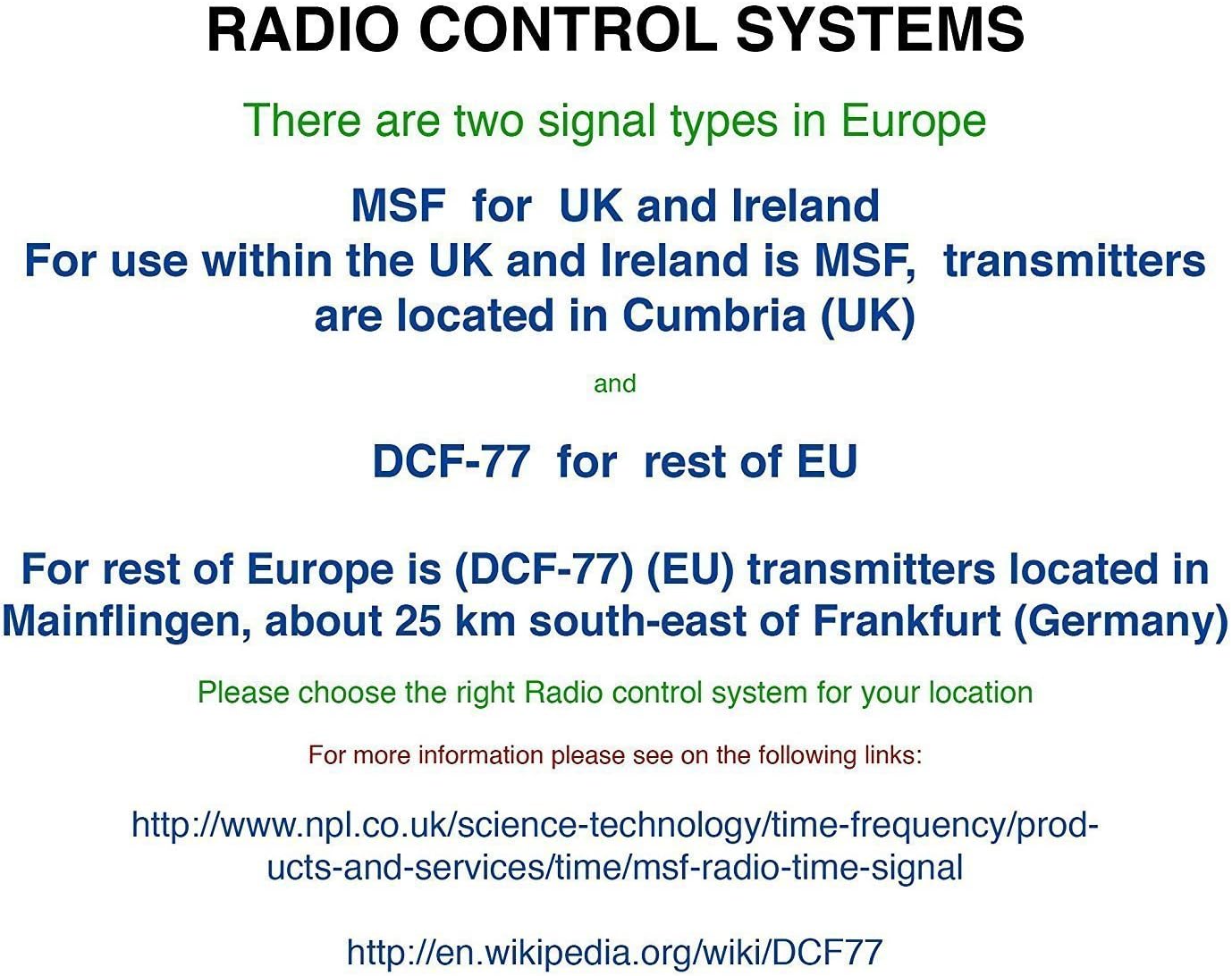
Рисунок 1.1: Передняя часть view of the Youshiko YC8061-B Jumbo Radio Controlled Wall Clock, displaying time, date, day, temperature, and humidity.
2. Содержимое упаковки
- Youshiko YC8061-B Jumbo Radio Controlled Wall Clock
- Руководство по эксплуатации
Примечание: 4 x AA batteries are required for operation and are not included in the package.
3. Продукт закончилсяview
Familiarize yourself with the main components and controls of your clock.
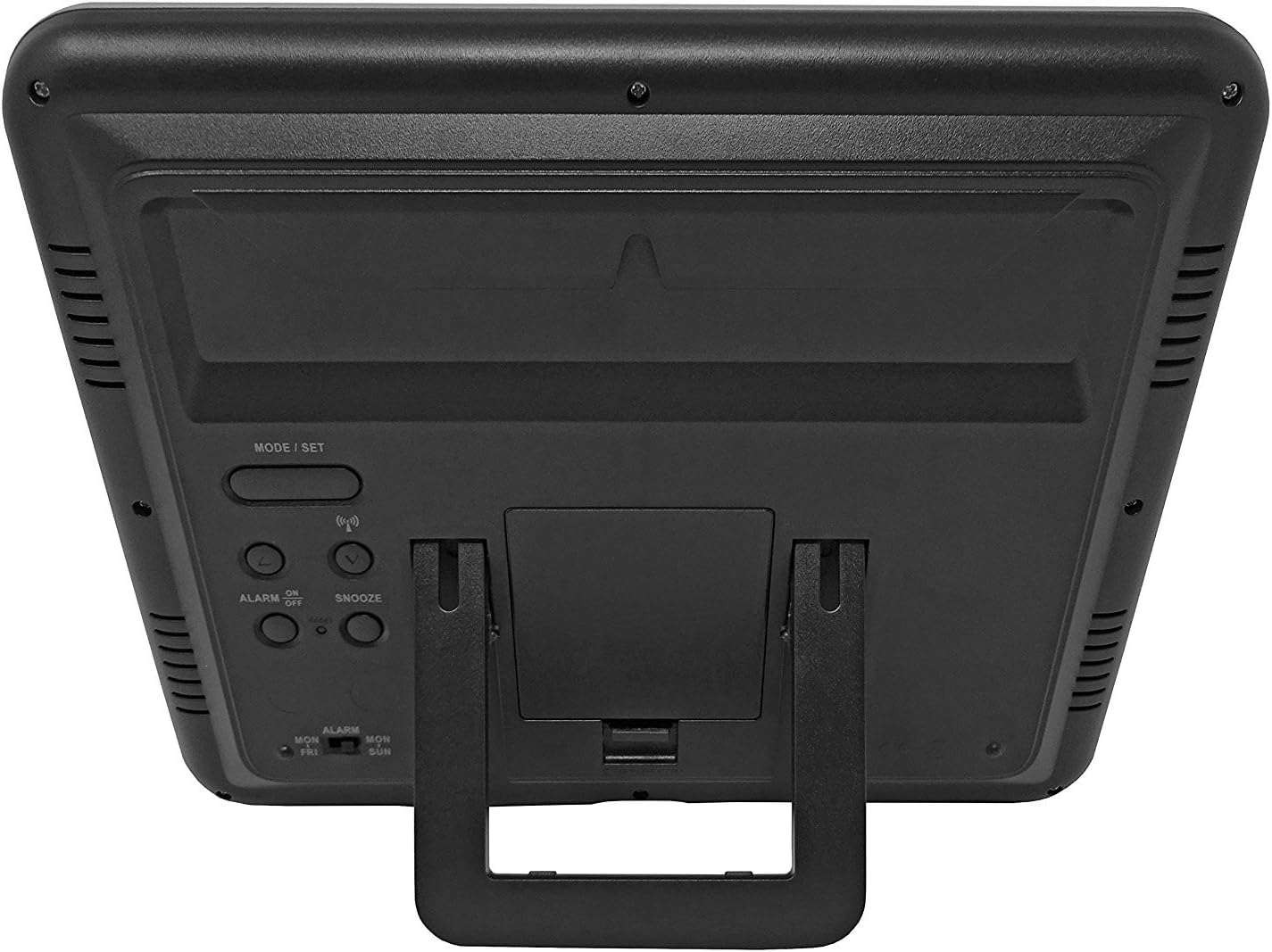
Рисунок 3.1: Назад view на часах, с выделением батарейного отсека и кнопок управления.
Кнопки управления:
- MODE / SET: Used to switch between display modes and enter setting mode.
- ВВЕРХ ВНИЗ: Used to adjust values during setting mode.
- WAVE / RCC: Manually initiates or stops radio control signal reception.
- ALARM ON / OFF: Включает или выключает сигнализацию.
- СНУЗ: Активирует функцию повтора сигнала будильника при срабатывании сигнала.
4. Установка аккумулятора
- Найдите крышку батарейного отсека на задней панели часов.
- Снимите крышку, сдвинув ее вниз или подняв вверх.
- Insert 4 new AA batteries, ensuring the correct polarity (+ and -) as indicated inside the compartment.
- Установите на место крышку батарейного отсека.
The clock will power on and begin searching for the radio control signal automatically.
5. Initial Setup & Time Synchronization
The Youshiko YC8061-B clock is designed to automatically set its time and date via the MSF radio signal broadcast from Cumbria, UK. This signal is specifically for use within the UK and Ireland.

Figure 5.1: Explanation of radio control systems (MSF for UK/Ireland, DCF-77 for rest of EU).
Автоматическая синхронизация:
- After battery installation, the clock will automatically start searching for the MSF signal. A radio wave icon will flash on the display.
- Place the clock near a window, away from electronic devices that may cause interference.
- The initial synchronization process may take several minutes to a few hours, depending on your location and signal strength.
- Once the signal is successfully received, the radio wave icon will appear solid on the display, and the clock will show the correct time and date.
- The clock will automatically adjust for Daylight Saving Time (DST) and perform daily checks to maintain accuracy.
Ручной поиск сигнала:
If the clock does not synchronize automatically or if you wish to force a signal search, press and hold the WAVE / RCC button. The radio wave icon will flash, indicating it is searching for the signal.
Manual Time Setting (if radio signal is unavailable):
In areas where the radio signal cannot be received, you can manually set the time and date:
- Нажмите и удерживайте MODE / SET Нажимайте кнопку до тех пор, пока цифры не начнут мигать.
- Используйте UP or ВНИЗ кнопки для регулировки значения мигания (например, час, минута).
- Нажимать MODE / SET again to confirm the setting and move to the next adjustable item (e.g., minute, year, month, day, 12/24-hour format, temperature unit).
- Повторяйте шаги 2 и 3, пока не будут настроены все параметры.
- Нажимать MODE / SET Ещё раз, чтобы выйти из режима настроек.
6. Инструкция по эксплуатации
Режимы отображения:
The clock displays time (hours, minutes, seconds), date (day, month, year), day of the week, indoor temperature, and humidity. The time digits are large (8.3 cm) for easy readability.
Функция будильника:
- Чтобы установить время будильника, нажмите кнопку. MODE / SET button repeatedly until the alarm time is displayed.
- Нажмите и удерживайте MODE / SET until the alarm hour flashes. Use UP or ВНИЗ для настройки.
- Нажимать MODE / SET to confirm the hour and move to minutes. Use UP or ВНИЗ для настройки.
- Нажимать MODE / SET для выхода из режима настройки будильника.
- Для включения или выключения сигнализации нажмите кнопку. БУДИЛЬНИК ВКЛ / ВЫКЛ кнопка. При активации на дисплее появится значок будильника.
Функция повтора:
Когда прозвучит сигнал будильника, нажмите кнопку SNOOZE Кнопка для временного отключения будильника. Будильник снова зазвучит примерно через 5 минут.
Выбор единицы измерения температуры:
To switch between Celsius (°C) and Fahrenheit (°F) for temperature display, press the UP button during normal time display.
7. Варианты монтажа
The Youshiko YC8061-B clock offers versatile placement options:
Настенный монтаж:
The clock features a keyhole slot on the back for easy wall mounting. Use a suitable screw (not included) in your desired location.

Figure 7.1: The clock displayed on a wall, showcasing its suitability for wall mounting.
Настольная подставка:
An integrated foldable stand on the back allows the clock to be placed on any flat surface, such as a desk, shelf, or bedside table.

Figure 7.2: The clock positioned on a table using its integrated stand.
8. Техническое обслуживание
Уборка:
Протрите часы мягкой сухой тканью. Не используйте абразивные чистящие средства или растворители, так как они могут повредить дисплей или часы.asing.
Замена батареи:
When the display dims or the clock stops functioning correctly, replace all 4 AA batteries simultaneously. Do not mix old and new batteries or different types of batteries.
9. Поиск Неисправностей
| Проблема | Возможная причина | Решение |
|---|---|---|
| Часы ничего не показывают. | Батарейки разряжены или неправильно вставлены. | Замените батареи новыми, соблюдая правильную полярность. |
| Radio wave icon is flashing, or time is incorrect. | Плохой приём радиосигнала. | Move the clock to a location with better signal reception (e.g., near a window, away from electronics). Manually initiate signal search using the WAVE / RCC button. |
| Сигнализация не срабатывает. | Сигнализация не сработала. | Press the ALARM ON / OFF button to activate the alarm (alarm icon should appear). |
| Показания температуры и влажности кажутся неточными. | Clock is placed in an area with extreme temperature fluctuations or direct sunlight. | Relocate the clock to a stable indoor environment. Allow time for readings to stabilize. |
10. Технические характеристики

Figure 10.1: Dimensions of the Youshiko YC8061-B Jumbo Radio Controlled Wall Clock.
| Особенность | Деталь |
|---|---|
| Номер модели | YC8061-B |
| Размеры (Д x Ш x В) | 24.8 x 20.6 x 2.8 см (9.76 x 8.11 x 1.1 дюймов) |
| Масса | 600 грамм |
| Источник питания | 4 батарейки типа АА (не входят в комплект) |
| Тип дисплея | Цифровой LCD |
| Сигнал времени | MSF (UK & Ireland version) |
| Особые возможности | Radio-controlled, Automatic DST adjustment, Indoor Temperature Display, Indoor Humidity Display, Calendar (Day, Month, Year), Alarm with Snooze, Wall Mountable / Table Stand |
| Цвет | Черный |
11. Информация о гарантии
Youshiko products are manufactured to high-quality standards. This product is covered by a standard manufacturer's warranty against defects in materials and workmanship. Please retain your proof of purchase for warranty claims. Specific warranty terms and duration may vary by region. For detailed warranty information, please refer to the documentation provided at the time of purchase or contact Youshiko customer support.
12 Поддержка
Should you encounter any issues or have questions regarding your Youshiko YC8061-B Jumbo Radio Controlled Wall Clock that are not addressed in this manual, please contact Youshiko customer support. Contact details can typically be found on the product packaging or the official Youshiko webсайт.
Ask a question about this manual
Ask about setup, troubleshooting, compatibility, parts, safety, or missing instructions. Manuals+ will review the question and use this page’s manual context to help answer it.