
1. Введение
This manual provides essential information for the safe and efficient operation of your SHARP HT-SB110 2.0 Soundbar. Please read it thoroughly before using the product and retain it for future reference. The HT-SB110 is designed to enhance your audio experience with powerful sound output and versatile connectivity options.
2. Информация по технике безопасности
Всегда соблюдайте основные меры предосторожности при использовании данного изделия, чтобы снизить риск возникновения пожара, поражения электрическим током и травм.
- Не подвергайте прибор воздействию капель или брызг.
- Не ставьте на аппарат предметы, наполненные жидкостями, например, вазы.
- Обеспечьте надлежащую вентиляцию. Не закрывайте вентиляционные отверстия.
- Не устанавливайте вблизи источников тепла, таких как радиаторы, обогреватели, печи или другие приборы (включая amp(жирообразующие вещества), которые вырабатывают тепло.
- Не допускайте, чтобы на шнур питания наступали или защемляли его, особенно в местах расположения вилок, розеток и в местах выхода из устройства.
- Используйте только те насадки/аксессуары, которые указаны производителем.
- Отключайте устройство от сети во время грозы или если оно не используется в течение длительного времени.
3. Что в коробке
Upon opening your SHARP HT-SB110 Soundbar package, please verify that all the following items are included:
- HT-SB110 Саундбар
- Дистанционное управление
- UK & EU Power Lead
- Настенные кронштейны
- Руководство по эксплуатации (данный документ)
- Краткое руководство пользователя

Image: The Sharp HT-SB110 Soundbar, showcasing его элегантный дизайн и компактный форм-фактор.
4. Настройка
4.1 Размещение
The HT-SB110 Soundbar can be placed on a flat surface, such as a TV stand, or wall-mounted. Ensure it is positioned centrally below your television for optimal sound dispersion.

Image: The soundbar neatly positioned under a television, demonstrating a typical setup.
4.2 Связи
Connect the soundbar to your TV or other audio sources using the available ports. Ensure the soundbar is powered off before making any connections.
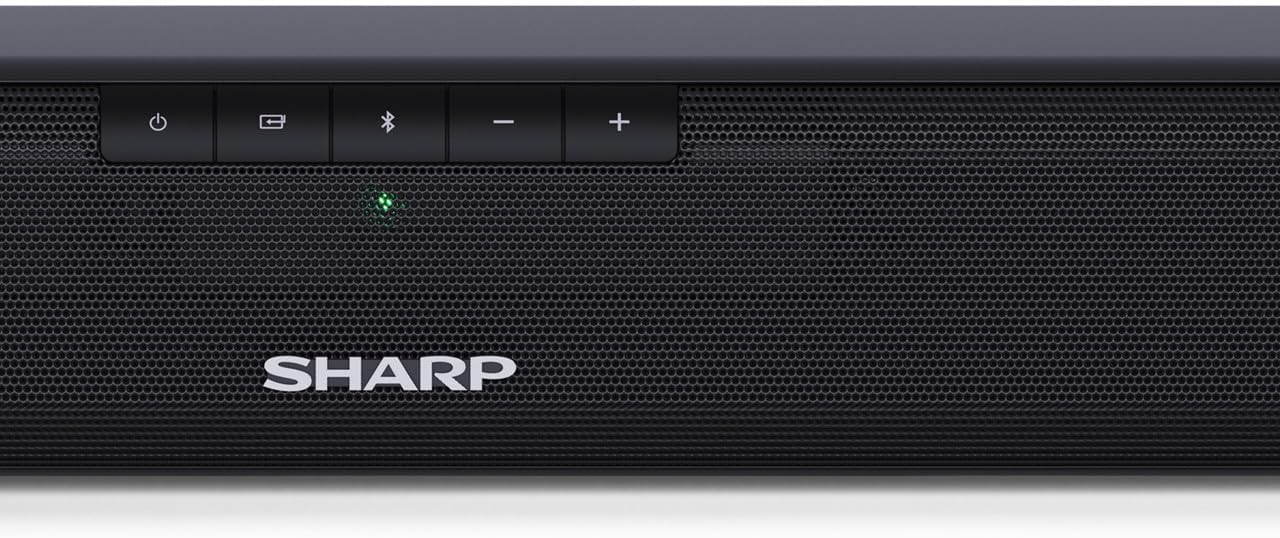
Image: The rear panel of the soundbar, highlighting the various input ports for connectivity.
- HDMI ARC/CEC: Для наилучшего качества звука и управления подключите HDMI-кабель к порту HDMI ARC на саундбаре и к порту HDMI ARC на телевизоре. Это позволит управлять громкостью саундбара с помощью пульта ДУ телевизора.
- Digital Optical-In: Connect an optical cable from your TV's optical output to the soundbar's OPTICAL input.
- Вспомогательное оборудование (AUX): Use a 3.5mm audio cable to connect devices with an analog audio output to the soundbar's AUX input.
- Власть: Connect the provided power lead to the soundbar's AC input and then to a wall outlet.
4.3 Video Guide: A Closer Look
Video: This video provides a detailed look at the Sharp HT-SB110 Soundbar, including unboxing, identifying components, and initial setup steps.
5. Операционная
5.1 Основные элементы управления
The soundbar features intuitive controls on its top panel for easy access to essential functions.

Изображение: крупный план view of the power, input, Bluetooth, and volume controls located on the top of the soundbar.
- Кнопка питания: Press to turn the soundbar On or Off.
- Кнопка ввода: Cycle through available input sources (HDMI ARC, Optical, AUX, Bluetooth).
- Кнопка Bluetooth: Нажмите, чтобы войти в режим сопряжения Bluetooth.
- Кнопки регулировки громкости (+/-): Отрегулируйте общий уровень громкости.
Пульт дистанционного управления 5.2
The included remote control provides full functionality for your soundbar, allowing you to control all settings from a distance.
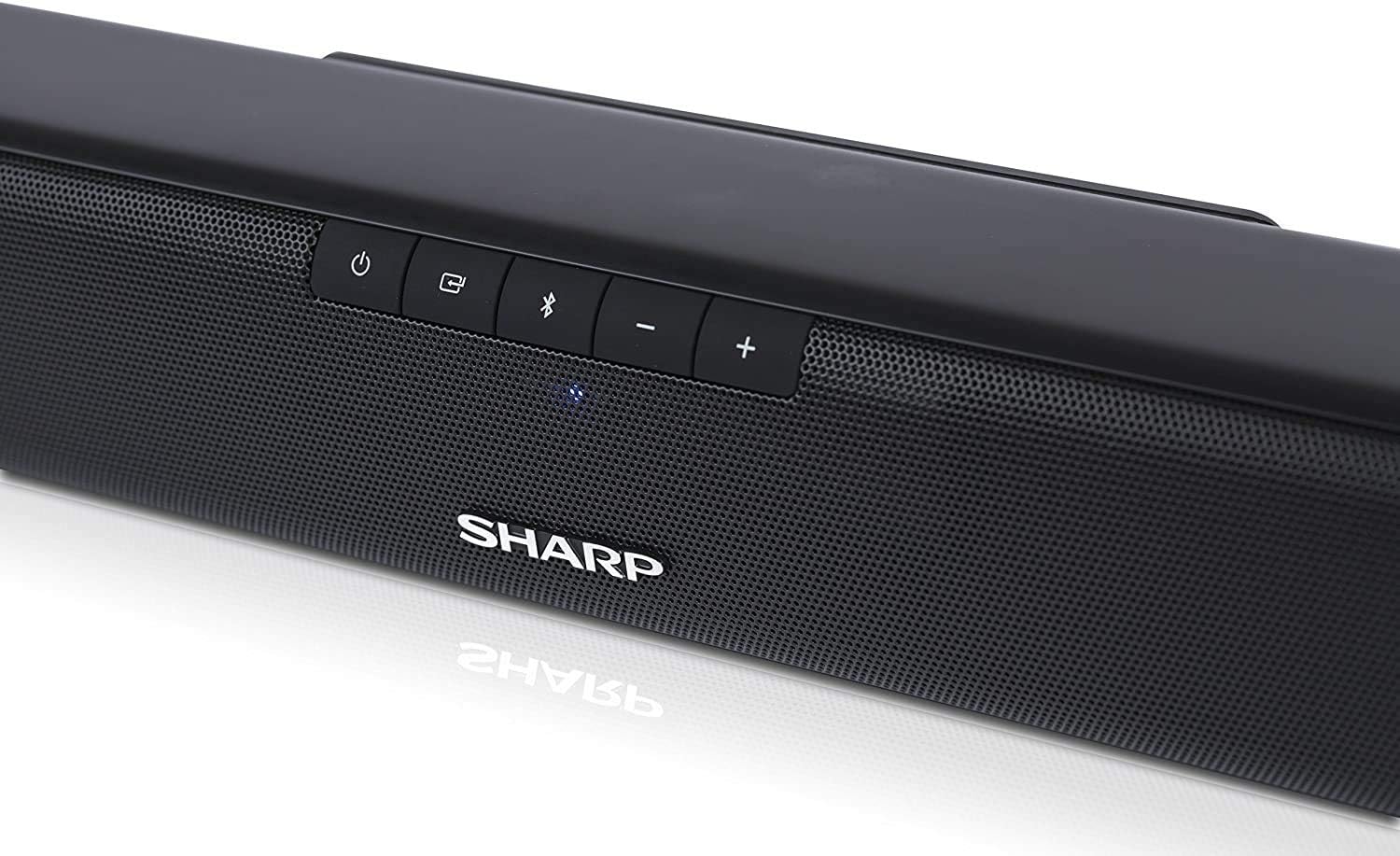
Image: The compact remote control for the soundbar, featuring dedicated buttons for power, input, volume, and sound modes.
5.3 звуковых режима
Optimize your listening experience by selecting one of the pre-set sound modes:
- Режим кино: Улучшает четкость диалога и обеспечивает более широкий звуковой охват.tage for films.
- Музыкальный режим: Delivers balanced audio for music playback.
- Голосовой режим: Boosts vocal frequencies for clearer speech, ideal for news or podcasts.
5.4 Сопряжение по Bluetooth
Для сопряжения вашего Bluetooth-устройства со звуковой панелью:
- Turn on the soundbar and press the Bluetooth button on the soundbar or remote control. The Bluetooth indicator light will flash.
- Включите Bluetooth на своем смартфоне, планшете или другом устройстве.
- Искать
Ask a question about this manual
Ask about setup, troubleshooting, compatibility, parts, safety, or missing instructions. Manuals+ will review the question and use this page’s manual context to help answer it.