
Введение
Thank you for choosing the PRORECK UK-2000 UHF 2 Channel Wireless Microphone System. This system is designed to provide clear, distortion-free audio for various applications, including parties, weddings, church events, conferences, and speeches. It features a stable UHF signal transmission and offers 560 selectable frequencies for optimal performance. This manual provides detailed instructions for setting up, operating, and maintaining your wireless microphone system.
Содержимое упаковки
Пожалуйста, убедитесь, что все перечисленные ниже предметы включены в ваш пакет:
- 1 х приемник
- 2 ручных микрофона
- 1 x 6.35mm TS Cable
- 1 зарядное устройство
- 1 x Руководство пользователя (этот документ)
Продукт болееview
Receiver Unit (Rear Panel)
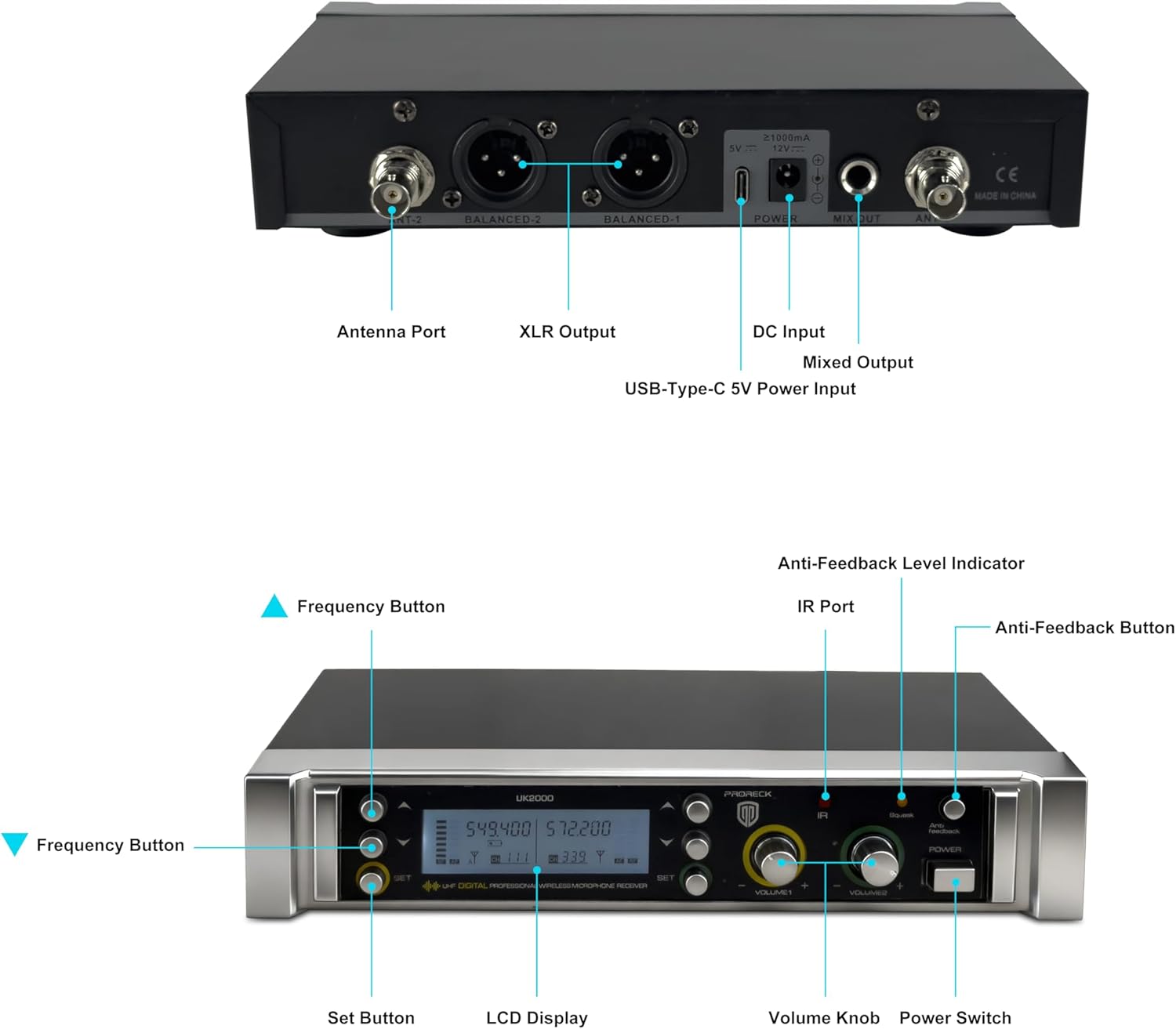
Image: Rear panel of the PRORECK UK-2000 receiver. This view highlights the Antenna Ports, Balanced XLR Outputs (1 and 2), DC Input for power, Mixed Output (6.35mm), and USB-Type-C 5V Power Input.
- Антенный порт: Connect the included antennas for signal reception.
- XLR Output (BALANCED 1/2): Balanced audio outputs for connecting to a mixer or ampпожизненнее.
- Вход постоянного тока: Connect the provided power charger.
- Mixed Output (MIX OUT): Unbalanced 6.35mm (1/4") audio output for connecting to various audio devices.
- USB-Type-C 5V Power Input: Alternative power input, useful with a portable power bank.
Receiver Unit (Front Panel)

Image: Front panel of the PRORECK UK-2000 receiver. This view shows the Frequency Buttons, Set Button, LCD Display, IR Port, Volume Knobs, Power Switch, Anti-Feedback Level Indicator, and Anti-Feedback Button.
- Frequency Buttons: Used to adjust the operating frequency.
- Установить кнопку: Confirms frequency selection and other settings.
- ЖК-дисплей: Shows channel, frequency, signal strength, and battery status.
- ИК-порт: Infrared sensor for syncing frequencies with microphones.
- Ручка регулировки громкости: Adjusts the output volume for each microphone channel.
- Выключатель: Включает или выключает приёмник.
- Anti-Feedback Level Indicator: Displays the level of anti-feedback processing.
- Anti-Feedback Button: Activates or deactivates the anti-feedback function.
Ручной микрофон

Изображение: В разобранном виде view of the handheld microphone. This shows the Mic Grill, LCD Display, Metal Construction, Battery Compartment, and Battery Cover.
- Mic Grill: Защищает капсулу микрофона.
- ЖК-дисплей: Shows frequency and battery status.
- Металлическая конструкция: Durable housing for the microphone.
- Отсек для батареи: Для работы требуются две батарейки типа АА.
- Крышка аккумулятора: Secures the batteries in place.
- IR Sync Sensor: Located on the microphone body, used for automatic frequency synchronization with the receiver.
Инструкции по установке
1. Install Batteries in Microphones
- Unscrew the battery cover at the bottom of each handheld microphone.
- Вставьте две батарейки типа АА в батарейный отсек, соблюдая правильную полярность (+/-).
- Screw the battery cover back on securely.
Примечание: Each microphone requires 2xAA batteries (not included).
2. Подключите приемник.
- Attach the antennas to the Antenna Ports on the rear panel of the receiver. Position them vertically for optimal signal reception.
- Connect the power charger to the DC Input on the receiver and plug it into a power outlet. Alternatively, you can use a portable power bank with the USB-Type-C 5V Power Input.
- Подключите ресивер к вашей аудиосистеме (микшеру, amplifier, powered speaker) using either the Balanced XLR Outputs or the Mixed Output (6.35mm TS cable).
3. Power On and Sync
- Turn on the receiver unit using the Power Switch on the front panel. The LCD display will illuminate.
- Turn on each handheld microphone.
- To synchronize the microphone with the receiver, press the НАБОР button on the receiver. The display will show "IR---".
- Align the IR Sync Sensor on the microphone with the IR Port on the receiver (within a few inches). The frequency will automatically sync. Repeat for the second microphone.

Image: Connectivity diagram illustrating how the PRORECK UK-2000 system can connect to a mixer, TV, amplifier, PA system, computer, powered speaker, or pad/phone.
Инструкция по эксплуатации
Выбор частоты
The PRORECK UK-2000 system offers 560 selectable UHF frequencies (280 per channel) to avoid interference.
- If you experience interference, press the Кнопка частоты on the receiver to cycle through available frequencies.
- Once a clear frequency is selected on the receiver, perform the IR sync process again with the corresponding microphone to match its frequency.

Image: Microphone display showing frequency selection. The system offers 560 selectable frequencies, with each channel having 280 options, ranging from 539.000 MHz to 599.000 MHz.
Регулятор громкости
Adjust the output volume of each microphone independently using the dedicated Регуляторы громкости on the receiver's front panel. Start with a low volume and gradually increase it to prevent feedback.
Рабочий диапазон
The system has an operating range of up to 328 feet (100 meters) within the line of sight. Obstacles, walls, and other wireless devices may reduce this range.
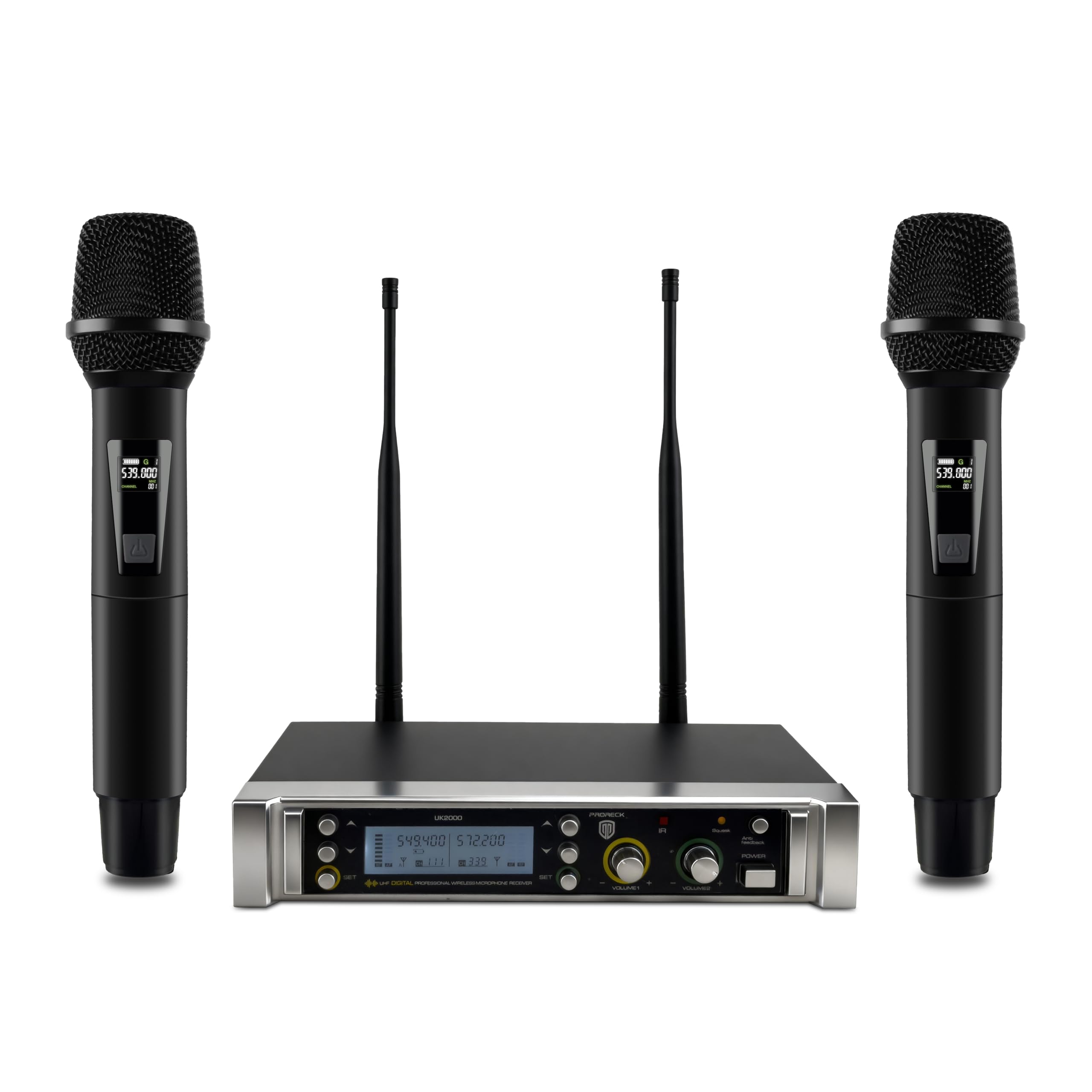
Image: Operating range diagram. A microphone wirelessly transmits to the receiver, indicating an effective operating range of up to 328 feet.
Anti-Feedback Function
The receiver includes an anti-feedback function to minimize unwanted audio feedback. Press the Anti-Feedback Button to activate or deactivate this feature. The Anti-Feedback Level Indicator will show its status.
Обслуживание
- Keep the receiver and microphones clean by wiping them with a soft, dry cloth.
- Не подвергайте систему воздействию экстремальных температур, влажности или прямых солнечных лучей.
- Если микрофоны не будут использоваться в течение длительного времени, извлеките батарейки из них, чтобы предотвратить протечку.
- Store the system in a dry, dust-free environment.
Поиск неисправностей
| Проблема | Возможная причина | Решение |
|---|---|---|
| Нет звука |
|
|
| Помехи или статический шум |
|
|
| Слабый или искаженный звук |
|
|
| Обратная связь (воющий звук) |
|
|
Технические характеристики
| Название модели | УК-2000 |
| Бренд | ПРОРЕК |
| Количество каналов | 2 |
| Диапазон частот | 538.3MHz to 599MHz (560 selectable frequencies) |
| Рабочий диапазон | До 328 футов (прямая видимость) |
| Технология связи | UHF Wireless, XLR |
| Тип разъема | XLR, 6.35mm (1/4") |
| Источник питания микрофона | 2 x AA batteries (per microphone) |
| Материал | Metal (microphones) |
| Полярная диаграмма | Однонаправленный |
| Вес товара | 3.79 фунтов (система) |
| Размеры упаковки | 11 x 8 x 4 дюйма |
Гарантия и поддержка
PRORECK products are designed for reliability and performance. For any questions, technical support, or warranty inquiries, please refer to the contact information provided with your purchase or visit the official PRORECK webСохраните чек о покупке для гарантийного обслуживания.