
1. Продукт закончилсяview
The SONICAKE Twiggy Blues is a compact multi-effect pedal designed for guitarists seeking essential blues and retro rock tones. It integrates four core effects: Compressor, Overdrive, Delay, and Reverb, along with a built-in cabinet simulator for direct connection options. This pedal offers a streamlined solution for various playing environments.

Image 1.1: The SONICAKE Twiggy Blues pedal, showcasing its compact design and integrated effects.
2. Настройка
Follow these steps to set up your Twiggy Blues pedal:
- Подключение питания: Connect a standard 9V DC power adapter (center negative) to the "DC 9V" input jack on the pedal. Ensure the power source provides stable and clean power to prevent noise.
- Вход инструмента: Connect your guitar to the "IN" jack on the right side of the pedal using a standard 1/4-inch instrument cable.
- Выходное соединение: Подключите разъем «OUT» на левой стороне педали к вашему amplifier's input or an audio interface/mixer using a standard 1/4-inch instrument cable.
- Моделирование кабинета: If connecting directly to a PA system, mixer, or audio interface, ensure the "CABINET SIM" switch is set to "ON". If connecting to a guitar amplifier, set the switch to "OFF" to bypass the cabinet simulation.

Image 2.1: Proper connection of the Twiggy Blues pedal to a guitar and an ampпожизненнее.
3. Инструкция по эксплуатации
The Twiggy Blues pedal features four footswitches, each activating a specific effect module. Each module has dedicated control knobs with LED indicators to show the active status.

Image 3.1: Labeled components of the Twiggy Blues pedal.
3.1. Идентификация компонентов
- Вход постоянного тока 9 В: Подключение адаптера питания.
- ИН Джек: Гитарный вход.
- Cabinet Simulation Switch: Toggles cabinet simulation ON/OFF.
- ВЫХОД Джек: Вывод на ampлифт или аудиосистема.
- COMP Footswitch & Knobs: Activates/deactivates Compressor effect. Knobs control Volume and Compression level.
- BLUES Footswitch & Knobs: Activates/deactivates Overdrive effect. Knobs control Volume, Tone, and Gain.
- SLAPBACK Footswitch & Knobs: Activates/deactivates Delay effect. Knobs control Blend, Repeat, and Time.
- AIR Footswitch & Knob: Activates/deactivates Reverb effect. Knob controls Mix level.
3.2. Модули эффектов
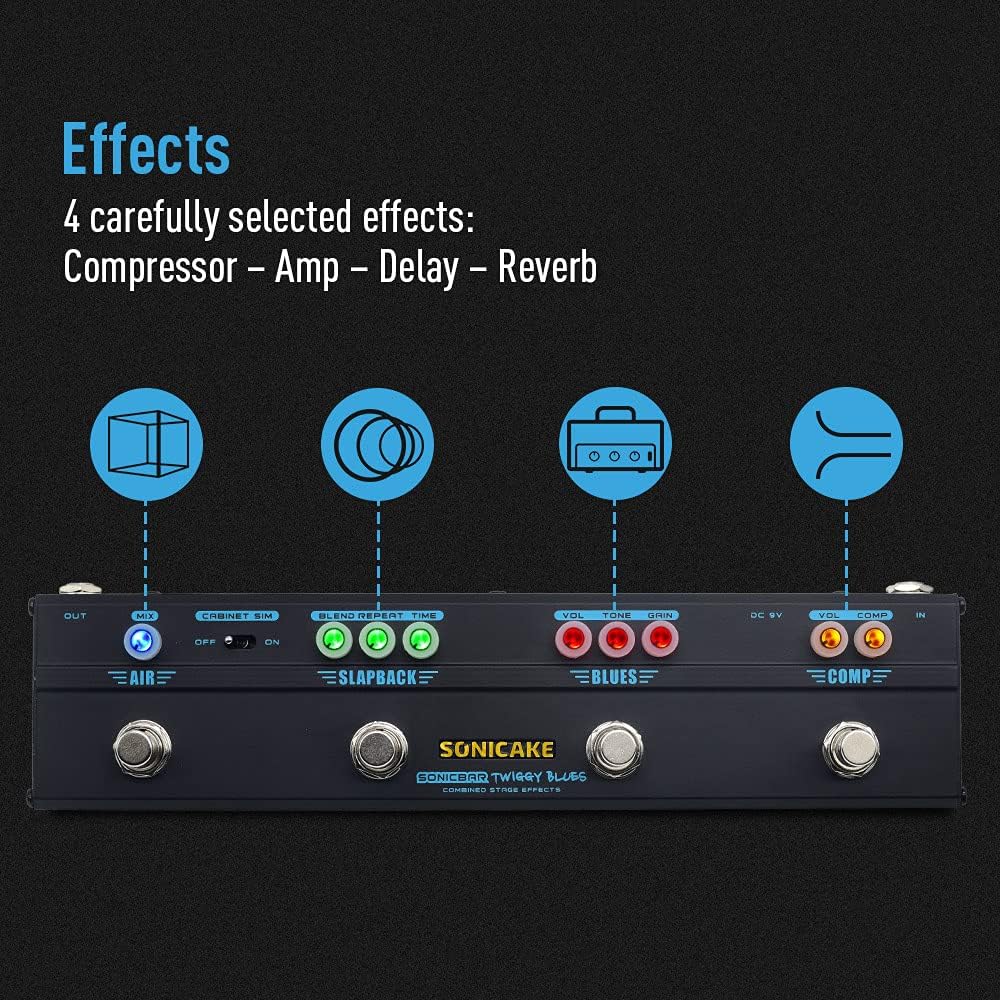
Изображение 3.2: оконченоview of the four integrated effects.
3.2.1. Compressor (COMP)
The Compressor module provides a smooth and sustained tone. Use the footswitch to engage or bypass the effect.
- ОБЪЕМ: Adjusts the overall output volume of the compressor.
- КОМП: Controls the amount of compression applied to the signal. Higher settings result in more sustain and a more even dynamic range.
3.2.2. Overdrive (BLUES)
The BLUES module simulates a vintage Dumble-style tube amplifier, offering a range of overdrive tones suitable for blues and classic rock. Engage with its dedicated footswitch.
- ОБЪЕМ: Sets the output volume of the overdrive effect.
- ТОН: Adjusts the tonal character, from darker to brighter.
- ПРИРОСТ: Controls the amount of distortion or saturation. Lower settings provide a subtle breakup, while higher settings yield more aggressive overdrive.
3.2.3. Delay (SLAPBACK)
The SLAPBACK module provides an analog-voiced delay effect, ideal for adding depth and rhythmic repeats. Activate using its footswitch.
- СМЕШИВАТЬ: Controls the mix between the dry signal and the delayed signal.
- ПОВТОРИТЬ: Регулирует количество повторов задержки.
- ВРЕМЯ: Sets the delay time, from short slapback echoes to longer repeats (up to 500ms).
3.2.4. Reverb (AIR)
The AIR module offers a high-quality reverb effect to add spaciousness to your sound. Engage with its footswitch.
- СМЕШИВАНИЕ: Controls the amount of reverb mixed with the dry signal.
3.3. Cabinet Simulation
The built-in cabinet simulation allows for direct connection to a PA system, mixer, or audio interface, providing a guitar cabinet-like sound without needing an amplifier. Use the toggle switch to activate or deactivate this feature.

Image 3.3: The Cabinet Simulation switch for direct output.
3.4. Светодиодные индикаторы
Each effect module features LED indicators around its control knobs. These LEDs illuminate when the corresponding effect is active, providing clear visual feedback on the pedal's status during use.
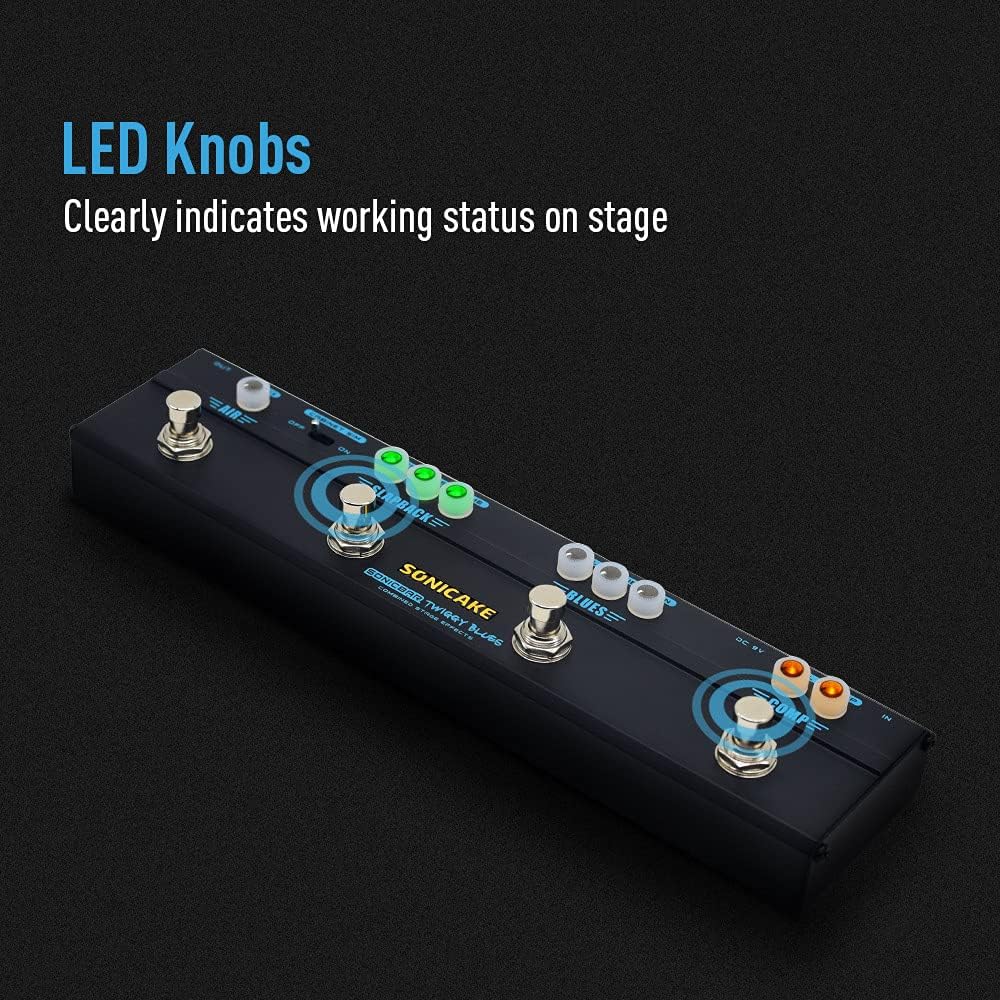
Image 3.4: LED knobs indicating active effects.
4. Техническое обслуживание
Proper maintenance ensures the longevity and optimal performance of your Twiggy Blues pedal.
- Уборка: Use a soft, dry cloth to clean the pedal's surface. Avoid abrasive cleaners or solvents, which can damage the finish or internal components.
- Хранилище: Store the pedal in a dry environment, away from extreme temperatures, humidity, and direct sunlight. When not in use for extended periods, disconnect the power adapter.
- Соединения: Периодически проверяйте все кабельные соединения на предмет износа и повреждений. Убедитесь, что разъёмы свободны от пыли и мусора.
5. Поиск Неисправностей
If you encounter issues with your Twiggy Blues pedal, refer to the following common troubleshooting steps:
- Нет звука:
- Убедитесь, что все кабели (входные, выходные, силовые) надежно подключены.
- Verify the power adapter is functioning correctly and providing 9V DC (center negative).
- Check if your guitar and amplifier are working independently.
- Ensure the volume knobs on the pedal and your ampПараметры усилителя не установлены на ноль.
- Нежелательный шум/гул:
- Используйте высококачественный стабилизированный источник питания постоянного тока 9 В, специально разработанный для гитарных педалей.
- Убедитесь, что все кабели экранированы и находятся в хорошем состоянии.
- Попробуйте изолировать педаль от других электронных устройств, которые могут создавать помехи.
- Эффект не вовлекает:
- Press the footswitch firmly to ensure it engages. The LED indicator should light up.
- Check the knob settings for the specific effect; some effects may be subtle at low settings.
If problems persist, contact SONICAKE customer support for further assistance.
6. Технические характеристики
| Особенность | Спецификация |
|---|---|
| Номер модели | QCE-10-40 |
| Вес товара | 0.48 килограммов (1.06 фунта) |
| Размеры продукта | 10.31 дюймов (Д) x 1.73 дюймов (Ш) x 2.52 дюймов (В) (26.19 см x 4.39 см x 6.40 см) |
| Материал корпуса | Металл |
| Источник питания | Проводной электрический |
| Томtage | 9 Вольта постоянного тока |
| Формат сигнала | Аналоговый |
| аппаратный интерфейс | 3.5mm Audio (likely referring to internal components or specific connections, standard guitar jacks are 1/4 inch) |
| Тип разъема | 3.5 mm audio (likely referring to internal components or specific connections, standard guitar jacks are 1/4 inch) |
7. Гарантия и поддержка
For warranty information, product registration, or technical support, please visit the official SONICAKE webили обратитесь в службу поддержки напрямую. Сохраните чек в качестве подтверждения покупки.
SONICAKE Official Webсайт: Visit the SONICAKE Store on Amazon