
1. Введение
This manual provides essential information for the proper installation, operation, and maintenance of your Garmin 010-12523-03 Extension Cable. Please read these instructions carefully before using the product to ensure optimal performance and longevity. This cable is specifically designed to extend the reach of your Garmin GHS 11 Handset, enhancing flexibility in marine communication system setups.
2. Продукт закончилсяview
The Garmin 010-12523-03 is a 10-meter (approximately 33 feet) electronic extension cable engineered to provide additional length for connecting your GHS 11 Handset to a compatible marine VHF radio system. Its robust design ensures reliable communication and flexible placement options on various vessels or remote stations. The cable features a male-to-female connector gender and is designed to be tangle-free for ease of use and storage.
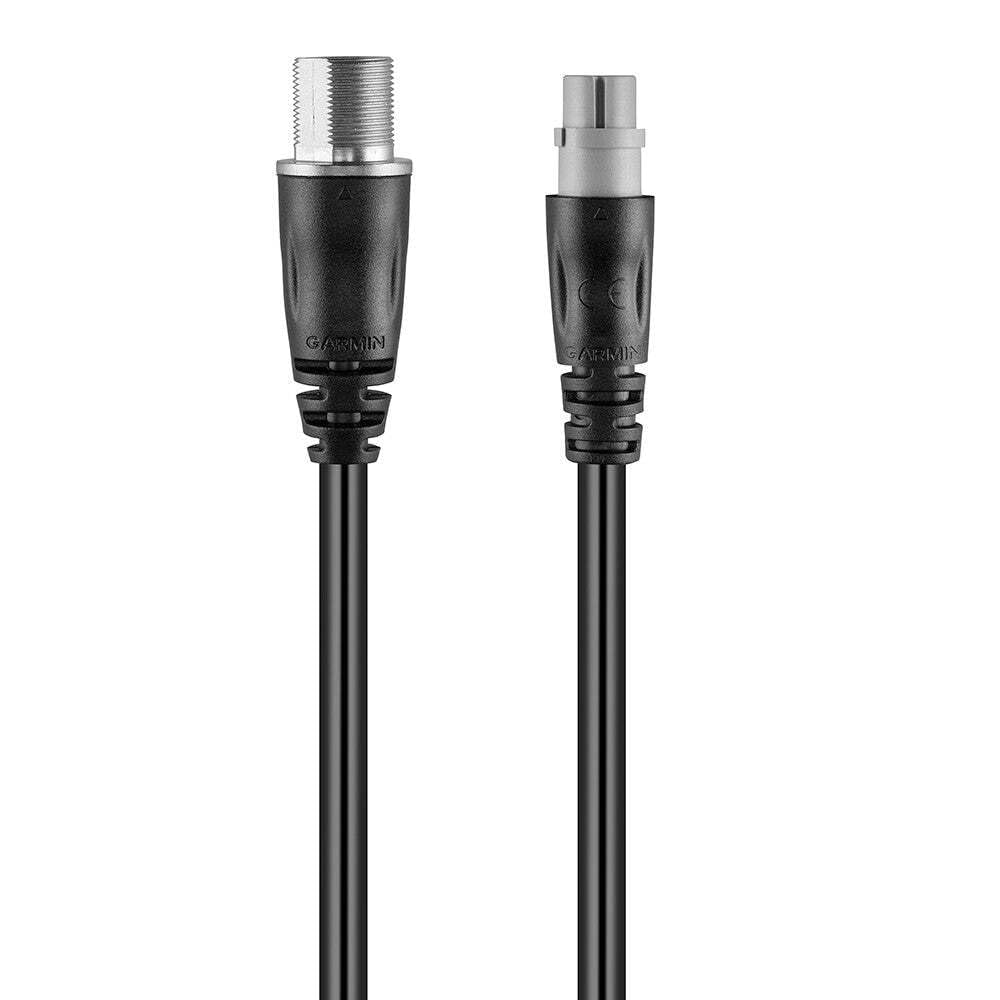
Figure 1: Garmin 010-12523-03 Extension Cable. This image displays the black, coiled extension cable with its male and female connectors visible at each end, ready for connection.
Включенные компоненты:
- Garmin 010-12523-03 Extension Cable (1 unit)
3. Настройка
Follow these steps to properly connect your Garmin 010-12523-03 Extension Cable:
- Определите соединители: Locate the male and female connectors on the extension cable. The male end will plug into the GHS 11 Handset, and the female end will connect to the existing cable from your VHF radio system.
- Выключение: Ensure that your marine VHF radio system and any connected devices are powered off before making any connections.
- Подключить телефон: Carefully align the male connector of the extension cable with the port on your GHS 11 Handset. Push firmly until it clicks into place, ensuring a secure connection.
- Подключиться к системе: Align the female connector of the extension cable with the corresponding male connector from your VHF radio system's existing cable. Push firmly to establish a secure connection.
- Безопасный кабель: Route the cable safely, avoiding areas where it might be pinched, cut, or exposed to excessive strain. Use cable ties or clips if necessary to secure it in place.
- Включение питания: Once all connections are secure, power on your marine VHF radio system and GHS 11 Handset.
4. Операционная
The Garmin 010-12523-03 Extension Cable is a passive component designed to extend the physical reach of your GHS 11 Handset. Once properly installed, it requires no specific operational steps. The handset will function as normal, but with the added flexibility of extended placement. Ensure that the cable is not subjected to excessive bending or pulling during use to maintain connection integrity.
5. Техническое обслуживание
To ensure the longevity and reliable performance of your extension cable, follow these maintenance guidelines:
- Уборка: Periodically wipe the cable and connectors with a clean, damp cloth. Avoid using harsh chemicals or abrasive cleaners. Ensure connectors are dry before re-connecting.
- Инспекция: Regularly inspect the entire length of the cable for any signs of wear, cuts, kinks, or damage to the insulation. Check connectors for corrosion or bent pins.
- Хранилище: When not in use, store the cable in a cool, dry place, away from direct sunlight and extreme temperatures. Coil the cable loosely to prevent kinking.
- Охрана окружающей среды: While designed for indoor and outdoor use, minimize prolonged exposure to harsh marine environments (e.g., direct saltwater spray) when possible to extend its lifespan.
6. Поиск Неисправностей
If you experience issues with your GHS 11 Handset after installing the extension cable, consider the following troubleshooting steps:
- Нет соединения/прерывистое соединение:
- Ensure both ends of the extension cable are fully and securely connected to the GHS 11 Handset and the main VHF system cable.
- Power cycle the VHF radio and handset.
- Inspect the cable for any visible damage (cuts, severe kinks, bent pins in connectors). If damage is found, the cable may need replacement.
- Test the GHS 11 Handset directly with the main VHF system cable (without the extension cable) to determine if the issue lies with the extension cable or another component.
- Плохое качество звука:
- Проверить все соединения на герметичность.
- Ensure the cable is not routed near sources of strong electromagnetic interference.
If these steps do not resolve the issue, contact Garmin customer support for further assistance.
7. Технические характеристики
| Особенность | Спецификация |
|---|---|
| Бренд | Гармин |
| Номер модели | 010-12523-03 |
| Длина кабеля | 10 метров (приблизительно 33 фута) |
| Тип продукта | Electronic Cable |
| Пол: Мужской | Мужчина-женщина |
| Количество штифтов | 12 |
| Максимальный объемtage | 5 Вольт |
| Совместимые устройства | Garmin GHS 11 Handset |
| Особые возможности | Клубок бесплатно |
| Среда использования | В помещении, на открытом воздухе |
| Цвет | Черный |
| Вес товара | 0.721 Kg (1.2 Pounds) |
| Размеры упаковки | 7.4 см (Д) x 16.3 см (Ш) x 20.7 см (В) |
8. Гарантия и поддержка
Информация о гарантии:
This Garmin product is covered by a limited warranty. For detailed information regarding the warranty period, terms, and conditions applicable to the 010-12523-03 Extension Cable, please refer to the official Garmin website or contact Garmin customer support directly. Proof of purchase may be required for warranty claims.
Служба поддержки клиентов:
For technical assistance, product inquiries, or warranty service, please contact Garmin customer support through their official channels:
- Webсайт: Visit the official Garmin support webСайт с часто задаваемыми вопросами, руководствами и контактной информацией.
- Телефон: Обратитесь к Garmin. webСайт с региональными телефонными номерами службы поддержки клиентов.
Please have your product model number (010-12523-03) and proof of purchase available when contacting support.