
1. Продукт закончилсяview
The MERCUSYS MW300UM N300 Wireless Mini USB Adapter is designed to connect your desktop or laptop computer to a wireless network. It provides Wi-Fi connections up to 300Mbps, suitable for online gaming, HD streaming, and web browsing. Its compact, mini USB design ensures portability and convenience.
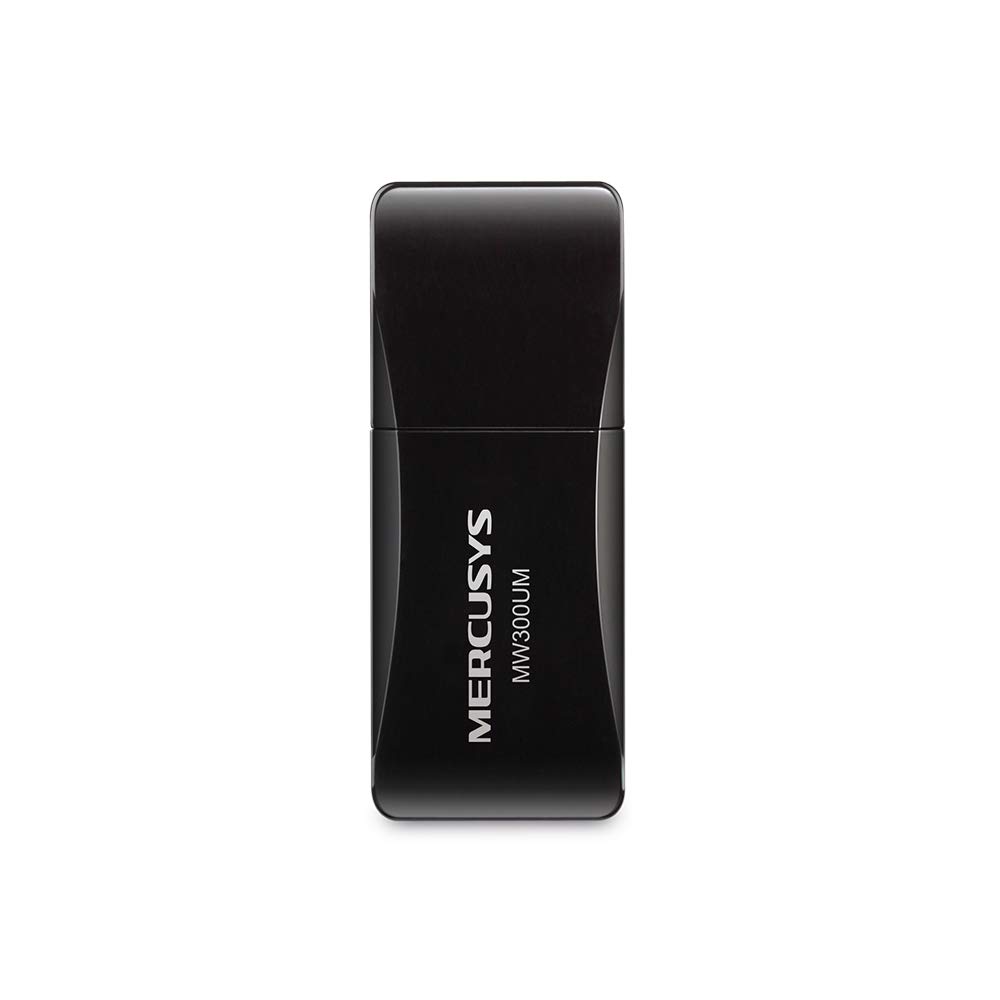
Figure 1: MERCUSYS MW300UM N300 Wireless Mini USB WiFi Adapter

Figure 2: Portable design for convenient use with laptops.
2. Содержимое упаковки
Убедитесь, что ваш пакет содержит следующие предметы:
- MERCUSYS MW300UM Wireless Mini USB Adapter
- Краткое руководство по установке
- Ресурсный компакт-диск (для драйверов и утилит)

Figure 3: MW300UM product packaging and contents.
3. Руководство по установке
Follow these steps to install and set up your MW300UM Wireless Mini USB Adapter:
- Вставьте адаптер: Plug the MW300UM adapter into an available USB port on your desktop or laptop computer.
- Установите драйверы:
- Insert the provided Resource CD into your computer's CD-ROM drive and follow the on-screen instructions to install the drivers and utility.
- Alternatively, if your computer does not have a CD-ROM drive or if you prefer the latest drivers, download them from the official MERCUSYS webсайт. website link is typically provided in the Quick Installation Guide.
- Подключитесь к Wi-Fi: Once the drivers are installed, your computer will detect the adapter. Scan for available wireless networks, select your desired network, and enter the password to connect.

Figure 4: Easy setup process for the MW300UM adapter.
4. Инструкция по эксплуатации
The MW300UM adapter provides reliable wireless connectivity and can also function as a Wi-Fi hotspot.
4.1. Беспроводное подключение
After successful driver installation, the adapter will enable your computer to connect to 2.4GHz wireless networks at speeds up to 300Mbps. This is suitable for various online activities including video streaming, voice calls, and online gaming.

Figure 5: MW300UM performance for various applications.
4.2 Soft AP Function
The MW300UM supports Soft AP (Access Point) functionality. If your computer has an existing wired internet connection, you can use the adapter to turn your PC or laptop into a Wi-Fi hotspot, allowing other wireless devices to connect to the internet through it. Refer to the utility software for instructions on enabling and configuring Soft AP mode.
4.3 Поддерживаемые операционные системы
The MW300UM adapter is compatible with a wide range of Windows operating systems:
- Windows 11 (32 / 64бит)
- Windows 10 (32 / 64бит)
- Windows 8.1 (32 / 64бит)
- Windows 8 (32 / 64бит)
- Windows 7 (32 / 64бит)
- Windows XP (32/64bit)

Figure 6: Supported Operating Systems.
5. Техническое обслуживание
To ensure optimal performance and longevity of your MW300UM adapter, follow these maintenance guidelines:
- Уборка: Use a soft, dry cloth to gently wipe the adapter. Avoid using liquid cleaners or solvents, as they may damage the device.
- Хранилище: Когда адаптер не используется, храните его в прохладном, сухом месте, вдали от прямых солнечных лучей и экстремальных температур.
- Умение обращаться: Avoid dropping the adapter or subjecting it to strong impacts. Do not attempt to disassemble or modify the device.
- USB-порт: Ensure the USB port on your computer is clean and free of debris before inserting the adapter.
6. Поиск Неисправностей
If you encounter issues with your MW300UM adapter, refer to the following common problems and solutions:
- Адаптер не обнаружен:
- Убедитесь, что адаптер надежно вставлен в исправный USB-порт. Попробуйте другой USB-порт.
- Перезагрузите компьютер.
- Убедитесь, что драйверы установлены правильно. При необходимости переустановите драйверы.
- Не удаётся подключиться к сети Wi-Fi:
- Проверьте, могут ли другие устройства подключаться к той же сети Wi-Fi.
- Убедитесь, что вы вводите правильный пароль Wi-Fi.
- Перезагрузите беспроводной маршрутизатор/модем.
- Update the adapter's drivers to the latest version from the MERCUSYS webсайт.
- Низкая скорость Wi-Fi:
- Ensure your computer is within a reasonable range of your wireless router.
- Проверьте наличие помех от других электронных устройств (например, микроволновых печей, беспроводных телефонов).
- Verify that your internet service plan supports the expected speeds.
- Обновите драйверы адаптера.
7. Технические характеристики
| Особенность | Спецификация |
|---|---|
| Бренд | MERCUSYS |
| Номер модели | МВ300УМ |
| аппаратный интерфейс | USB 2.0 |
| Протокол передачи данных | IEEE 802.11n, IEEE 802.11g, IEEE 802.11b |
| Скорость передачи данных | 300 мегабит в секунду |
| Совместимые операционные системы | Windows 11/10/8.1/8/7/XP (32/64bit) |
| Размеры продукта (Д x Ш x В) | 17L x 9W x 43H миллиметров |
| Цвет | Черный |
| Содержимое коробки | Wireless Mini USB Adapter, Quick Installation Guide, Resource CD |
8. Информация о гарантии
The MERCUSYS MW300UM Wireless Mini USB Adapter typically comes with a Гарантия 3 год from the date of purchase. This warranty covers manufacturing defects and ensures the product functions as intended under normal use. Please retain your purchase receipt for warranty claims.
For detailed warranty terms and conditions, refer to the official MERCUSYS webили на гарантийном талоне, входящем в комплект поставки товара.
9 Поддержка
For further assistance, technical support, or to download the latest drivers and firmware, please visit the official MERCUSYS support webсайт:
You may also find contact information for customer service in your region on the webна сайте или в кратком руководстве по установке.