
1. Введение
Thank you for choosing the Cerwin Vega CVE-18s Powered Subwoofer. This 18-inch, 1000-watt Class D powered subwoofer is designed to deliver powerful low-frequency sound for various applications, including live performances, DJing, and fixed installations. It features two Combo XLR/TRS inputs, one XLR output, two DSP-driven modes for sound tailoring, and Bluetooth audio streaming capabilities, offering up to 126dB of maximum SPL. This manual provides essential information for the safe and efficient operation of your CVE-18s subwoofer.
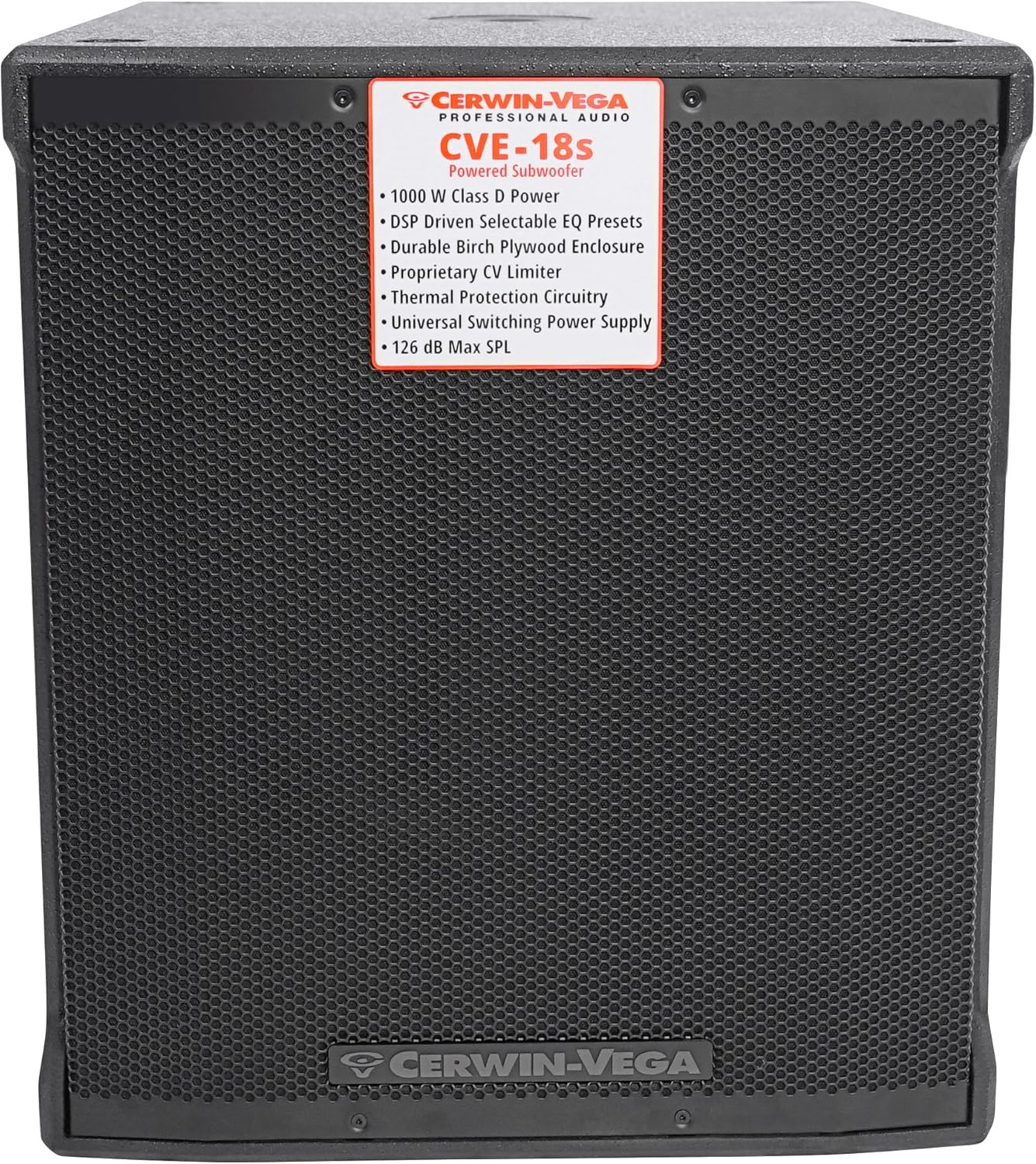
Рисунок 1: Передняя часть view of the CVE-18s Powered Subwoofer, highlighting the protective grille and the Cerwin Vega branding.
2. Важные инструкции по технике безопасности
Перед использованием данного изделия внимательно ознакомьтесь со всеми инструкциями по технике безопасности и усвойте их. Сохраните данное руководство для дальнейшего использования.
- Источник питания: Подключайте устройство только к источнику питания того типа, который описан в данном руководстве или указан на самом устройстве.
- Заземление: Ensure the power cord is properly grounded to prevent electric shock. Do not defeat the safety purpose of the polarized or grounding-type plug.
- Вентиляция: Не закрывайте вентиляционные отверстия. Устанавливайте в соответствии с инструкциями производителя.
- Нагревать: Не устанавливайте вблизи источников тепла, таких как радиаторы, обогреватели, печи или другие приборы (включая amp(жирообразующие вещества), которые вырабатывают тепло.
- Вода и влага: Do not use this apparatus near water or moisture. This product is not waterproof.
- Уборка: Чистить только сухой тканью.
- Обслуживание: По всем вопросам обслуживания обращайтесь к квалифицированному обслуживающему персоналу. Обслуживание необходимо, если устройство было каким-либо образом повреждено, например, поврежден шнур питания или вилка, пролита жидкость или в устройство попали предметы, устройство подверглось воздействию дождя или влаги, не работает нормально или его уронили.
- Защита органов слуха: Длительное воздействие высокого уровня звукового давления может привести к необратимому повреждению слуха. Будьте осторожны при настройке уровня громкости.
3. Распаковка и осмотр
Carefully unpack your Cerwin Vega CVE-18s subwoofer and inspect it for any signs of damage that may have occurred during transit. If any damage is found, contact your dealer immediately.
- Retain the original packaging materials for future shipping or storage.
- Verify that all included components are present: CVE-18s Powered Subwoofer, Power Cord, and Quick Start Guide.

Figure 2: The CVE-18s subwoofer packaging, showing model information and handling instructions.
4. Настройка
4.1 Физическое размещение
The placement of your subwoofer significantly impacts sound quality. Consider the following:
- Угловое размещение: Placing the subwoofer in a corner can enhance bass output due to room acoustics.
- Размещение на стене: Placing it against a wall can also boost bass, though less dramatically than a corner.
- Открытое пространство: Placing it away from walls and corners may result in less bass reinforcement but potentially more accurate low-frequency response.
- Стабильность: Ensure the subwoofer is placed on a stable, level surface to prevent vibrations and movement during operation.
4.2 Связи
The CVE-18s features a rear panel with various inputs and outputs for connecting to your audio system.

Рисунок 3: Задняя панель сверхуview of the CVE-18s, detailing connection points and control layout.

Рисунок 4: Подробная информация view of the CVE-18s control panel, showing input/output jacks, level knob, and DSP mode selectors.
- Подключение питания: Connect the supplied power cord to the AC inlet on the rear panel and then to a grounded electrical outlet.
- Аудиовход: Use XLR or 1/4" TRS cables to connect your audio source (mixer, preamplifier, etc.) to the CH 1 INPUT and/or CH 2 INPUT jacks.
- Аудиовыход: If connecting to full-range speakers, use XLR cables from the CH 1 OUTPUT and/or CH 2 OUTPUT jacks to the inputs of your main speakers. These outputs provide a high-pass filtered signal (100Hz HPF) when selected, or a full-range signal.
4.3 Сопряжение по Bluetooth
The CVE-18s allows audio streaming via Bluetooth from any smartphone or tablet.
- Убедитесь, что сабвуфер включен.
- Активируйте Bluetooth на своем смартфоне или планшете.
- Press and hold the "PAIR PUSH LINK HOLD" button on the rear panel of the CVE-18s until the Bluetooth indicator light begins to flash.
- On your device, search for "CVE-18s" in the list of available Bluetooth devices and select it to pair.
- Once paired, the Bluetooth indicator light will remain solid, and you can stream audio to the subwoofer.
- For stereo pairing with another CVE speaker, refer to the Quick Start Guide for detailed instructions.
4.4 Режимы DSP
The CVE-18s features two easy-to-use DSP-driven modes to tailor your sound:
- LIVE PA: Optimized for live sound reinforcement, providing a balanced low-frequency response suitable for various instruments and vocals.
- CLUB/DJ: Enhances bass impact and punch, ideal for music playback in DJ sets and club environments.
Select the desired mode using the "DSP MODE SELECT" button on the rear panel.
5. Инструкция по эксплуатации
5.1 Включение/выключение питания
- Before powering on, ensure all connections are secure and the LEVEL knob is set to its minimum position.
- Flip the POWER switch on the rear panel to the "ON" position. The power indicator light will illuminate.
- To power off, set the LEVEL knob to minimum, then flip the POWER switch to the "OFF" position.
5.2 Регулировка уровня
The LEVEL knob on the rear panel controls the overall output volume of the subwoofer.
- Start with the LEVEL knob at its minimum setting.
- Gradually increase the LEVEL to achieve the desired bass output, ensuring it blends well with your main speakers without distortion.
- Monitor the LIMIT indicator light. If it flashes frequently or stays lit, reduce the LEVEL to prevent clipping and potential damage.
5.3 Выбор режима вывода
The "OUTPUT SELECT" button on the rear panel allows you to choose the signal sent to the XLR outputs:
- 100Hz HPF (High-Pass Filter): Sends a signal with frequencies below 100Hz removed to your main speakers. This is recommended when pairing the subwoofer with full-range speakers to optimize their performance and prevent them from reproducing low frequencies handled by the subwoofer.
- ПОЛНЫЙ АССОРТИМЕНТ: Sends the full frequency range signal to your main speakers. Use this if your main speakers have their own crossover or if you prefer a full-range signal.
6. Техническое обслуживание
Proper maintenance ensures the longevity and optimal performance of your CVE-18s subwoofer.
- Уборка: Disconnect the power before cleaning. Use a soft, dry cloth to wipe the exterior surfaces. Do not use abrasive cleaners, solvents, or waxes.
- Вентиляция: Следите за тем, чтобы вентиляционные отверстия были свободны от пыли и мусора.
- Хранилище: If storing the subwoofer for an extended period, place it in its original packaging in a cool, dry environment, away from extreme temperatures and humidity.
- Инспекция: Periodically check the power cord and audio cables for any signs of wear or damage. Replace damaged cables immediately.
7. Поиск Неисправностей
If you encounter issues with your CVE-18s subwoofer, refer to the following common problems and solutions:
| Проблема | Возможная причина | Решение |
|---|---|---|
| Нет электричества | Power cord not connected; Power outlet not active; Power switch off | Ensure power cord is securely connected; Check power outlet with another device; Flip power switch to ON. |
| Нет звука | Input cables not connected; Level knob too low; DSP mode incorrect; Bluetooth not paired | Verify input cable connections; Increase LEVEL knob; Select appropriate DSP mode; Re-pair Bluetooth device. |
| Искаженный звук | Input signal too high; Subwoofer LEVEL too high; LIMIT indicator active | Reduce input signal level from source; Decrease subwoofer LEVEL; Ensure LIMIT indicator is not constantly lit. |
| Проблемы с подключением Bluetooth | Device too far; Interference; Subwoofer not in pairing mode | Move device closer to subwoofer; Avoid sources of interference; Press and hold PAIR button to enter pairing mode. |
8. Технические характеристики
Detailed technical specifications for the Cerwin Vega CVE-18s Powered Subwoofer.
| Особенность | Деталь |
|---|---|
| Название модели | Cerwin Vega CVE-18s |
| Тип динамика | Активный сабвуфер |
| Диаметр низкочастотного динамика | 18 дюйма |
| Максимальная выходная мощность динамика | 1000 Watts (Class D) |
| Технология связи | Bluetooth, XLR |
| Технология беспроводной связи | Bluetooth |
| Режим аудиовыхода | Mono, Stereo (via linked units) |
| Метод контроля | On-unit controls |
| Материал | Wood (Plywood enclosure) |
| Цвет | Черный |
| Размеры продукта (Д x Ш x В) | 25.5" x 21" x 24.5" |
| Вес товара | 88 фунта |
| Источник питания | Проводной электрический |
| Конкретные области применения продукта | Live performances, DJing, parties, clubs, restaurants, conferences |
| СКП | 744271626018 |

Figure 5: Dimensional drawing of the CVE-18s subwoofer, showing height, width, and depth measurements.
9. Информация о гарантии
The Cerwin Vega CVE-18s Powered Subwoofer comes with a limited warranty. Please refer to the warranty card included with your product or visit the official Cerwin Vega webПодробные условия, касающиеся покрытия, срока действия и порядка обслуживания, можно найти на соответствующем сайте. Сохраните чек о покупке для предъявления гарантийных претензий.
10. Поддержка клиентов
For technical assistance, troubleshooting beyond this manual, or service inquiries, please contact Cerwin Vega customer support. Contact information can typically be found on the official Cerwin Vega webна сайте или в кратком руководстве пользователя, прилагаемом к вашему продукту.
Интернет-ресурсы: Visit the Cerwin Vega webсайт для ответов на часто задаваемые вопросы, регистрации продукта и дополнительных вспомогательных материалов.