
Введение
This manual provides instructions for the Fosmon WaveLink 51046HOMUS Add-On Door Receiver Unit. This unit is designed to expand your existing Fosmon WaveLink wireless door alarm system, allowing you to receive alerts in multiple locations within your home or business. Please note that this product is an add-on receiver only and does not include a sensor or transmitter, which are sold separately.
Содержимое упаковки
Проверьте наличие всех предметов в посылке:
- 1x Fosmon WaveLink Add-On Receiver Unit
- 1x Руководство пользователя

Image: The package contents, showing the white plug-in receiver unit and the user manual.
Настраивать
1. Включение приемника
The Fosmon WaveLink receiver is a plug-in unit. Simply insert the receiver into any standard 110V AC electrical outlet. The unit will power on automatically.
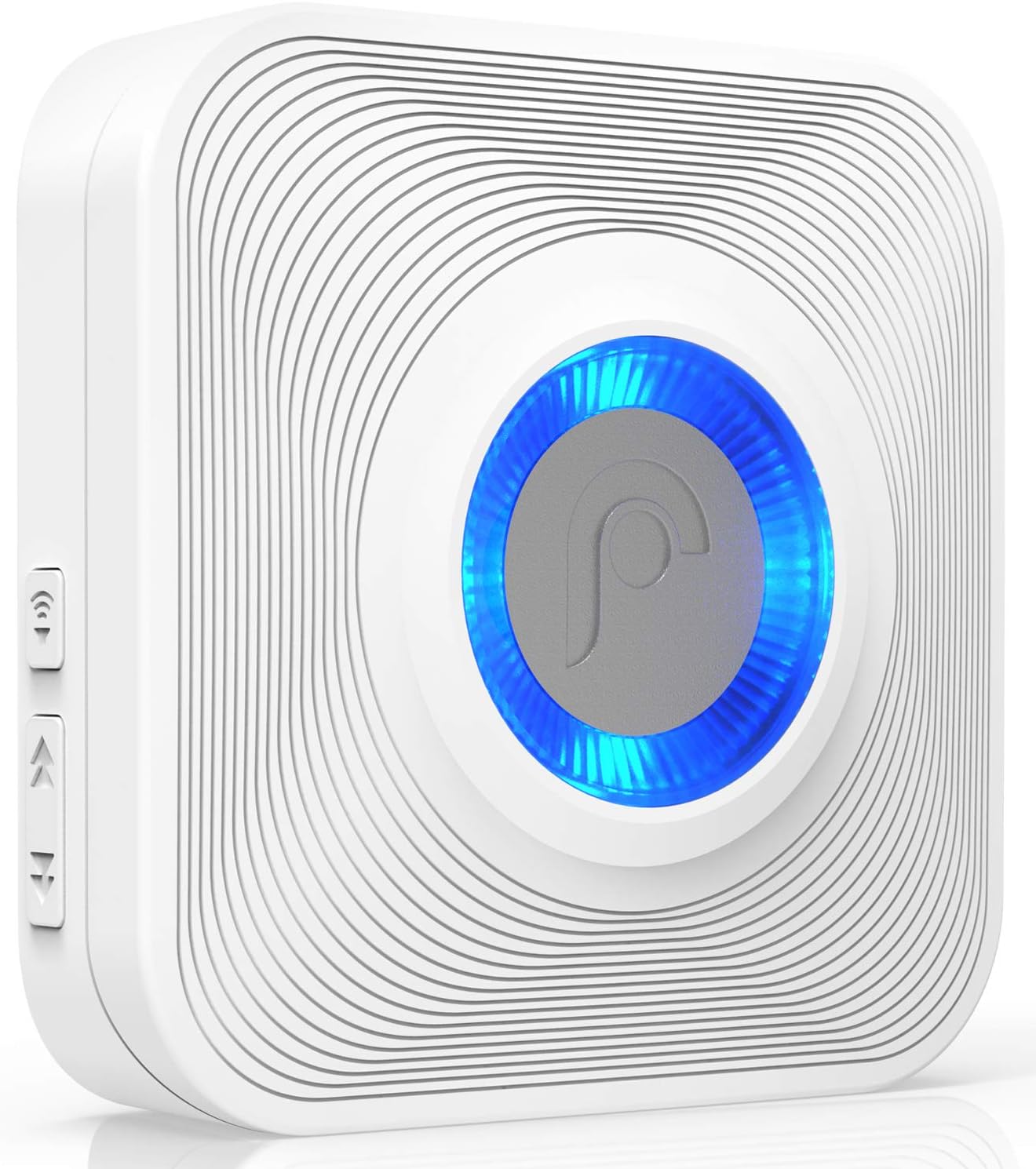
Изображение: Подробный view of the Fosmon WaveLink receiver, highlighting its power plug, speaker, LED light, volume control buttons, and chime selection buttons.
2. Pairing with Transmitters/Sensors
To pair your add-on receiver with an existing Fosmon WaveLink sensor or transmitter (sold separately), follow these steps:
- Включите ресивер в розетку.
- On the receiver, press and hold the volume button for approximately 5 seconds until you hear a short chime sound. This indicates the receiver is in pairing mode.
- Within a few seconds, activate your Fosmon WaveLink sensor or transmitter (e.g., open the door where the sensor is installed, or press the doorbell button).
- The receiver will emit the currently selected chime, confirming successful pairing.
If the receiver stops working or loses its pairing, repeat the steps above to re-pair it with your sensor/transmitter.
3. Расширение вашей системы
You can pair up to 10 WaveLink receivers to a single system, allowing you to place them in multiple rooms or areas of your home or business to ensure you never miss an alert.

Image: An illustration showing multiple Fosmon WaveLink receivers placed throughout different rooms and floors of a house, demonstrating system expansion.
Операция
1. Регулировка громкости
The receiver offers 4 adjustable volume levels. Use the dedicated volume control button on the side of the unit to cycle through the available volume settings until you reach your desired level.
2. Selecting Chimes/Ringtones
The Fosmon WaveLink receiver features 52 unique ringtones. Use the chime selection button on the side of the unit to preview and select your preferred chime. Each press will advance to the next available tone.

Image: A comprehensive list displaying 52 different ringtone options available for the Fosmon WaveLink system, including various melodies and sounds.
3. Светодиодный индикатор
The receiver includes a built-in LED indicator that provides a visual alert when a paired sensor is triggered. This feature is particularly helpful for individuals with hearing impairments.
4. Рабочий диапазон
The wireless operating range of the WaveLink system is up to 400 feet (120 meters) in an open area. The range may be reduced indoors due to obstacles such as walls and other electronic devices.
Video: This video demonstrates the installation of a sensor (not included with this receiver unit) and the operating range of the wireless door chime system, showing how the receiver functions when a sensor is triggered.
Обслуживание
To ensure optimal performance and longevity of your Fosmon WaveLink receiver, consider the following:
- Уборка: Протрите устройство мягкой сухой тканью. Избегайте использования агрессивных химикатов или абразивных чистящих средств.
- Размещение: Ensure the receiver is plugged into a stable power outlet and is not obstructed by furniture or other objects that could interfere with sound projection or wireless signal.
- Власть: The receiver operates on 110V AC power. No batteries are required for the receiver unit itself.
Поиск неисправностей
Receiver Not Chiming or Losing Connection
- Проверьте мощность: Ensure the receiver is securely plugged into a working 110V AC outlet.
- Повторное соединение: If the receiver stops responding to the sensor/transmitter, it may have lost its pairing. Follow the "Pairing with Transmitters/Sensors" steps in the Setup section to re-establish the connection.
- Диапазон: Verify that the receiver is within the effective operating range of the sensor/transmitter. Walls, large metal objects, and other electronic devices can reduce the wireless range.
- Вмешательство: Move the receiver away from other electronic devices that might cause wireless interference.
Технические характеристики
| Особенность | Деталь |
|---|---|
| Рингтоны | 52 unique ringtones |
| Уровни громкости | 4 уровня громкости |
| Светодиодные индикаторы | Да |
| Объем приемникаtage | 110 В переменного тока |
| Диапазон громкости | 25–110 дБ |
| Дальность беспроводной связи | 400 футов (120 м) на открытой местности |
| Частота | 315/433 MHz ± 2MHz |
| Рабочая температура | от 5°F до 140°F (от -15°C до 60°C) |
| Размеры приемника | 3.17 x 3.19 x 1.12 дюйма (80.5 x 81 x 28.5 мм) |
| Вес приемника | 3.03 унций (86g) |
| СКП | 879565510466 |

Image: The Fosmon WaveLink receiver with its dimensions clearly labeled in inches and millimeters.
Совместимость
The Fosmon WaveLink 51046HOMUS Add-On Door Receiver Unit is compatible with other Fosmon WaveLink Series Receivers, Sensors, and Doorbells. Compatible SKUs include:
- 51004HOM
- 51005HOM
- 51007HOM
- 51008HOM
- 51009HOM
- 51018HOM
- 51032HOMGB
- 51036HOMUS
- 51044HOMUS
- 51046HOMUS
- 51054HOM
- 51055HOMEU
- 51056HOMUS
- 51057HOM
- 51076HOMUS
Гарантия и поддержка
The Fosmon WaveLink wireless door chime and its components come with a limited lifetime warranty. For more details or support, please visit the official Fosmon webсайт.