
1. Введение
This manual provides comprehensive instructions for the setup, operation, and maintenance of your Symcode MJ-2300-1D 1D Desktop Omnidirectional Laser Barcode Scanner. Please read this manual thoroughly before using the device to ensure proper functionality and to maximize its performance.


2.Основные характеристики
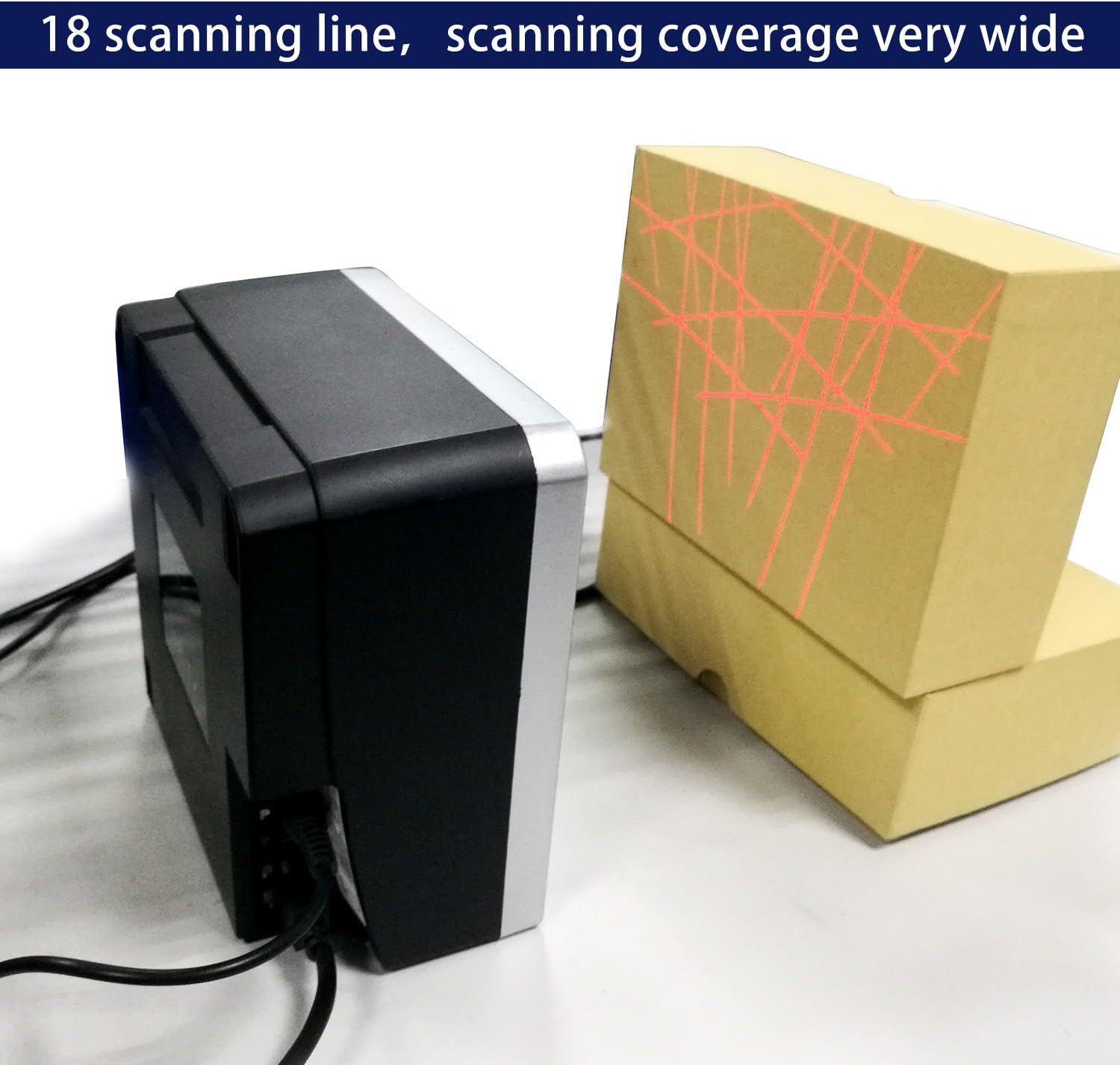
- Всенаправленное сканирование: Features an 18-laser layout for reliable first-pass read rates from various angles, with scan speeds up to 1500 scans per second.
- Подключение по принципу Plug and Play: Simple installation via USB port for immediate use with compatible systems.
- Высокая чувствительность: Optimal scanning performance within a reading range of 0 to 7.9 inches (0-200mm). For best results, position barcodes within this range.
- Универсальные возможности подключения: Connects via USB cable to computers or other host systems for data transmission. RS232 and PS2 keyboard interfaces are also supported.
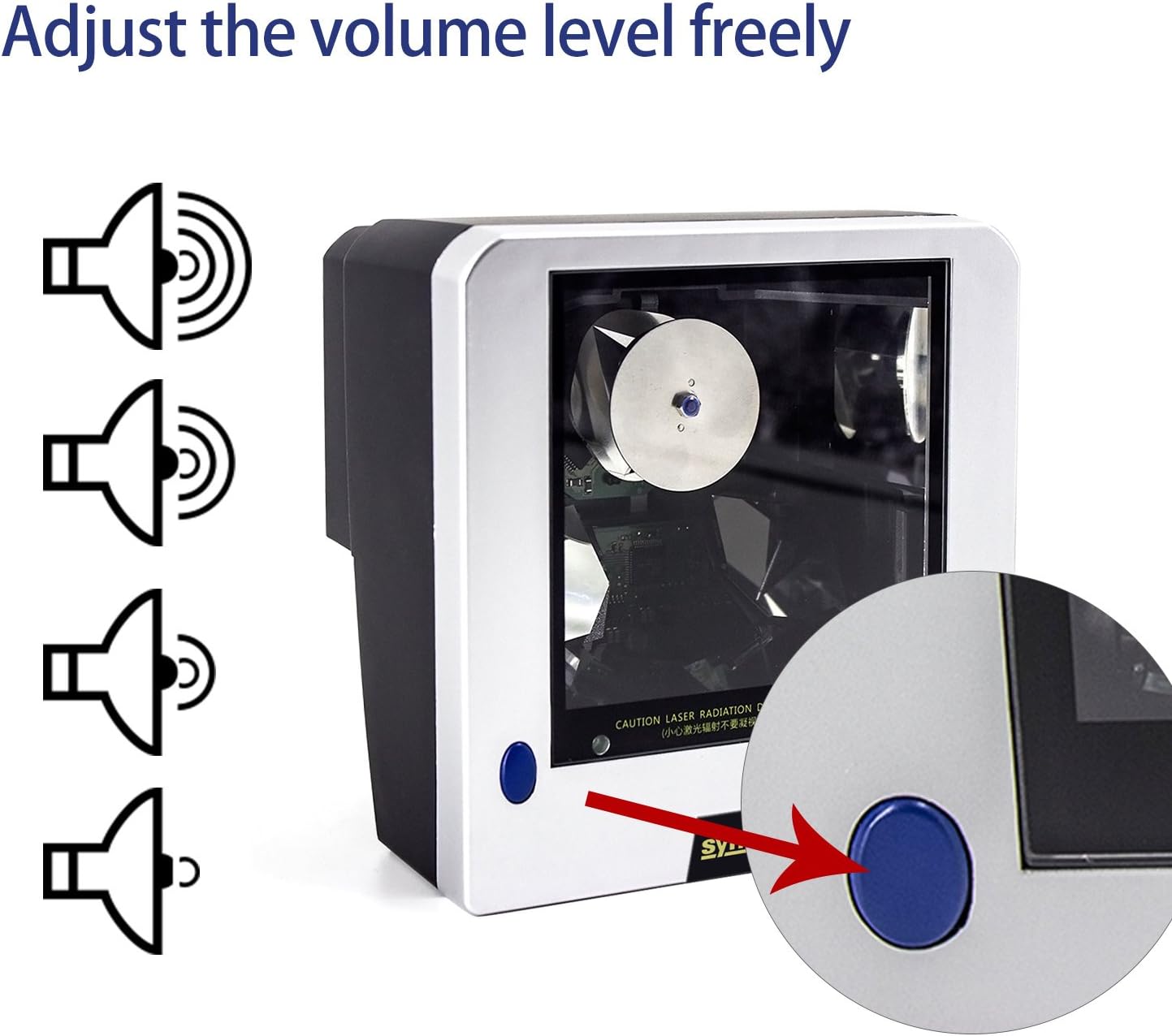
- Регулируемый объем: Features a blue button for adjusting the scanner's beep tone with three available settings. A mute option is also available; contact support for assistance with this specific setting.
- Прочная конструкция: Built with ABS + PC material, designed to withstand a 2-meter free fall.
- Четкое указание: Equipped with a green LED indicator for operational status.
3. Руководство по установке
3.1 Содержимое упаковки
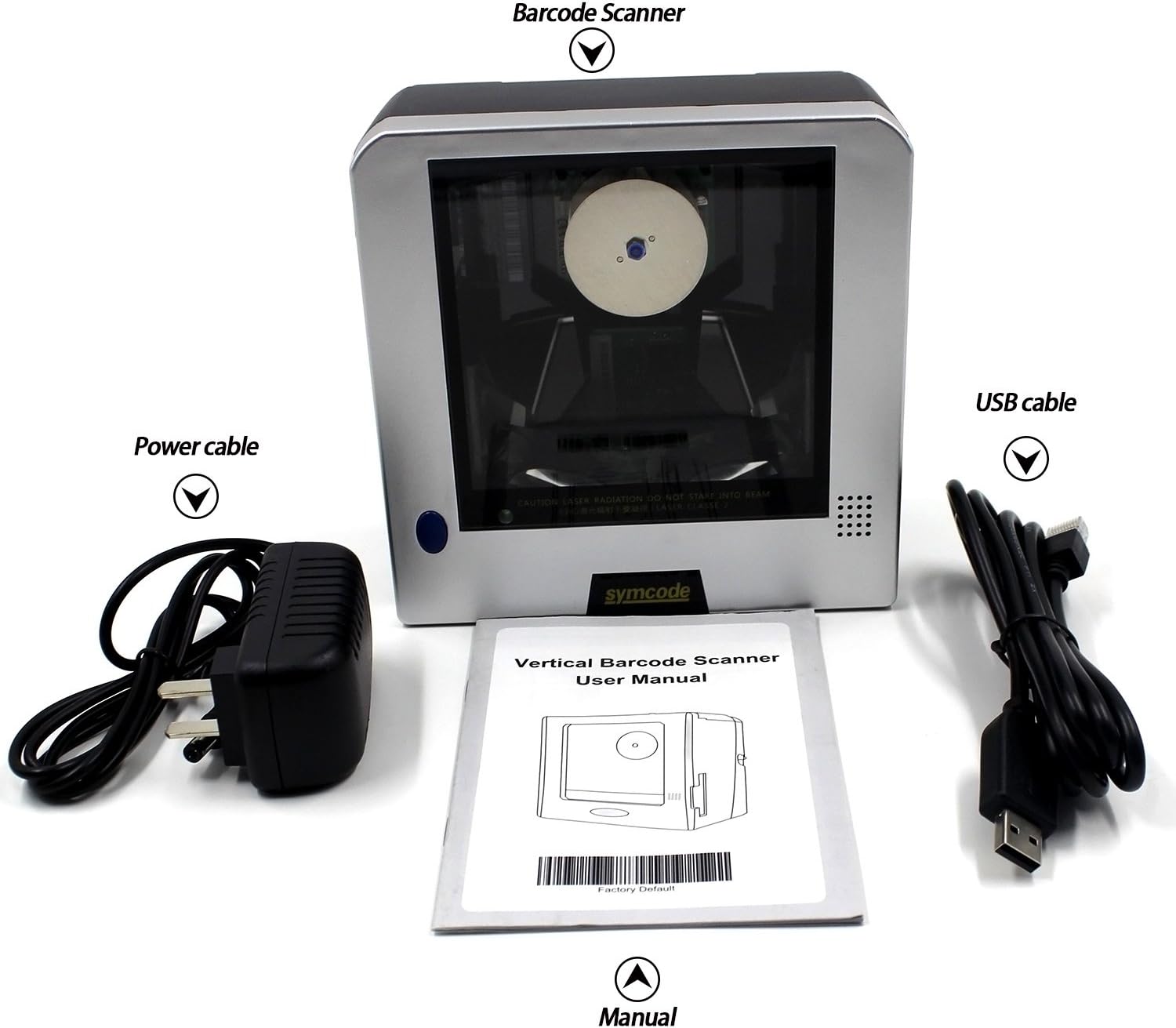
Перед началом установки убедитесь, что все необходимые компоненты присутствуют в комплекте:
- 1D Desktop Barcode Scanner Unit
- USB-кабель
- Кабель питания/адаптер
- Руководство пользователя (этот документ)
3.2 Подключение сканера
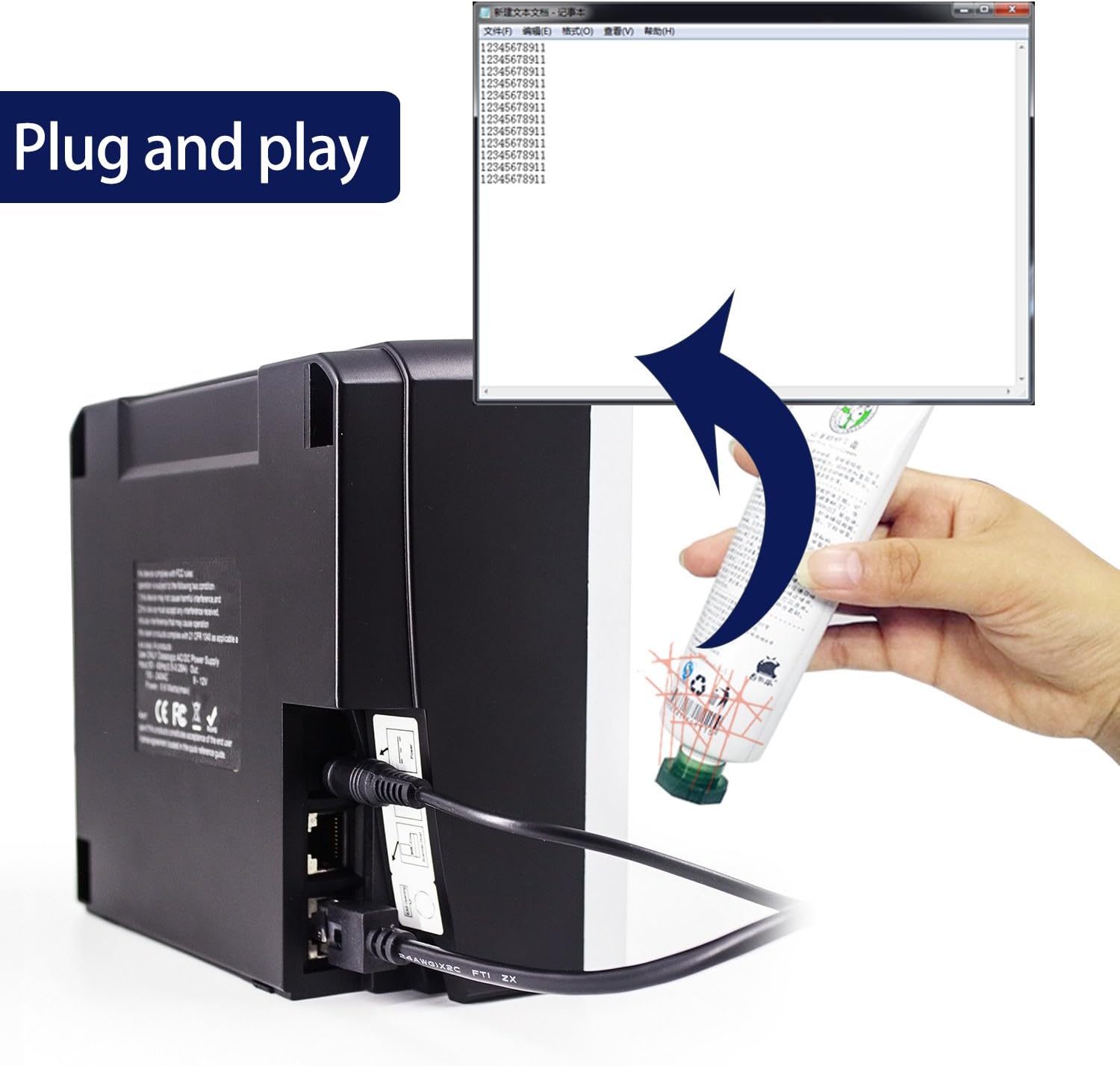
- Connect the power cable to the scanner's power input port and then to a suitable power outlet.
- Подключите USB-кабель к USB-порту сканера.
- Plug the other end of the USB cable into an available USB port on your computer or host system.
- The scanner is designed for plug-and-play operation. Your operating system should automatically detect and install the necessary drivers.
4. Инструкция по эксплуатации
4.1 Сканирование штрихкодов
The Symcode MJ-2300-1D scanner features omnidirectional scanning, allowing for efficient reading of 1D barcodes from various orientations. Simply present the barcode to the scanner's window within the optimal reading range of 0 to 7.9 inches (0-200mm). The scanner will automatically detect and decode the barcode.
4.2 Регулировка громкости
The scanner's beep tone volume can be adjusted. Locate the blue button on the scanner unit. Pressing this button will cycle through three different volume levels. For a mute setting, please contact technical support for specific instructions.
4.3 Поддерживаемые типы штрихкодов
The Symcode MJ-2300-1D scanner supports a wide range of 1D barcode symbologies, including but not limited to:
- EAN-8
- EAN-13
- UPC-A
- UPC-E
- Код 39
- Код 93
- Код 128
- EAN128
- Кодабар
- Промышленный 2 из 5
- Чередовать 2 из 5
- Матрица 2 из 5
- МСИ
- China postal code
5. Техническое обслуживание
5.1 Очистка сканера
Для обеспечения оптимальной производительности сканирования поддерживайте чистоту окошка сканера. Используйте мягкую безворсовую ткань, слегка протирая его.ampened with water or a mild, non-abrasive cleaning solution. Avoid using harsh chemicals or abrasive materials that could scratch the scanning window.
5.2 Stability and Placement
The scanner is equipped with fixed bottom rubber non-slip mats to ensure stability on various desktop surfaces. Ensure the scanner is placed on a flat, stable surface to prevent accidental movement or falls.

6. Поиск Неисправностей
- Сканер не распознан компьютером: Ensure the USB cable is securely connected to both the scanner and the computer. Try connecting to a different USB port. Restart your computer.
- Difficulty scanning specific barcodes:
- Ensure the barcode is within the optimal scanning range (0-7.9 inches / 0-200mm).
- Verify the barcode is clean, undamaged, and has sufficient contrast (minimum 30% PCS).
- Убедитесь, что сканер поддерживает данный тип штрихкода (см. раздел 4.3).
- If using specific application software, check its settings as some applications may require particular scanner configurations.
- Scanner beeps but no data is transmitted: Ensure the application or text field you are scanning into is active and ready to receive input. The scanner acts as a keyboard input device.
- USB cable overheating: Disconnect the scanner immediately. Check the power source and ensure it meets the scanner's power requirements (DC5V). Contact customer support if the issue persists.
- Настройка отключения звука: If you require the scanner to operate silently, contact Symcode technical support for instructions on enabling the mute function.
7. Технические характеристики
| Особенность | Спецификация |
|---|---|
| Номер модели | MJ-2300-1D |
| Источник света | Visible Lasing Diode (650nm) |
| Режим сканирования | 20-line Omnidirectional |
| Скорость сканирования | 1500 сканирований в секунду |
| Расстояние сканирования | 0 ~ 200mm (0 ~ 7.9 inches) |
| Угол сканирования | 5 направления |
| Минимальное разрешение | 0.10mm (PCS0.9) |
| Поддерживаемые интерфейсы | RS232, PS2 Keyboard, USB |
| Сигнал контраста печати (PCS) | Минимум 30% |
| Коэффициент ошибок | 1/5,000,000 |
| Светодиодный индикатор | Green Color LED |
| Источник питания | DC5V (Corded Electric, USB Cable) |
| Потребляемая мощность | 10 Вт |
| Текущий | 200мА |
| Безопасность лазера | National Safety Standard Class 2 |
| Электромагнитная совместимость | CE, FCC, DocCompliance |
| Рабочая температура | -20 ~ 45 градусов по Цельсию |
| Температура хранения | -20 ~ 60 градусов по Цельсию |
| Влажность | Относительная влажность 5% ~ 95% (без конденсации) |
| Яркость окружающего освещения | Max. 4,000 lux (sunlight) |
| Anti-knock Resistance | Withstands 2m free fall |
| Материал | АБС + ПК |
| Длина кабеля | 200 см / 6.56 фута |
| Размеры продукта | 5.9 x 1.9 x 5.9 дюйма (15.1 x 5 x 15.1 см) |
| Вес товара | 2.2 фунта |

8. Гарантия и поддержка
8.1 Гарантия на продукт
Symcode products are manufactured to high-quality standards. For specific warranty terms and conditions applicable to your MJ-2300-1D scanner, please refer to the warranty card included with your purchase or contact Symcode customer service.
8.2 Поддержка клиентов
If you encounter any issues or have questions regarding the operation, maintenance, or troubleshooting of your Symcode MJ-2300-1D barcode scanner, please contact Symcode customer support. Contact information can typically be found on the product packaging, the official Symcode webсайте или через точку покупки.