
1. Введение
This manual provides detailed instructions for the Symcode MJ-2030-W Barcode Scanner. This device offers both 2.4GHz wireless and USB 2.0 wired connectivity, designed for efficient and reliable barcode scanning in various environments. Please read this manual thoroughly before operating the scanner to ensure proper use and to maximize its performance.
2. Продукт закончилсяview
The Symcode MJ-2030-W is a versatile handheld laser barcode scanner. Key features include:
- Двойное подключение: Supports both 2.4GHz wireless and USB 2.0 wired connections.
- Расширенный диапазон: Effective wireless communication up to 200 meters outdoors and 100 meters indoors.
- Длительный срок службы батареи: Equipped with a 2000mAh rechargeable battery, providing extended operation.
- Два режима работы: Instant upload and storage modes for flexible data handling.
- Customizable Scanning: Supports prefix/suffix settings and character manipulation.
- Прочная конструкция: Features a shock-resistant silicone casing (IP54 rated) for enhanced protection.
3. Настройка
3.1 Содержимое упаковки
Перед началом работы убедитесь, что в упаковке присутствуют все предметы:
- Symcode MJ-2030-W Barcode Scanner
- Mini USB Receiver (2.4GHz wireless dongle)
- USB-кабель (для зарядки и проводного подключения)
- Руководство пользователя (этот документ)
3.2 Подключение сканера
Сканер предлагает два основных способа подключения:
3.2.1 Беспроводное соединение 2.4 ГГц
- Insert the mini USB receiver into an available USB 2.0 port on your computer.
- Turn on the barcode scanner. It will automatically pair with the receiver.
- A successful connection is indicated by a specific sound or LED indicator on the scanner.

Figure 1: The reliable mini USB receiver for wireless connection.

Figure 2: Scanner in use with 2.4GHz wireless connection.
3.2.2 Проводное USB-подключение
- Подключите один конец прилагаемого USB-кабеля к USB-порту сканера.
- Подключите другой конец USB-кабеля к свободному порту USB 2.0 на вашем компьютере.
- Сканер будет распознан как HID-клавиатура, и, как правило, дополнительные драйверы не требуются.
4. Инструкция по эксплуатации
4.1 Базовое сканирование
To scan a barcode, aim the laser beam at the center of the barcode and press the trigger button. A successful scan is usually indicated by a beep and/or a green LED light.
4.2 Режимы загрузки данных
The scanner supports two modes for uploading scanned data:
4.2.1 Режим мгновенной загрузки
In this mode, scanned barcodes are immediately transmitted to the connected computer. This is suitable for real-time data entry.
4.2.2 Режим хранения
When the scanner is out of range of the receiver or disconnected, it can store scanned barcodes internally. The scanner supports storing approximately 1000 barcodes in offline memory. To upload stored data, reconnect the scanner to your computer (either wirelessly or via USB) and scan the specific 'Upload Data' barcode (refer to the programming guide for this barcode, if provided). The stored data will then be transmitted to your computer.
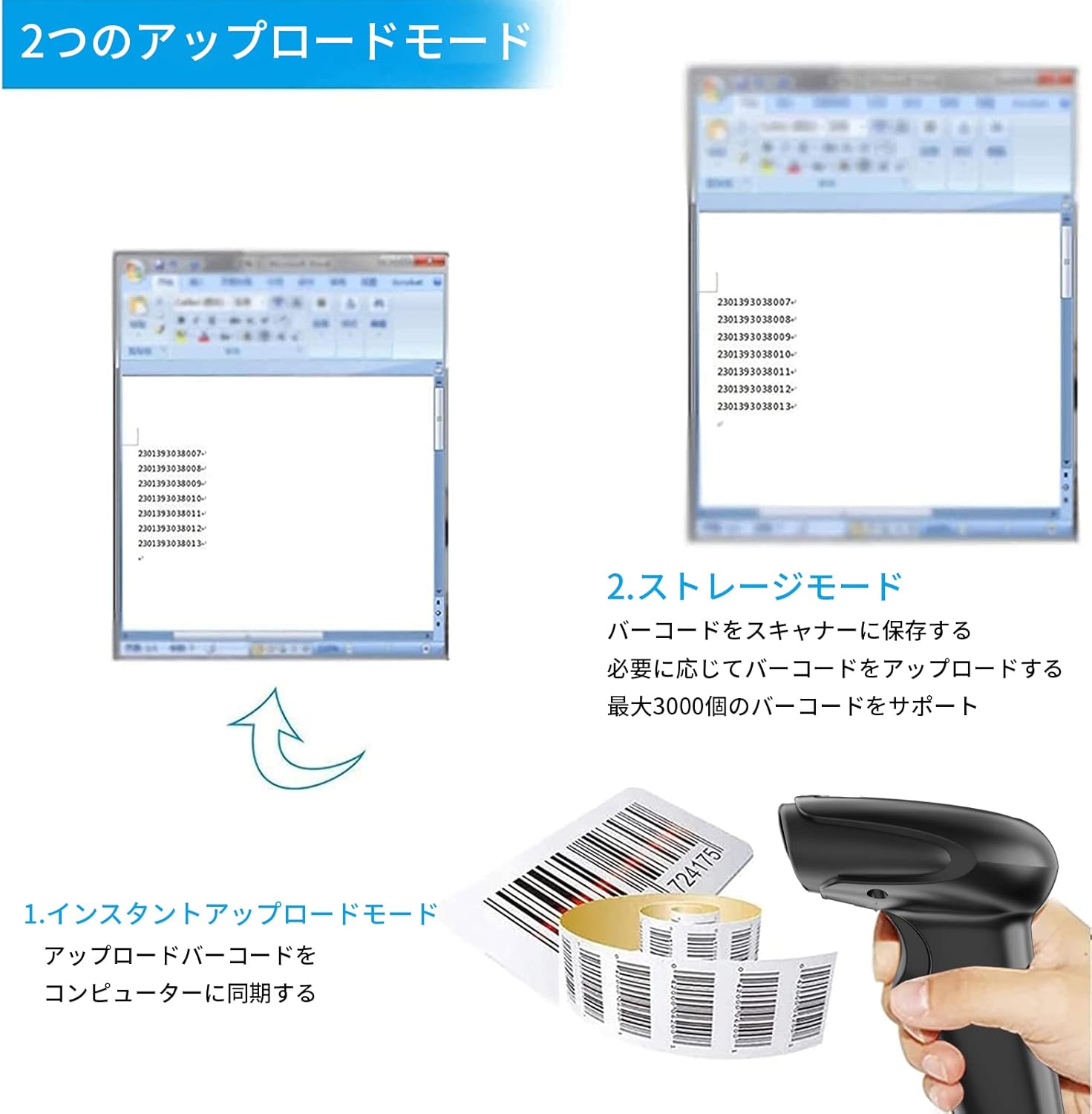
Рисунок 3: Иллюстрация режимов мгновенной загрузки и хранения.
4.3 Programmable Barcodes
The Symcode MJ-2030-W scanner allows for customization of barcode data output:
- Настройки префикса и суффикса: You can configure the scanner to add a specific prefix or suffix to each scanned barcode data.
- Character Insertion/Deletion: Specific characters can be inserted or deleted from the scanned data.
Обратитесь к отдельному руководству по программированию (если оно прилагается) или к руководству производителя. website for detailed instructions on how to program these settings by scanning specific configuration barcodes.

Figure 4: Scanner demonstrating programmable barcode features.
5. Аккумулятор и зарядка
The scanner is equipped with a 2000mAh rechargeable battery. For optimal performance, ensure the battery is fully charged before first use.
- Время зарядки: Полная зарядка занимает около 3–4 часов.
- Продолжительность работы: A full charge can provide up to 12,000 hours of standby time or approximately 74,000 scans.
- Метод зарядки: Connect the scanner to a computer or a USB power adapter using the provided USB cable.

Figure 5: Battery specifications and shock-resistant design.
6. Техническое обслуживание
- Уборка: Для очистки внешней поверхности сканера используйте мягкую сухую ткань. Для окна сканирования используйте мягкую безворсовую ткань, слегка шершавую.ampОбработайте водой или слабым чистящим раствором. Избегайте абразивных чистящих средств или растворителей.
- Хранилище: Храните сканер в прохладном, сухом месте, защищенном от прямых солнечных лучей и экстремальных температур.
- Прочность: The scanner features a black silicone protective cover with IP54 rating, designed to protect the glass window from scratches and the unit from drops up to 6.56 feet (2 meters).
7. Поиск Неисправностей
7.1 Сканер не отвечает
- Ensure the scanner is turned on and fully charged.
- For wireless connection, verify the mini USB receiver is securely plugged into the computer and the scanner is within range. Try re-pairing if necessary (refer to the programming guide for pairing instructions).
- For wired connection, ensure the USB cable is properly connected to both the scanner and the computer. Try a different USB port.
7.2 Штрихкоды не сканируются
- Убедитесь, что штрих-код четкий, неповрежденный и хорошо освещен.
- Отрегулируйте расстояние и угол между сканером и штрих-кодом.
- Check if the scanner is in the correct operating mode (e.g., not in a configuration mode).
7.3 Unexpected Sound Volume
If the scanner's beep volume is too loud or too quiet, refer to the programming guide for specific barcodes that allow adjustment of the sound settings.
7.4 Отсутствующие компоненты
If any components, such as the receiver or a programming code sheet, are missing from your package, please contact customer support immediately.
8. Технические характеристики
| Особенность | Спецификация |
|---|---|
| Бренд | символический код |
| Номер модели | MJ-2030-W |
| Цвет | Белый |
| Размеры | 17.53 х 8.38 х 11.43 см |
| Масса | 280.66 г |
| Источник питания | Питание от батареи |
| Технология связи | Беспроводная связь 2.4 ГГц, USB-кабель |
| Емкость аккумулятора | 2000мАч |
| Радиус действия беспроводной связи (на открытом воздухе) | До 200м |
| Радиус действия беспроводной связи (в помещении) | До 100м |
| Емкость хранилища | Approx. 1000 barcodes (offline mode) |
| Устойчивость к падениям | До 6.56 футов (2 метров) |
| Рейтинг защиты | IP54 |

Figure 6: Wireless transmission distance capabilities.
9. Гарантия и поддержка
Symcode products are designed for reliability and performance. For warranty information, technical support, or service inquiries, please refer to the contact information provided with your purchase or visit the official Symcode website. Please have your product model number (MJ-2030-W) and purchase details ready when contacting support.