
MICTUNING MIC-CDL-002-82
MICTUNING 2nd-Gen RGB LED Rock Lights User Manual
Model: MIC-CDL-002-82
1. Введение
Thank you for choosing MICTUNING 2nd-Gen RGB LED Rock Lights. This kit provides vibrant, customizable lighting for your vehicle's exterior, enhancing visibility and aesthetics. Designed with high-brightness RGB 3-in-1 LEDs, a stable Bluetooth controller, and an IP68 waterproof rating, these lights are built for durability and performance in various conditions. This manual provides essential information for installation, operation, maintenance, and troubleshooting to ensure optimal use of your product.

Изображение 1.1: оконченоview of the MICTUNING 2nd-Gen RGB LED Rock Lights kit, including the 8 LED pods, control box, and wiring.
2. Информация по технике безопасности
Please read and understand all safety instructions before installation and operation. Failure to follow these instructions may result in electrical shock, fire, or serious injury.
- Перед началом любых электромонтажных работ всегда отключайте аккумулятор автомобиля.
- Убедитесь, что все соединения проводки надежны и надлежащим образом изолированы, чтобы предотвратить короткое замыкание.
- Не вносите никаких изменений в конструкцию изделия. Несанкционированные изменения могут привести к аннулированию гарантии и создать угрозу безопасности.
- Keep the control box and wiring away from extreme heat, moving parts, and sharp edges.
- Если вы не уверены в каком-либо этапе процесса установки, обратитесь к специалисту.
3. Содержимое упаковки
Перед началом установки убедитесь, что все компоненты присутствуют в вашем комплекте:
- 8 x RGB LED Rock Light Pods
- 1 блок управления Bluetooth
- Жгуты проводов
- Mounting Hardware (screws, nuts, rubber pads)
- Руководство пользователя

Изображение 3.1: Подробно view of all items included in the package, such as the LED pods, control box, wiring, and various mounting accessories.
4. Настройка и установка
Follow these steps for proper installation of your MICTUNING RGB LED Rock Lights:
- Планирование компоновки: Determine the optimal placement for each of the 8 LED pods on your vehicle's undercarriage. Consider areas that will provide even illumination and are protected from direct impact.
- Mounting the Pods: Securely mount each LED pod using the provided screws and rubber pads. Ensure the mounting surface is clean and flat. The sturdy aluminum housing provides durability.
- Монтаж блока управления: Choose a dry, secure location for the Bluetooth control box, such as under the hood or inside the cabin. Ensure it is easily accessible for wiring and protected from water and excessive heat. The control box features a built-in automotive-grade chip for stable Bluetooth connection.
- Соединения проводки:
- Connect the wiring harnesses from each LED pod to the control box.
- Connect the main power and ground wires from the control box to your vehicle's 12V power source (e.g., battery). It is recommended to use an inline fuse (a safety protection fuse is included) for circuit protection.
- Ensure all connections are tight and insulated to prevent corrosion and short circuits.
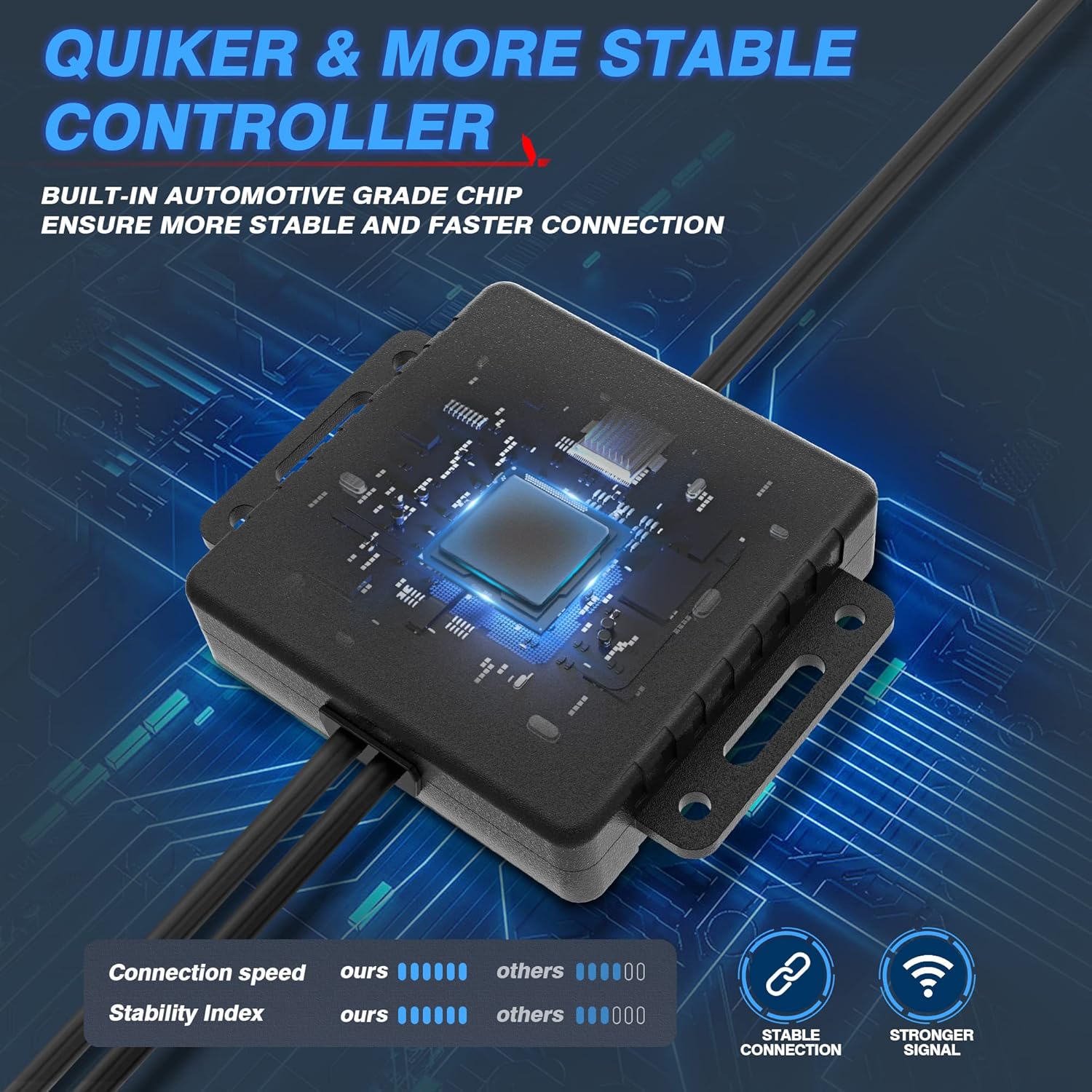
Image 4.1: The Bluetooth control box, highlighting its internal automotive-grade chip for stable and fast connection.

Image 4.2: A MICTUNING LED rock light submerged in water, demonstrating its IP68 waterproof rating and durable aluminum housing with an integrated safety fuse.
- Включите питание и проверьте: Reconnect the vehicle's battery. The lights should briefly illuminate.
- Скачать приложение: Scan the QR code on the control box or in the user manual to download the "Mictuning" app from your smartphone's app store.
5. Инструкция по эксплуатации
Your MICTUNING RGB LED Rock Lights are controlled via the exclusive MagicLink App. This app allows for comprehensive customization of your lighting experience.
- Подключиться через Bluetooth: Open the MagicLink App on your smartphone. Ensure Bluetooth is enabled. The app will automatically search for and connect to your MICTUNING control box.
- Выберите режимы освещения: The app offers various lighting modes, including:
- Статические цвета: Выберите цвет из широкого спектра, используя цветовой круг.
- Динамические режимы: Select from pre-programmed flashing, strobing, fading, and chasing-эффекты.
- Музыкальный режим: Synchronize the lights with music playing on your phone or through the app's microphone.
- Функция синхронизации: Настройте расписание автоматического включения/выключения освещения.
- Регулировка яркости: Adjust the brightness level to your preference within the app.
- Управление несколькими устройствами: The MagicLink App allows you to control multiple sets of MICTUNING lights of the same type (e.g., up to 6 sets of X2 CM Q1 RGB rock lights) from a single phone.
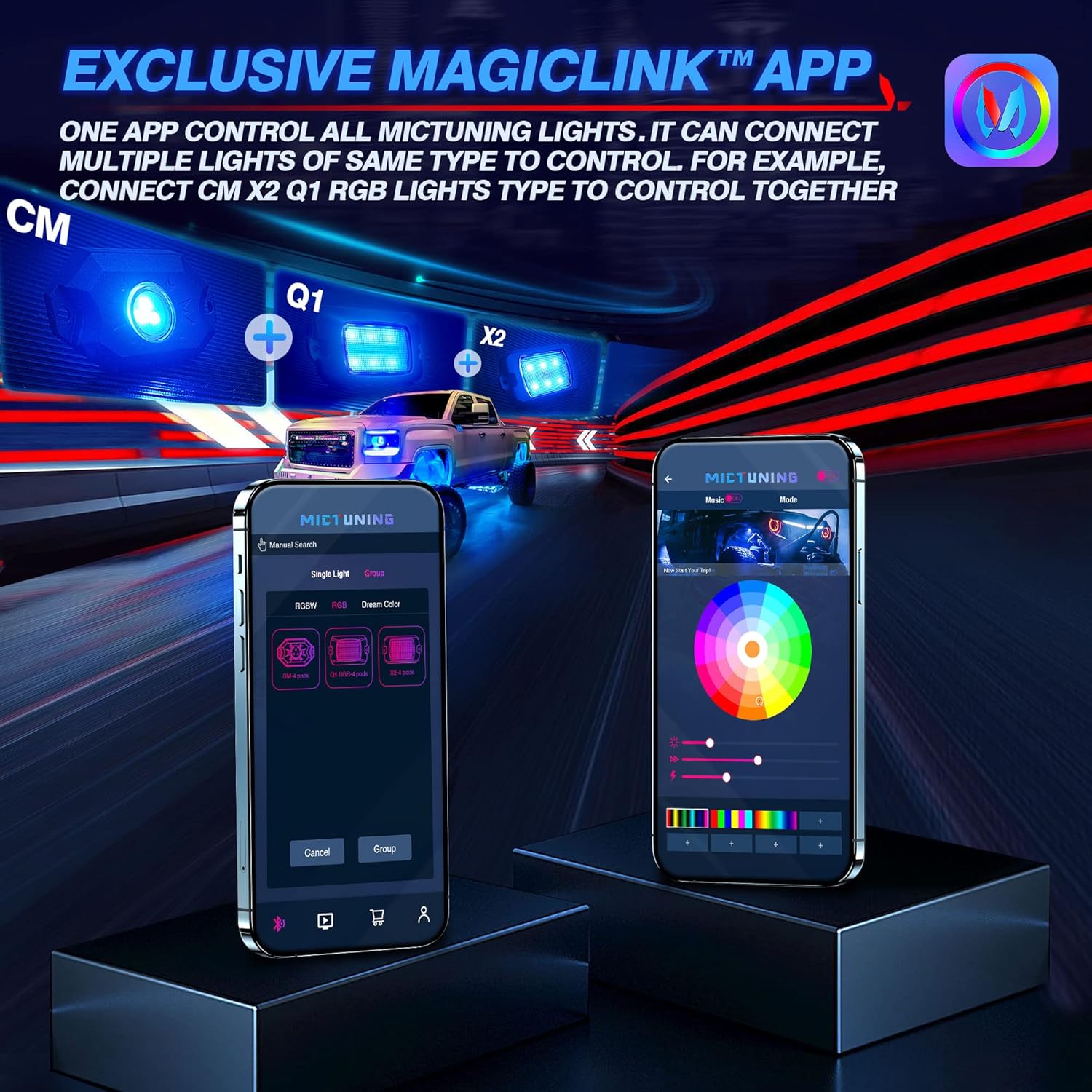
Image 5.1: The MagicLink App interface, showing options for single light or group control, and a color wheel for custom light selection.
6. Техническое обслуживание
Regular maintenance will help prolong the lifespan and performance of your rock lights:
- Уборка: Periodically clean the LED pods with a soft cloth and mild soap and water. Avoid abrasive cleaners or high-pressure washers directly on the lights.
- Инспекция: Regularly inspect the wiring for any signs of wear, fraying, or damage. Check all connections to ensure they remain secure.
- Водоустойчивая целостность: While the lights are IP68 waterproof, ensure that the connections to the control box remain dry and free from moisture buildup.
7. Поиск Неисправностей
If you encounter issues with your MICTUNING RGB LED Rock Lights, refer to the following common problems and solutions:
| Проблема | Возможная причина | Решение |
|---|---|---|
| Свет не включается. | Отсутствие питания, плохое соединение, перегоревший предохранитель. | Check power connections to the battery. Ensure all wiring is secure. Inspect the inline fuse and replace if blown. |
| Bluetooth connection is unstable or slow. | Interference, app issues, distance from control box. | Ensure your phone's Bluetooth is on. Restart the app and your phone. Move closer to the control box. Ensure the app has necessary permissions (e.g., location access). |
| Colors are inconsistent or mottled. | Individual LED pod issue, wiring problem. | Check the connections to the affected pod. Ensure the app is updated to the latest version. |
| Lights do not respond to app commands. | App not connected, control box issue. | Verify Bluetooth connection in the app. Restart the control box by disconnecting and reconnecting power. |
8. Технические характеристики
| Особенность | Деталь |
|---|---|
| Номер модели | MIC-CDL-002-82 |
| Цвет | РГБ |
| Материал | Алюминий |
| Вес товара | 4.4 фунта |
| Размеры продукта | 7.87 x 5.12 x 5.71 дюйма |
| Уровень водонепроницаемости | Водонепроницаемость IP68 |
| Технология связи | Bluetooth |
| Количество штук | 8 стручка |
| Продолжительность жизни | До 50,000 + часов |
9. Гарантия и поддержка
MICTUNING stands behind the quality of its products. Your MICTUNING 2nd-Gen RGB LED Rock Lights come with a двухлетняя гарантия с даты покупки.
If you encounter any issues or have questions regarding your product, please do not hesitate to contact MICTUNING customer support. Our responsive team is committed to assisting you within 24 hours to resolve any problems.
Контактная информация:
- Visit the official MICTUNING website for support resources and contact details: Магазин MICTUNING
- Refer to the user manual for additional contact methods.
Ask a question about this manual
Ask about setup, troubleshooting, compatibility, parts, safety, or missing instructions. Manuals+ will review the question and use this page’s manual context to help answer it.