
1. Введение
This manual provides essential information for the safe and effective use of your Pioneer AVH-X4800BS 2-DIN Receiver. Please read it thoroughly before installation and operation, and keep it for future reference. This receiver features a 7-inch motorized display, built-in Bluetooth, Siri Eyes Free, and AppRadio compatibility, offering a comprehensive in-car audio and visual experience.
2. Продукт закончилсяview
The Pioneer AVH-X4800BS is a versatile 2-DIN A/V receiver designed for enhanced in-car entertainment and connectivity. It supports various audio and video sources and integrates seamlessly with smartphones.

Рисунок 2.1: Передняя часть view of the Pioneer AVH-X4800BS receiver with included remote control.

Figure 2.2: Close-up of the 7-inch motorized display showing the main interface.
3. Настройка и установка
Правильная установка имеет решающее значение для оптимальной производительности. Рекомендуется, чтобы установку выполнял квалифицированный специалист.
3.1 Содержимое упаковки
- Pioneer AVH-X4800BS 2-DIN Receiver
- Жгут проводов
- Дистанционное управление
- Микрофон
- Монтажное оборудование

Figure 3.1: Included accessories: wiring harness, remote control, microphone, and mounting screws.
3.2 Подключение проводки
Connect the wiring harness to your vehicle's electrical system. Ensure all connections are secure and insulated. Refer to the detailed wiring diagram in the separate installation manual for specific connections.
- Питание/Заземление: Connect to vehicle's power and ground.
- Выходы на динамики: Подключитесь к автомобильным динамикам.
- Выходы предусилителя RCA: Для внешнего ampусилители (фронтальные, тыловые, сабвуфер).
- USB-вход: Для подключения смартфона и воспроизведения мультимедиа.
- Вход для задней камеры: For connecting a backup camera.
- Вход микрофона: Для звонков в режиме hands-free и голосовых команд.
- Порты HDMI: Two ports for external video sources.

Рисунок 3.2: Сзади view of the receiver showing various input/output ports for power, speakers, RCA, USB, and camera connections.
4. Основные операции
4.1 Включение/выключение питания
Нажмите ВЛАСТЬ button on the unit or remote control to turn the receiver on or off.
4.2 Выбор источника
Коснитесь ИСТОЧНИК icon on the touchscreen or use the remote control to select desired audio/video sources such as Radio, Bluetooth Audio, USB, iPod, AUX, or AppRadio.
4.3 Регулятор громкости
Adjust the volume using the volume buttons on the unit or the remote control.
4.4 Motorized Display
The 7-inch display is motorized. Use the dedicated buttons on the unit to adjust the display angle or eject discs (if applicable).
5. Аудиовозможности
5.1 13-полосный графический эквалайзер
Customize your audio experience with the built-in 13-band graphic equalizer. Adjust frequency bands to fine-tune the sound output to your preference.
5.2 Управление сабвуфером
Manage subwoofer output levels and crossover frequencies directly from the receiver's menu for optimized bass performance.
6. Связь
6.1 Встроенный Bluetooth
Pair your smartphone via Bluetooth for hands-free calling and wireless audio streaming. The included microphone ensures clear voice transmission during calls.
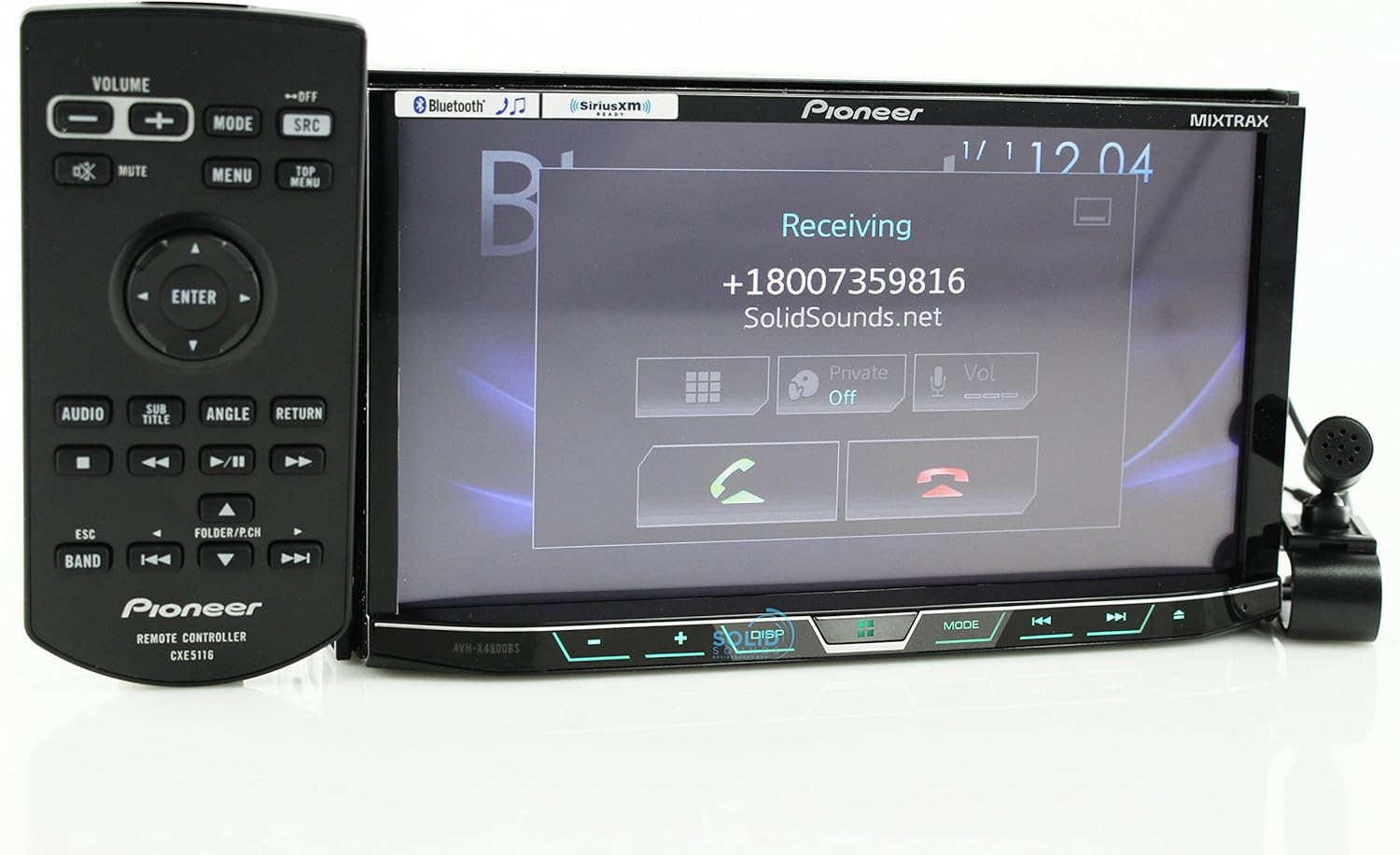
Figure 6.1: Display showing an incoming Bluetooth call.
6.2 Siri Eyes Free & AppRadio
Utilize Siri Eyes Free for voice control of your iPhone functions without taking your eyes off the road. AppRadio Mode allows for seamless integration with compatible smartphone apps directly on the receiver's display.
6.3 Spotify & Pandora Control
Directly control Spotify and Pandora applications from the receiver's touchscreen when your smartphone is connected, providing access to your favorite music and podcasts.
7. Техническое обслуживание
7.1 Очистка экрана
Use a soft, dry cloth to clean the touchscreen. For stubborn smudges, lightly dampСмочите ткань водой или безопасным чистящим средством для экранов. Избегайте использования абразивных материалов и едких химикатов.
7.2 Обновления программного обеспечения
Периодически проверяйте Pioneer website for available firmware updates to ensure optimal performance and access to the latest features. Follow the instructions provided with the update package carefully.
8. Поиск Неисправностей
- Нет питания: Проверьте силовые соединения и блок предохранителей автомобиля. Убедитесь, что зажигание включено.
- Нет звука: Verify speaker connections and amplifier status. Check volume levels and mute settings.
- Проблемы с подключением Bluetooth: Ensure Bluetooth is enabled on both the receiver and your smartphone. Delete previous pairings and attempt to re-pair.
- Сенсорный экран не отвечает: Perform a system reset (refer to the full owner's manual for reset procedure).
- Неисправность дисплея: Check wiring connections to the display unit. If the issue persists, contact Pioneer support.
9. Технические характеристики
| Размеры продукта | 11 x 9.5 x 6 дюйма |
| Вес товара | 0.01 унции |
| Номер модели товара | AVH-X4800BS |
| Технология связи | Bluetooth |
| Тип контроллера | iOS |
| Специальная характеристика | Спотифай |
| Совместимые устройства | Смартфоны (Android, iOS) |
| Всего портов HDMI | 2 |
| Тип разъема | 2.5-мм разъем |
| Кодирование аудио | Стерео |
| Режим аудиовыхода | Стерео |
| Конфигурация каналов объемного звука | 4 канала |
10. Гарантия и поддержка
Информацию о гарантии и техническую поддержку можно получить, обратившись к гарантийному талону, прилагаемому к вашему продукту, или посетив официальный сайт Pioneer. webСохраните чек в качестве подтверждения покупки.