
Линксис EA6900
Linksys EA6900 Smart WiFi AC1900 Router Instruction Manual
Модель: EA6900 | Бренд: Linksys
Введение
The Linksys EA6900 Smart WiFi AC1900 Router is designed to provide high-speed wireless connectivity for your home network. Featuring advanced Wireless-AC technology and simultaneous dual-band operation, it is optimized for demanding tasks such as HD video streaming and online gaming. This manual provides essential information for setting up, operating, and maintaining your router, ensuring optimal performance and a secure network environment.
Содержимое упаковки
- Интеллектуальный Wi-Fi-маршрутизатор Linksys AC1900, EA6900
- Краткое руководство пользователя
- 3 Антенны
- CD-ROM с документацией
- Ethernet-кабель
- Адаптер питания
Настраивать
Follow these steps to set up your Linksys EA6900 router:
- Распакуйте маршрутизатор: Аккуратно извлеките маршрутизатор и все аксессуары из упаковки.
- Подключите антенны: Attach the three external antennas to the designated ports on the back of the router. Ensure they are securely fastened.
- Расположите маршрутизатор: Разместите роутер в центральном месте вашего дома, вдали от препятствий и других электронных устройств, которые могут создавать помехи.
- Подключение к электросети: Plug the power adapter into the router's power port and then into an electrical outlet. The power LED on the router should illuminate.
- Подключение к модему: Connect one end of the provided Ethernet cable to the yellow "Internet" (WAN) port on the router and the other end to your modem's Ethernet port.
- Подключение устройств (необязательно): For wired connections, connect Ethernet cables from your devices (e.g., computer, gaming console) to any of the four blue "Ethernet" (LAN) ports on the router.
- Начальная конфигурация:
- Connect your computer or mobile device to the router's default Wi-Fi network (SSID and password can be found on the router's label or Quick Start Guide).
- Откройте web browser and navigate to the Linksys Smart WiFi setup page (usually
linksyssmartwifi.comor192.168.1.1). - Follow the on-screen instructions to complete the setup, including creating a new Wi-Fi network name (SSID) and password, and setting up an administrator password for the router.
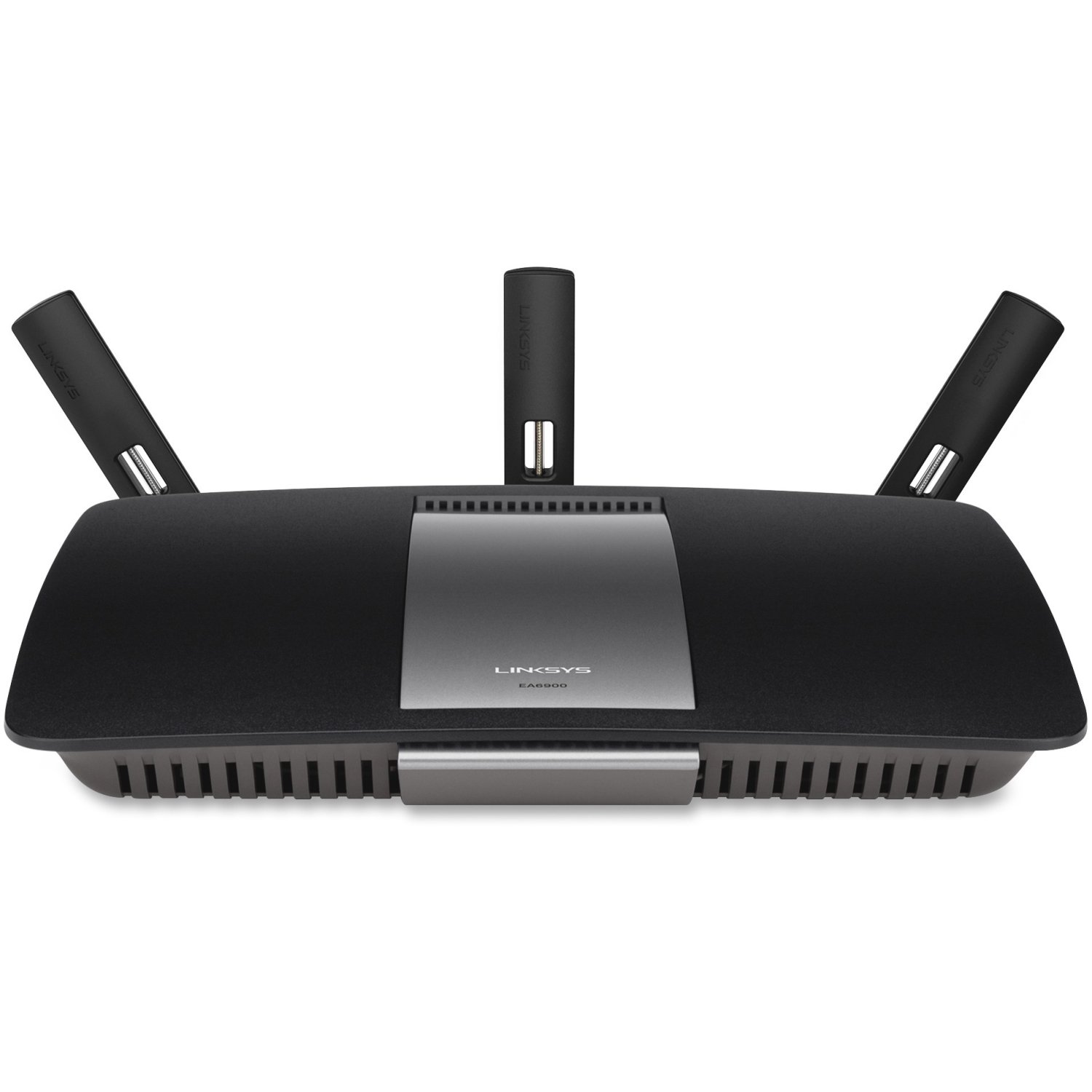
Рисунок 1: Передняя часть view of the Linksys EA6900 Router, showcasing его конструкция и внешние антенны.

Figure 2: Rear panel of the Linksys EA6900 Router, showing the power port, WAN port, four LAN ports, and USB ports.
Эксплуатация маршрутизатора
The Linksys EA6900 router offers various features to manage your network:
- Двухдиапазонный Wi-Fi: The router operates on both 2.4 GHz and 5 GHz frequencies simultaneously. The 2.4 GHz band provides wider coverage, while the 5 GHz band offers faster speeds for compatible devices.
- Linksys Smart WiFi Software: Access your router settings and manage your network from anywhere using the Linksys Smart WiFi app or web interface. Features include guest access, parental controls, and device prioritization.
- Защищенная настройка Wi-Fi (WPS): Easily connect WPS-compatible devices to your Wi-Fi network by pressing the WPS button on the router and the device.
- USB-порты: The router includes one USB 2.0 port and one USB 3.0 port. These can be used to connect external storage devices for network-attached storage (NAS) functionality, allowing you to share fileв вашей сети.
- Гигабитные порты Ethernet: Four Gigabit LAN ports provide high-speed wired connections for devices like desktop computers, smart TVs, and gaming consoles.
Обслуживание
To ensure the longevity and optimal performance of your Linksys EA6900 router, consider the following maintenance tips:
- Обновления прошивки: Regularly check for and install firmware updates through the Linksys Smart WiFi software. Updates often include performance improvements, security patches, and new features.
- Физическое размещение: Убедитесь, что маршрутизатор расположен в хорошо проветриваемом месте, чтобы предотвратить перегрев. Не размещайте его в закрытых помещениях или вблизи источников тепла.
- Управление кабелями: Keep all cables connected to the router tidy and free from kinks or excessive bending to prevent signal degradation.
- Периодически перезапускать: Периодическая перезагрузка маршрутизатора (отключение и повторное включение питания) может помочь очистить его память и устранить незначительные проблемы с производительностью.
Поиск неисправностей
If you encounter issues with your Linksys EA6900 router, try these troubleshooting steps:
- Нет соединения с интернетом:
- Проверьте правильность работы модема.
- Ensure the Ethernet cable from the modem is securely connected to the router's yellow "Internet" (WAN) port.
- Restart both your modem and router by unplugging them from power for 30 seconds and then plugging them back in.
- Slow Wi-Fi Speeds or Frequent Disconnects:
- Переместите роутер в более центральное место, подальше от стен, крупных металлических предметов и другой электроники.
- Убедитесь, что ваши устройства подключены к соответствующему диапазону Wi-Fi (5 ГГц для более высокой скорости, 2.4 ГГц для более широкого радиуса действия).
- Проверьте наличие обновлений прошивки для вашего маршрутизатора.
- Reduce the number of active devices or bandwidth-intensive applications if possible.
- Невозможно получить доступ к настройкам маршрутизатора:
- Убедитесь, что ваше устройство подключено к сети Wi-Fi маршрутизатора или через кабель Ethernet.
- Verify the router's IP address (usually
192.168.1.1) или используйтеlinksyssmartwifi.com. - If you forgot your administrator password, you may need to perform a factory reset (see Quick Start Guide for instructions).
- Wi-Fi Protected Setup (WPS) Issues:
- Ensure your device supports WPS.
- Try initiating WPS from both the router and the device within two minutes.
- If WPS fails, connect the device manually using the Wi-Fi network name (SSID) and password.
Технические характеристики
| Особенность | Деталь |
|---|---|
| Бренд | Linksys |
| Название модели | ЕА6900 |
| Беспроводные технологии | Advanced Wireless-AC (up to 4.3x faster than Wireless-N) |
| Класс диапазона частот | Двухдиапазонный (2.4 ГГц и 5 ГГц) |
| Max. Link Rate | 1300 Mbps (AC1300) + N600 Mbps |
| Ethernet-порты | 1x Gigabit WAN (10/100/1000), 4x Gigabit LAN (10/100/1000) |
| USB-порты | 1x USB 2.0, 1x USB 3.0 |
| Антенны | 3 стационарные антенны |
| Особые возможности | Linksys Smart WiFi software, Wi-Fi Protected Setup (WPS) |
| Рабочая температура | от 32 до 104 °F (от 0 до 40 °C) |
| Рабочая влажность | 10–80 % без конденсации |
| Сетевые стандарты | IEEE 802.11a/b/g/n/ac, IEEE 802.3/3u |
| Совместимая ОС | Mac OS X (10.5.8 to 10.9), Windows (XP to 8 32/64) |
Гарантия и поддержка
The Linksys EA6900 Smart WiFi AC1900 Router comes with a 1-year hardware limited warranty. For technical support, product registration, or to access the full documentation, please visit the official Linksys support website. You can also find additional resources and FAQs through the Linksys Smart WiFi software.
Ask a question about this manual
Ask about setup, troubleshooting, compatibility, parts, safety, or missing instructions. Manuals+ will review the question and use this page’s manual context to help answer it.