
1. Введение
This manual provides essential instructions for the safe and efficient operation of your ICOM BC-152 charger. Please read this manual thoroughly before using the charger to ensure proper setup, operation, and maintenance. Keep this manual for future reference.
2. Информация по технике безопасности
Always observe the following safety precautions to prevent injury, damage to the charger, or damage to the device being charged.
- Use only with compatible ICOM battery packs. Using incompatible batteries may cause fire, explosion, or injury.
- Не подвергайте зарядное устройство воздействию дождя, влаги или экстремальных температур.
- Не разбирайте и не модифицируйте зарядное устройство. Все работы по обслуживанию должны выполняться квалифицированным персоналом.
- Убедитесь, что розетка заряжается.tage соответствует техническим характеристикам зарядного устройства.
- Держите зарядное устройство вдали от источников тепла и прямых солнечных лучей.
- Отключайте зарядное устройство от розетки, когда оно не используется или перед чисткой.
3. Настройка
3.1 Распаковка
Carefully remove the ICOM BC-152 charger from its packaging. Verify that all components are present:
- ICOM BC-152 Charger Unit
- AC Adapter (if included)
- Руководство по эксплуатации (данный документ)
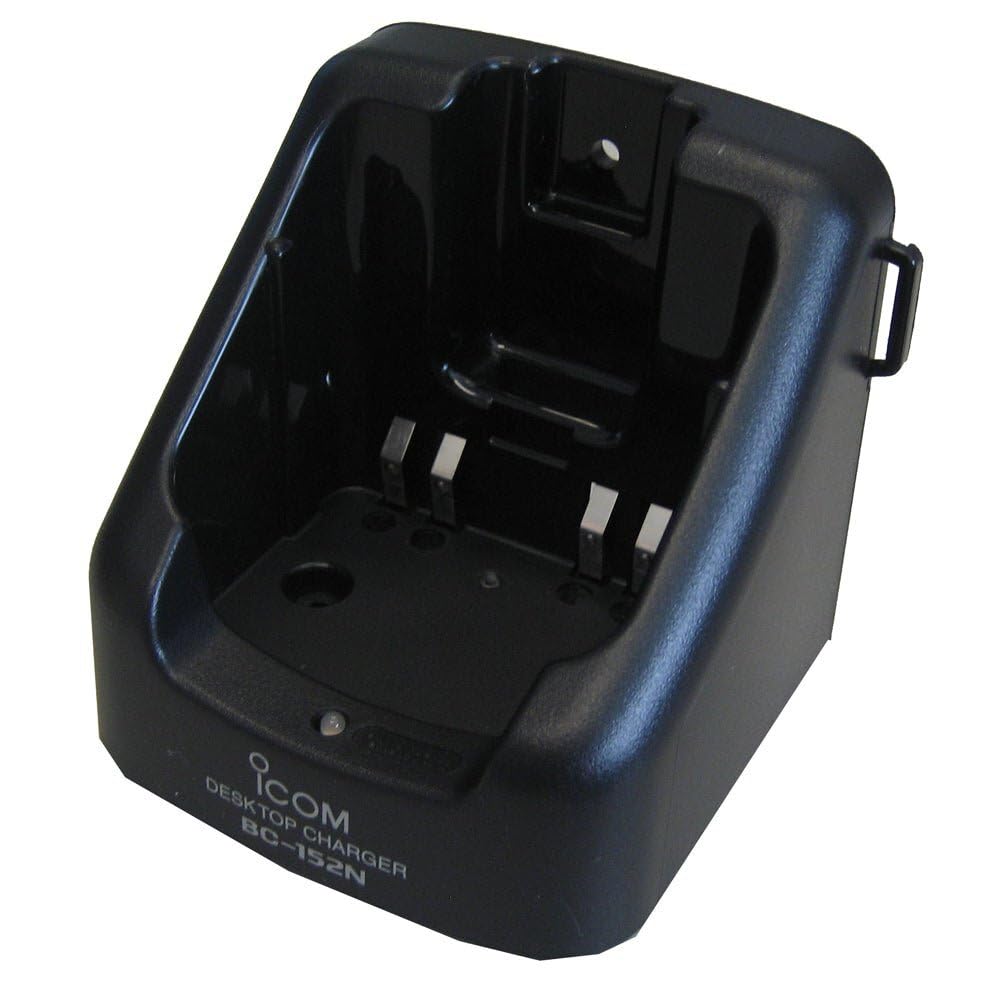
Figure 1: The ICOM BC-152 charger unit. This image shows the compact black charger with a single slot for a battery pack.
3.2 Подключение питания
- Connect the AC adapter cable to the DC input jack on the rear of the BC-152 charger unit.
- Подключите адаптер переменного тока к стандартной розетке.
- Теперь зарядное устройство готово к использованию.
4. Инструкция по эксплуатации
4.1 Charging a Battery Pack
Follow these steps to charge a compatible ICOM battery pack:
- Убедитесь, что зарядное устройство подключено к источнику питания, как описано в разделе 3.2.
- Carefully insert the battery pack into the charging slot of the BC-152 charger. Ensure it is seated firmly.
- Observe the charging indicator light.
4.2 Индикаторные лампы
The BC-152 charger features an LED indicator to show the charging status:
- Красный (сплошной): В данный момент батарея заряжается.
- Зеленый (непрерывный): Charging is complete. The battery pack is fully charged.
- Мигающий красный: Charging error or battery fault. Remove the battery and re-insert. If the error persists, consult the troubleshooting section.
- Нет света: Charger is not connected to power, or no battery is inserted.
Charging time may vary depending on the battery's capacity and its current charge level. Typically, a fully depleted battery will take approximately 2-4 hours to charge.
5. Техническое обслуживание
5.1 Очистка
Для поддержания оптимальной производительности и внешнего вида:
- Перед чисткой всегда отключайте зарядное устройство от розетки.
- Для протирки внешней поверхности зарядного устройства используйте мягкую сухую ткань.
- Не используйте абразивные чистящие средства, растворители или едкие химикаты.
- Ensure no moisture enters the charging slot or power input.
5.2 Хранение
When not in use for extended periods, store the charger in a cool, dry place, away from direct sunlight and extreme temperatures. Disconnect it from the power supply.
6. Поиск Неисправностей
If you encounter issues with your BC-152 charger, refer to the table below for common problems and solutions.
| Проблема | Возможная причина | Решение |
|---|---|---|
| Индикатор зарядного устройства не горит. | No power supply or battery not inserted. | Check AC adapter connection. Ensure battery is correctly inserted. |
| Индикатор мигает красным. | Battery fault or charging error. | Remove and re-insert the battery. Try a different compatible battery if available. |
| Аккумулятор не заряжается. | Faulty battery, charger, or power supply. | Verify power connection. Test with a known good battery. If problem persists, contact support. |
7. Технические характеристики
| Бренд | ICOM |
| Модель | BC-152 |
| Vol входtage | 12-16V DC (via AC adapter) |
| Выход Voltage | 8.4 В постоянного тока |
| Ток зарядки | Прибл. 450mA |
| Размеры (Ш×В×Г) | Приблизительные размеры: 80 × 50 × 90 мм (3.1 × 2.0 × 3.5 дюйма) |
| Масса | 0.18 фунта (приблизительно 82 г) |
| Цвет | Черный |
Примечание: Технические характеристики могут быть изменены без предварительного уведомления в целях улучшения.
8. Информация о гарантии
ICOM products are manufactured with high-quality components and are subject to rigorous quality control. This product is covered by a limited warranty against defects in materials and workmanship. The specific terms and duration of the warranty may vary by region. Please refer to the warranty card included with your purchase or visit the official ICOM webсайт для получения подробной информации о гарантии.
Данная гарантия не распространяется на повреждения, вызванные неправильным использованием, несчастным случаем, несанкционированной модификацией или неправильной установкой.
9. Поддержка клиентов
If you have any questions, require technical assistance, or need to report a problem that cannot be resolved using the troubleshooting guide, please contact ICOM customer support.
ICOM America Inc.
Visit ICOM America's Contact Page
Please have your product model (BC-152) and serial number ready when contacting support.