
1. Продукт закончилсяview
The TP-Link TL-WA750RE is a 150Mbps Universal Wireless Range Extender designed to expand the coverage of an existing wireless network. It eliminates Wi-Fi dead zones by boosting the wireless signal to previously unreachable or hard-to-wire areas. Its compact, wall-mounted design allows for flexible deployment and easy relocation within your home or office.
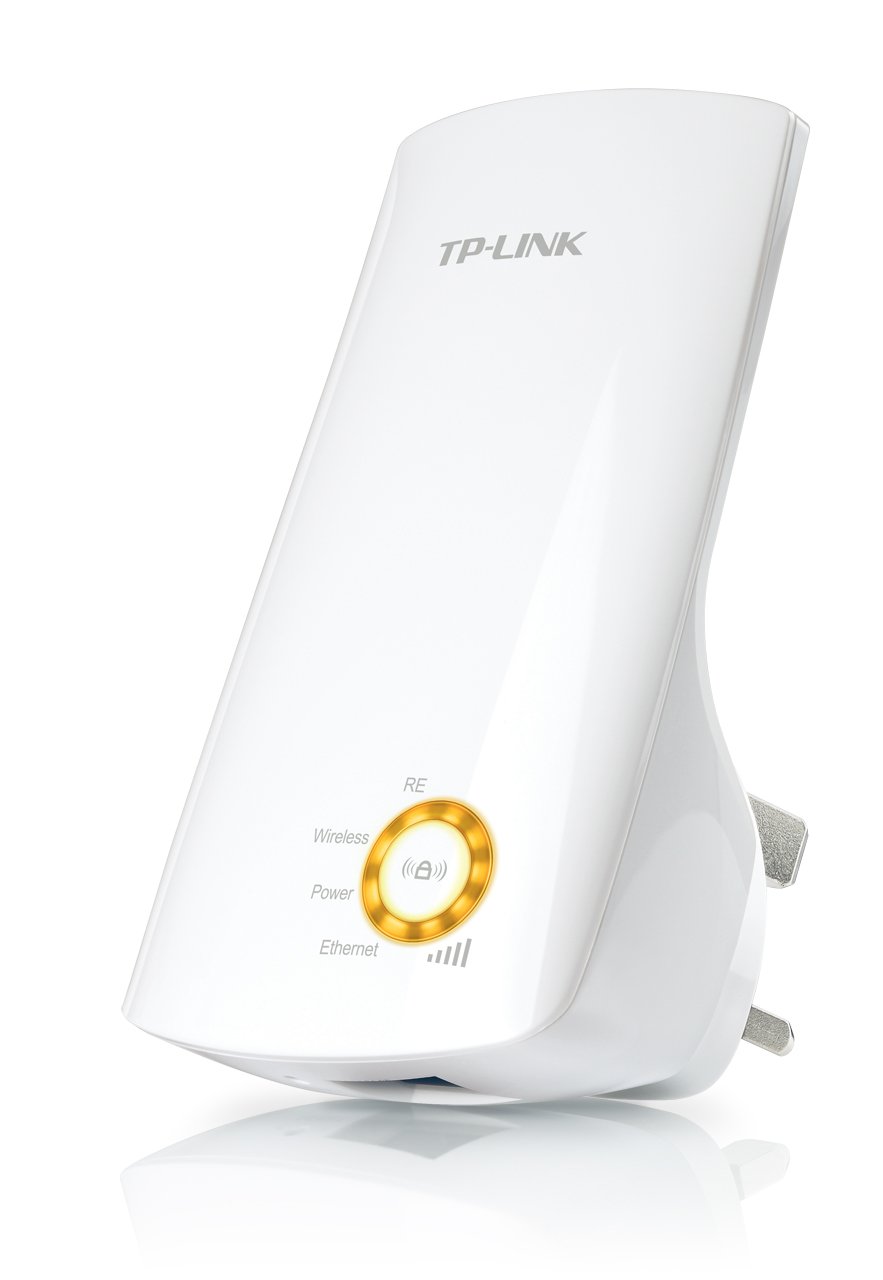
Рисунок 1: TP-Link TL-WA750RE Universal Wireless Range Extender. This image shows the device in its retail packaging, highlighting its compact design and wall-plug form factor.
2.Основные характеристики
- Режим расширителя диапазона: Boosts wireless signal to eliminate Wi-Fi dead zones and extend network coverage.
- Компактный дизайн: Small size and wall-mounted design for easy deployment and flexible movement.
- Кнопка WPS: Allows for instant setup and secure connection with compatible routers.
- Умный индикатор сигнала: Helps users find the optimal location for placing the range extender for best performance.
- Универсальная совместимость: Works seamlessly with all 802.11n/g/b wireless devices.
3. Содержимое упаковки
В комплект поставки обычно входят следующие элементы:
- TP-Link TL-WA750RE 150Mbps Universal Wireless Range Extender
- Руководство по эксплуатации
4. Руководство по установке
4.1. Быстрая настройка с помощью кнопки WPS
- Подключить: Plug the TL-WA750RE into an electrical outlet near your wireless router.
- Активируйте WPS на роутере: Нажмите кнопку WPS на основном беспроводном маршрутизаторе. Точное местоположение и порядок действий см. в руководстве к маршрутизатору.
- Активируйте WPS на расширителе: Within two minutes, press the WPS button on the TL-WA750RE. The Signal LED on the extender should begin to flash.
- Ожидание подключения: The Signal LED will turn solid blue or green when a successful connection is established.
- Переместить расширитель: Unplug the extender and move it to a location between your router and the Wi-Fi dead zone. Ensure the Signal LED indicates a strong connection (e.g., solid blue or green) in the new location.
4.2. Ручная настройка через Web Браузер
- Подключить: Plug the TL-WA750RE into an electrical outlet near your computer.
- Подключение к расширителю: Connect your computer to the extender's Wi-Fi network (e.g., "TP-LINK_Extender_XXXXXX"). No password is required initially.
- Доступ Web Интерфейс: Откройте web браузер и тип http://tplinkrepeater.net or the extender's default IP address (usually 192.168.0.254) into the address bar.
- Авторизоваться: При появлении запроса введите «admin» в качестве имени пользователя и пароля.
- Следуйте инструкциям на экране: Use the Quick Setup wizard to select your main Wi-Fi network and enter its password.
- Переместить расширитель: Once configured, unplug the extender and move it to an optimal location between your router and the desired coverage area.
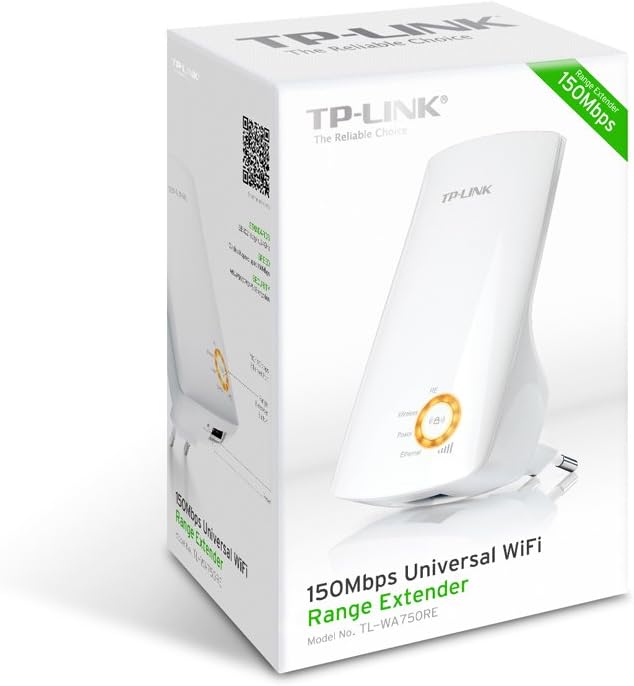
Рисунок 2: Сторона view of the TL-WA750RE. This image illustrates the physical layout of the device, including the WPS button and Ethernet port, which are crucial for setup and operation.
5. Эксплуатация усилителя сигнала
Once the TL-WA750RE is successfully set up, it will automatically extend your existing Wi-Fi network. Devices within the extended range can connect to the network name created by the extender (e.g., "YourNetworkName_EXT").
5.1. Интеллектуальный сигнальный индикатор
The Smart Signal Indicator LEDs on the front of the device provide real-time feedback on the signal strength received from your main router. This helps you determine the best placement for the extender:
- Сплошной синий/зеленый: Отличный уровень сигнала.
- Сплошной красный: Weak signal strength. Consider relocating the extender closer to your router.
- Выключенный: No connection to the main router.
5.2. Использование порта Ethernet
The TL-WA750RE includes an Ethernet port. This port can be used to connect a wired device, such as a desktop computer, gaming console, or smart TV, to your wireless network, providing a stable wired connection in the extended Wi-Fi area.
6. Техническое обслуживание
- Уборка: Для очистки устройства используйте мягкую сухую ткань. Не используйте жидкие или аэрозольные чистящие средства.
- Размещение: Avoid placing the extender in direct sunlight, near heat sources, or in areas with high humidity.
- Обновления прошивки: Периодически проверяйте официальный сайт TP-Link. webсайт для обновления прошивки с целью обеспечения оптимальной производительности и безопасности.
- Цикл питания: If the device experiences issues, try unplugging it from the power outlet for 10 seconds and then plugging it back in.
7. Поиск Неисправностей
- В1: Что делать, если я не могу получить доступ к ретранслятору? web страница управления?
- A1: Ensure your computer is connected to the extender's network. Verify that http://tplinkrepeater.net is correctly typed in the browser. If issues persist, try using the extender's IP address (e.g., 192.168.0.254) or reset the extender to factory defaults.
- Q2: My extended network has poor signal or frequent disconnections.
- A2: Check the Smart Signal Indicator on the extender. If it's red or off, the extender is too far from your main router. Relocate the extender to a position where the indicator shows a strong signal (solid blue/green). Ensure there are no major obstructions between the router and the extender.
- В3: Как сбросить настройки ретранслятора до заводских?
- A3: With the extender powered on, use a pin to press and hold the Reset button (usually a small hole) for approximately 5-10 seconds until all LEDs flash briefly. The extender will then restart with factory default settings.
8. Технические характеристики
| Бренд | TP-Link |
| Номер модели | TL-WA750RE |
| Беспроводной стандарт | 802.11b/g/n |
| Скорость передачи данных | 150 Мбит/с |
| Частота | 2.4 ГГц |
| Особые возможности | Smart Signal Indicator, WPS Button |
| Тип разъема | RJ45 (порт Ethernet) |
| Вес товара | 0.4 фунта |
| Цвет | Белый |
9. Гарантия и поддержка
9.1. Информация о гарантии
This TP-Link TL-WA750RE device comes with a Гарантия 2 год с даты покупки. Сохраните чек на случай предъявления гарантийных претензий. Гарантия распространяется на дефекты материалов и изготовления при условии нормального использования.
9.2. Техническая поддержка
Для получения технической помощи, устранения неполадок или получения дополнительной информации, пожалуйста, посетите официальный сайт поддержки TP-Link. webили свяжитесь со службой поддержки клиентов. Подробные ресурсы поддержки, ответы на часто задаваемые вопросы и контактную информацию можно найти по адресу: www.tp-link.com/support.