
Введение
The StarTech.com SDOCKU33HB is a USB 3.0 SATA Hard Drive Docking Station designed for quick and easy access to 2.5-inch or 3.5-inch SATA solid-state drives (SSDs) and hard disk drives (HDDs). It features a built-in USB Fast Charge hub and supports UASP (USB Attached SCSI Protocol) for enhanced performance with SATA 6Gbps drives. This manual provides instructions for setup, operation, and maintenance of your docking station.
Продукт болееview
Familiarize yourself with the components and features of your docking station.
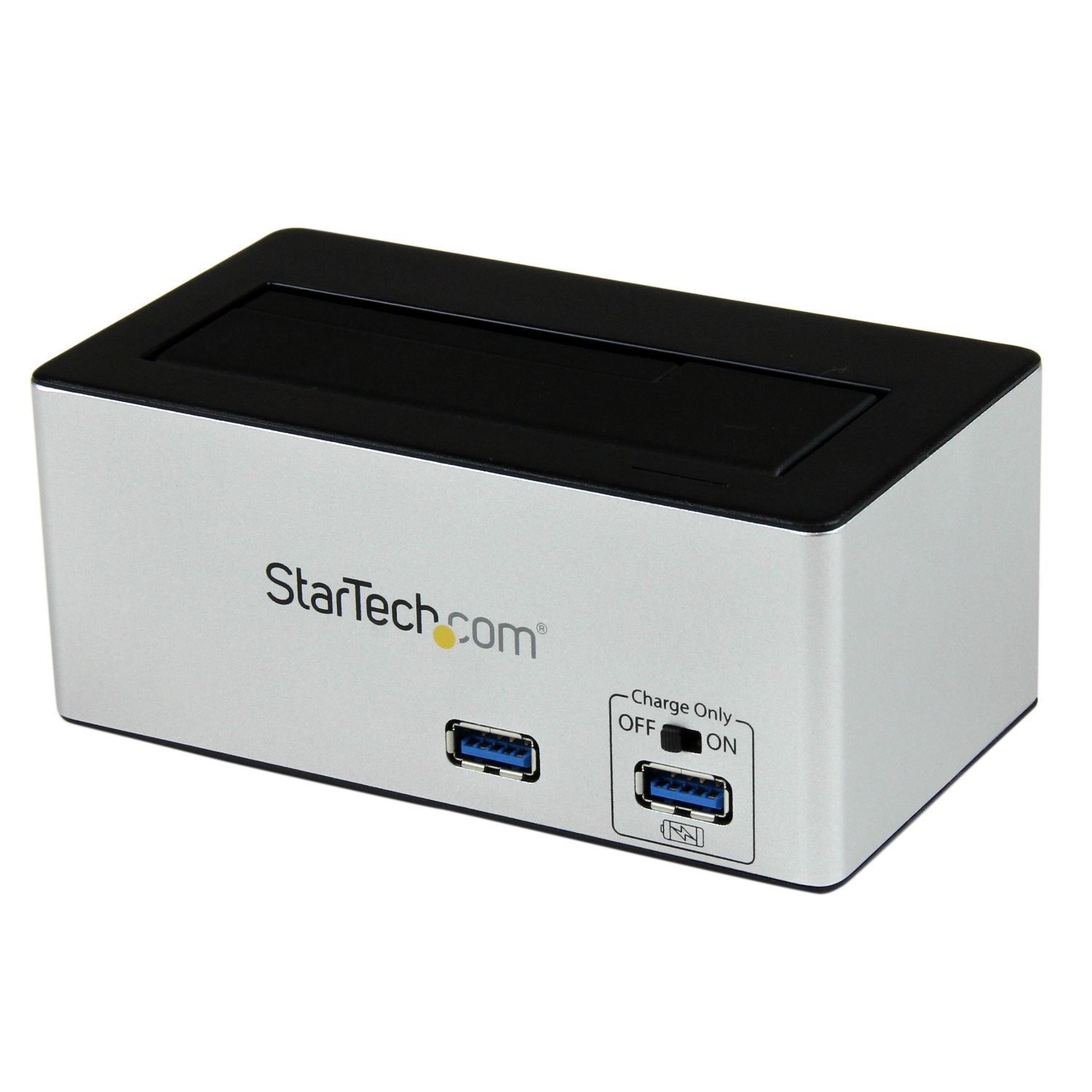
Изображение: The StarTech.com SDOCKU33HB docking station, showing the top-loading drive bay and front panel.
Функции передней панели
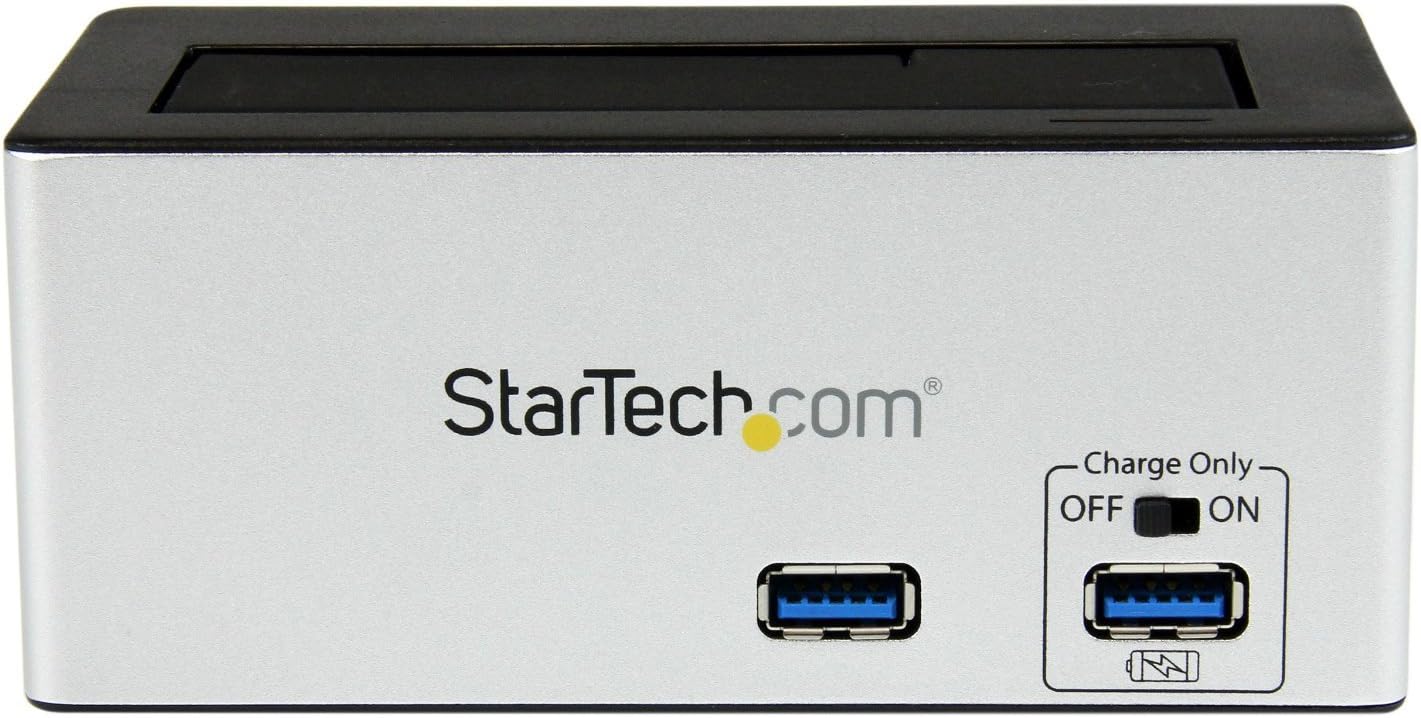
Изображение: Передний view of the docking station, highlighting the USB 3.0 data port and the USB Fast Charge port with its ON/OFF switch.
- USB 3.0 Data Port: Connects to your computer for data transfer.
- USB-порт для быстрой зарядки: Provides accelerated charging for mobile devices. Features an ON/OFF switch for activation.
Характеристики задней панели

Изображение: Задний view of the docking station, showing the power switch, DC-IN port, USB 3.0 host connection, and the OFF/Sleep switch.
- Выключатель: Turns the docking station ON or OFF.
- Порт постоянного тока: Подключается к прилагаемому адаптеру питания.
- Хост-порт USB 3.0: Connects the docking station to your computer's USB 3.0 port.
- OFF/Sleep Switch: Controls the sleep mode functionality of the docking station.
Содержимое упаковки
Verify that all components are present in your package.
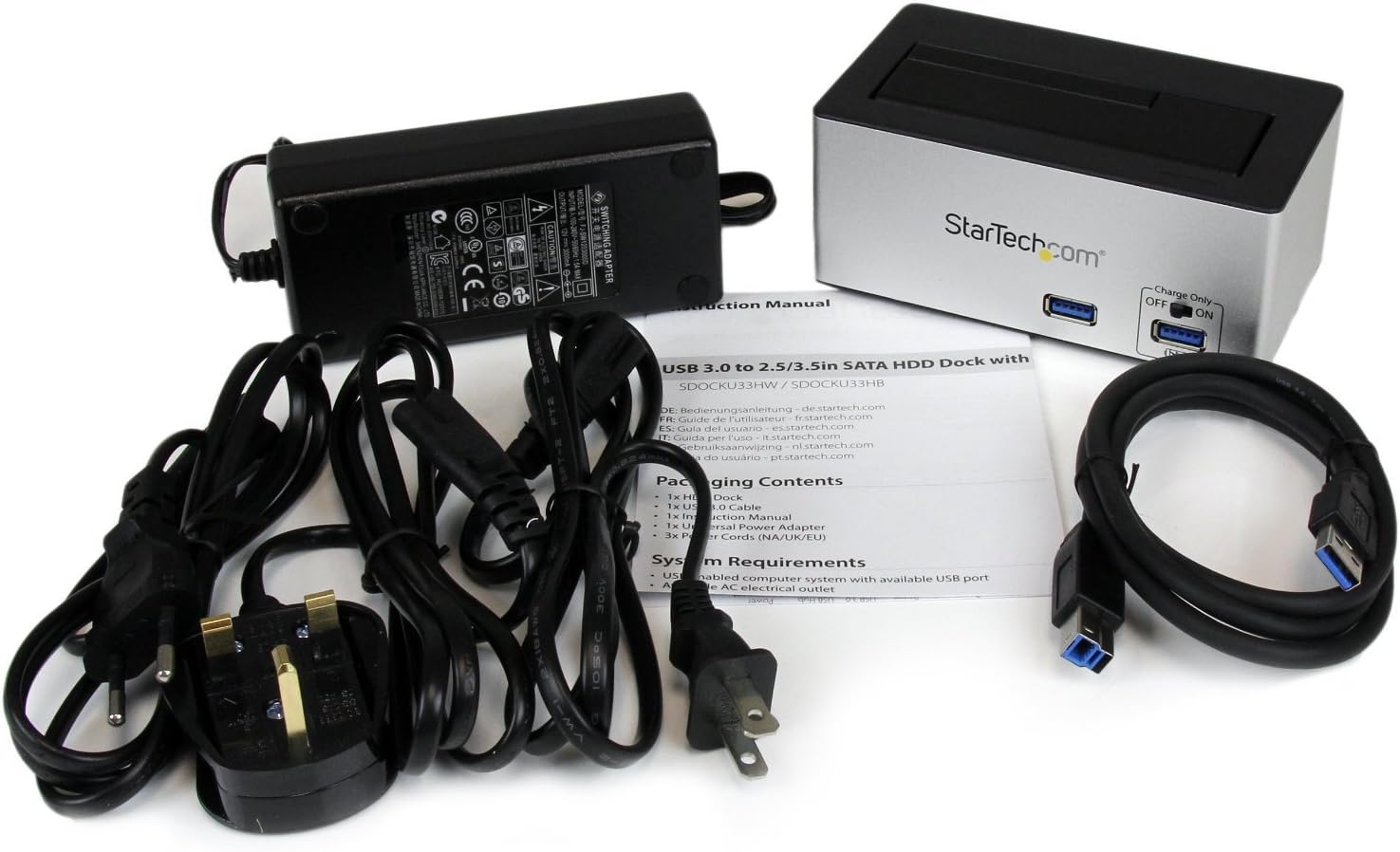
Изображение: The complete package contents, including the docking station, power adapter, USB 3.0 cable, and instruction manual.
- 1x USB 3.0 SATA Hard Drive Docking Station (SDOCKU33HB)
- 1x универсальный адаптер питания
- 1x USB 3.0 кабель
- 1x Руководство по эксплуатации
Системные требования
Ensure your system meets the following requirements for optimal performance.
- Computer with an available USB 3.0 port (USB 2.0/1.1 backward compatible)
- 2.5-inch or 3.5-inch SATA I/II/III SSD/HDD
- Доступная розетка переменного тока
- Operating System: Windows XP/Vista/7/8/10/11, macOS 10.x and later, Linux
Инструкции по установке
- Подключите питание: Connect the universal power adapter to the DC-IN port on the rear of the docking station, then plug the adapter into an AC power outlet.
- Подключиться к компьютеру: Connect one end of the included USB 3.0 cable to the USB 3.0 Host Port on the rear of the docking station, and the other end to an available USB 3.0 port on your computer.
- Вставьте диск: Gently slide your 2.5-inch or 3.5-inch SATA SSD/HDD into the top-loading drive bay until it is securely seated. Ensure the drive's SATA connector aligns with the docking station's connector.
- Включение питания: Flip the Power Switch on the rear of the docking station to the 'ON' position. The power LED (if present) should illuminate.
- Установка драйвера: Ваша операционная система должна автоматически обнаружить и установить необходимые драйверы. Обычно ручная установка драйверов не требуется.
- Доступ к диску: Once detected, the drive will appear as a removable storage device in your operating system's file explorer or disk management utility. You may need to initialize and format new drives before use.
Инструкция по эксплуатации
Using the Hard Drive Dock
- Передача данных: Once the drive is recognized by your computer, you can drag and drop fileОбращения к накопителю и от него происходят так же, как и с любым другим устройством хранения данных.
- Горячая замена: The docking station supports hot-swapping. To safely remove a drive, ensure all data transfer operations are complete, then use your operating system's "Safely Remove Hardware" or "Eject" function before pulling the drive out of the bay.
- Поддержка УАСП: For systems supporting UASP, the docking station will leverage this protocol to achieve faster data transfer speeds, especially with SATA 6Gbps drives.
Using the USB Fast Charge Port
- Activate Fast Charge: Flip the "Charge Only" switch on the front panel to the 'ON' position.
- Подключить устройство: Connect your mobile device (e.g., smartphone, tablet) to the USB Fast Charge port using its charging cable.
- Зарядка: The port will provide enhanced power output for faster charging compared to standard USB ports.
Функциональность спящего режима
- The "OFF/Sleep" switch on the rear panel controls the docking station's sleep mode behavior. Consult the full product manual for detailed information on sleep mode settings and compatibility.
Обслуживание
- Уборка: Для очистки внешней поверхности док-станции используйте мягкую сухую ткань. Не используйте жидкие чистящие средства или растворители.
- Хранилище: Когда док-станция не используется, храните ее в прохладном, сухом месте, вдали от прямых солнечных лучей и экстремальных температур.
- Управление приводом: Always handle hard drives with care. Avoid dropping or subjecting them to physical shock.
Поиск неисправностей
- Issue: Drive not detected by computer.
- Убедитесь, что док-станция включена и адаптер питания надежно подключен.
- Verify the USB 3.0 cable is firmly connected to both the docking station and your computer.
- Попробуйте использовать другой порт USB на вашем компьютере.
- Ensure the SATA drive is correctly seated in the docking bay.
- Check your computer's Disk Management (Windows) or Disk Utility (macOS) to see if the drive is recognized but uninitialized or unformatted. New drives require initialization and formatting.
- Test with a different SATA drive to rule out a drive issue.
- Проблема: низкая скорость передачи данных.
- Убедитесь, что ваш компьютер подключен к порту USB 3.0. Использование портов USB 2.0 приведет к снижению скорости передачи данных.
- Verify your operating system and drivers support UASP for optimal performance with SATA 6Gbps drives.
- Производительность самого накопителя может влиять на скорость передачи данных.
- Issue: Fast Charge port not working.
- Ensure the "Charge Only" switch on the front panel is in the 'ON' position.
- Verify the docking station is powered on.
- Try a different charging cable or device to confirm the issue is not with the device or cable.
Технические характеристики
| Особенность | Спецификация |
|---|---|
| Модель | SDOCKU33HB |
| Интерфейс | USB 3.0 (обратная совместимость с USB 2.0/1.1) |
| Совместимые типы дисков | 2.5" and 3.5" SATA I/II/III HDDs/SSDs |
| Скорость передачи данных | До 5 Гбит/с (USB 3.0) |
| Поддержка UASP | Да |
| Fast Charge Port | Да |
| Размеры (Д x Ш x В) | 3.6 x 3.6 x 6.8 дюйма (9.14 x 9.14 x 17.27 см) |
| Масса | 1.4 фунта (0.64 кг) |
| Цвет | Черный |
| Источник питания | Universal AC Adapter (Input: 100-240V AC, Output: 12V DC) |
Гарантия и техническая поддержка
На продукцию StarTech.com распространяется гарантия. Гарантия 2 год.
For the most up-to-date information on warranty, technical support, and product documentation, please visit the official StarTech.com website or the product page:
You can also find additional resources and contact information for technical assistance on the StarTech.com webсайт.