
1. Введение
The Lorex LW2231 is a wireless real-time security camera equipped with an audio microphone, designed for both indoor and outdoor surveillance. This camera utilizes MPEG4 compression for clear video at 640 x 480 VGA resolution and features Lorex Signal Guard technology to maintain a stable connection. It includes night vision capabilities for low-light conditions and is built with weatherproof and vandal-resistant housing. This manual provides detailed instructions for the proper installation, operation, and maintenance of your LW2231 camera.
2. Содержимое упаковки
Verify that all components are present in your package. If any items are missing or damaged, contact Lorex customer support.
- Lorex LW2231 Wireless Real-Time Security Camera with Audio Microphone
- Адаптер питания для камеры
- Крепежные элементы (винты и дюбели)
- Краткое руководство пользователя
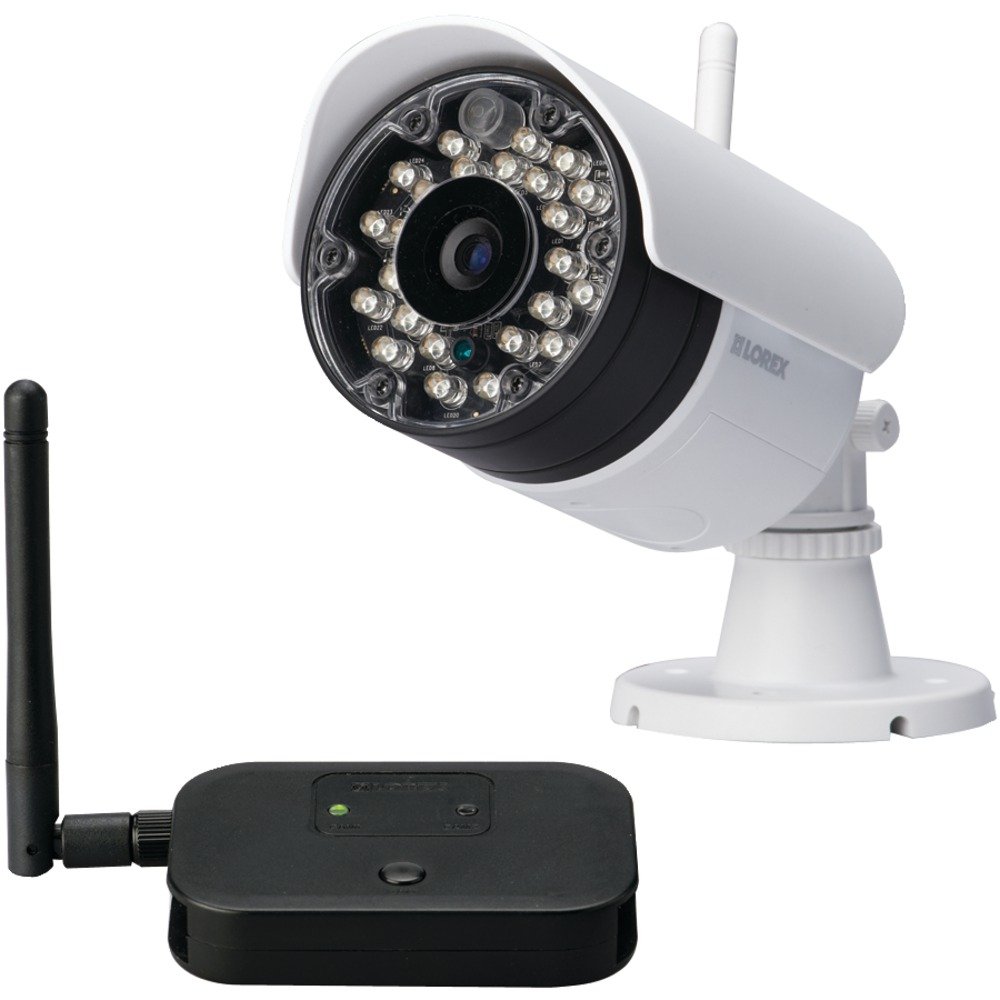
Рисунок 2.1: Lorex LW2231 Wireless Security Camera with Audio Microphone. This image shows the front view of the white camera unit, highlighting its compact design and integrated antenna.
3. Информация по технике безопасности
Please read and follow all safety instructions to prevent damage to the product and ensure user safety.
- Источник питания: Используйте только адаптер питания, входящий в комплект поставки камеры. Использование неавторизованного источника питания может повредить камеру и аннулировать гарантию.
- Вентиляция: Do not block any ventilation openings. Ensure proper airflow around the camera to prevent overheating.
- Вода и влага: Although weatherproof, avoid submerging the camera in water. Do not install in areas where it may be exposed to extreme water pressure or prolonged submersion.
- Температура: Operate the camera within the specified temperature range. Extreme temperatures can affect performance and lifespan.
- Уборка: Перед чисткой отключите питание. Используйте сухую мягкую ткань. Не используйте жидкие или аэрозольные чистящие средства.
- Обслуживание: Не пытайтесь ремонтировать этот продукт самостоятельно. Поручите все обслуживание квалифицированному обслуживающему персоналу.
4. Продукт закончилсяview и особенности
The LW2231 camera offers advanced features for reliable surveillance:
- MPEG4 Compression: Provides efficient video encoding with 640 x 480 VGA resolution.
- Auto-mechanical IR Camera Filter: Ensures accurate color reproduction during the day and enhanced night vision.
- Signal Guard Technology: Automatically re-establishes connection upon detecting low signal strength, ensuring continuous monitoring.
- Широкое поле View: A 3.6mm lens provides a 55-degree field of view.
- Потоковое видео в реальном времени: Delivers smooth video with strong signal conditions at 30 frames per second.
- Audio Microphone: Integrated microphone for audio monitoring.
- Ночное видение: Infrared illumination for clear viewработа в условиях низкой освещенности.
- Всепогодный дизайн: Степень защиты IP65 для использования на открытом воздухе.
5. Настройка и установка
5.1 Планирование установки
Before mounting, plan the camera's location. Consider the following:
- Зона покрытия: Position the camera to cover the desired surveillance area effectively.
- Уровень сигнала: For optimal wireless performance, minimize obstacles (walls, large metal objects) between the camera and its receiver. Test the signal strength before final mounting.
- Доступ к электросети: Ensure a power outlet is within reach of the camera's power adapter cable.
- Факторы окружающей среды: While weatherproof, avoid direct exposure to extreme weather conditions if possible to prolong the camera's life.
5.2 Установка камеры
- Choose a suitable mounting surface (wall or ceiling).
- Use the included mounting template (if provided) or mark the screw holes using the camera base as a guide.
- Drill pilot holes for the screws. If mounting on drywall or masonry, insert the provided wall anchors.
- Закрепите основание камеры на поверхности с помощью винтов.
- Adjust the camera's angle and orientation to achieve the desired view.
5.3 Подключение питания
Connect the camera's power adapter to the camera's power input port, then plug the adapter into a standard electrical outlet. The camera will power on automatically.
5.4 Pairing with a Receiver (if applicable)
If your system requires manual pairing, refer to your Lorex receiver's manual for specific instructions. Typically, this involves activating a pairing mode on both the camera and the receiver within a short timeframe.
6. Эксплуатация камеры
6.1 Прямой эфир View
Once the camera is powered and successfully connected to your Lorex receiver/system, you can view the live video feed. Consult your receiver's manual for instructions on selecting and viewing camera channels.
6.2 Ночное видение
The LW2231 camera automatically activates its infrared (IR) LEDs in low-light conditions to provide black and white night vision. The auto-mechanical IR filter ensures optimal image quality during both day and night.
6.3 Мониторинг звука
The integrated microphone captures audio from the camera's vicinity. Ensure your receiver or viewing device has audio output enabled to hear the sound. Audio recording capabilities depend on your connected recording device.
7. Техническое обслуживание
7.1 Чистка камеры
Periodically clean the camera lens and housing to ensure clear image quality. Use a soft, damp cloth. Do not use harsh chemicals or abrasive cleaners, as these can damage the lens or finish.
7.2 Экологические соображения
While the camera is weatherproof (IP65 rated), extreme weather conditions such as heavy snow accumulation or direct, prolonged exposure to saltwater spray can affect its performance over time. Regularly check the camera's mounting for stability, especially after severe weather.
8. Поиск Неисправностей
This section addresses common issues you might encounter with your LW2231 camera.
- Нет видеосигнала:
- Убедитесь, что камера включена и адаптер питания надежно подключен.
- Verify that the camera is within range of its receiver and that there are no significant obstructions.
- Check the receiver/DVR settings to ensure the correct camera channel is selected.
- If using a wireless system, try re-pairing the camera with the receiver.
- Poor Video Quality / Interference:
- Wireless interference can be caused by other 2.4 GHz devices (e.g., Wi-Fi routers, cordless phones, microwaves). Try repositioning the camera or receiver, or adjust Wi-Fi channels on other devices if possible.
- Убедитесь, что объектив камеры чистый и на нем нет грязи или пятен.
- Check for strong signal conditions; weak signals can lead to choppy or pixelated video.
- Нет звука:
- Убедитесь, что микрофон ничем не заслонен.
- Check the audio settings on your receiver or viewing устройство.
- Ночное видение не работает:
- Ensure the area around the camera is sufficiently dark for IR LEDs to activate.
- Check for any obstructions directly in front of the IR LEDs.
9. Технические характеристики
| Особенность | Спецификация |
|---|---|
| Название модели | ЛВ2231 |
| Использование внутри и снаружи помещений | В помещении, на открытом воздухе |
| Протокол подключения | Wi-Fi |
| Разрешение видеозахвата | 480p (640 x 480 VGA) |
| Частота кадров | 30 кадров в секунду |
| Линза | 3.6mm (55 Degree field of view) |
| Технология слабого освещения | Ночное цветное изображение (инфракрасное) |
| Аудио | Встроенный микрофон |
| Международный рейтинг защиты | IP65 (всепогодный) |
| Размеры изделия (Д x Ш x В) | 10.5 x 10.1 x 4.3 дюйма |
| Вес товара | 0.6 фунта (9.6 унций) |
| Источник питания | Wired Electric (No Batteries Required) |
| Производитель | Корпорация Лорекс |
10. Гарантия и поддержка
Lorex products are designed for reliability and performance. For specific warranty information, please refer to the warranty card included with your product or visit the official Lorex webДля получения технической поддержки, регистрации продукта или доступа к дополнительным ресурсам, пожалуйста, посетите сайт. www.lorex.com/support or contact Lorex customer service directly.


