
1. Введение
This manual provides essential information for the safe and efficient operation of your Sharp KC-A50EU-W Air Purifier. This device is designed to improve indoor air quality by filtering dust, pollen, mold spores, and odors, while also offering humidification using Plasmacluster ion technology. Please read these instructions thoroughly before use and retain them for future reference.
Важная информация по безопасности
- Всегда следите за тем, чтобы устройство было установлено на устойчивой, ровной поверхности.
- Не закрывайте вентиляционные отверстия для притока или отвода воздуха.
- Держите устройство вдали от воды и влаги.
- Перед чисткой или выполнением любого технического обслуживания отключите устройство от сети.
- Не пытайтесь ремонтировать устройство самостоятельно. Обратитесь к квалифицированному специалисту.
2. Продукт закончилсяview
The Sharp KC-A50EU-W is an advanced air purifier and humidifier designed for rooms up to 38 m². It features Plasmacluster ion technology to neutralize airborne pollutants and a multi-stagе система фильтрации.

Рисунок 2.1: Передний view of the Sharp KC-A50EU-W Air Purifier, showing the main body and air outlet.
Основные характеристики:
- Технология плазмокластерных ионов: Releases positive and negative ions to clean the air.
- Функция увлажнения: Adds moisture to the air for improved comfort.
- High Air Circulation: Efficiently processes air in rooms up to 38 m².
- Мульти-сtagд Фильтрация: Includes a HEPA filter for fine particles and an odor filter.
- Тихая работа: Разработан для обеспечения минимального уровня шума.
3. Настройка
3.1 Распаковка
- Осторожно извлеките очиститель воздуха из упаковки.
- Удалите все защитные материалы и пластиковые пакеты.
- Проверьте товар на наличие повреждений, полученных во время транспортировки. При обнаружении повреждений не используйте товар и свяжитесь с продавцом.
3.2 Размещение
For optimal performance, place the air purifier in a location where air can circulate freely. Avoid placing it directly against walls or furniture. Ensure it is on a flat, stable surface. The unit is suitable for floor areas up to 24 square meters (as per specifications, though product description states 38m², use the more conservative spec for placement advice).

Рисунок 3.1: Сторона view of the air purifier, showing the air intake grille. Ensure this area is unobstructed.
3.3 Установка фильтра
Before first use, ensure all filters are correctly installed and any protective plastic packaging has been removed from them. Refer to the maintenance section for detailed filter handling.
4. Инструкция по эксплуатации
The control panel allows you to manage the various functions of your air purifier.

Рисунок 4.1: Close-up of the control panel, showing buttons for power, fan speed, Plasmacluster, and humidification.
4.1 Включение/выключение питания
- Подключите шнур питания к подходящей электрической розетке (220 В).
- Нажмите ВКЛ/ВЫКЛ button to turn the unit on. The unit will start in a default mode.
- Нажмите ВКЛ/ВЫКЛ еще раз, чтобы выключить устройство.
4.2 Регулировка скорости вентилятора
Используйте СКОРОСТЬ ВЕНТИЛЯТОРА button to cycle through different fan settings (e.g., Low, Medium, High, Auto). The current setting will be indicated on the display or by indicator lights.
4.3 Plasmacluster Ion Operation
Нажмите CLEAN ION SHOWER ON button to activate the Plasmacluster ion generator. This function helps to remove airborne viruses, bacteria, and odors. An indicator light will confirm activation.
4.4 Функция увлажнения
- Убедитесь, что резервуар для воды заполнен чистой водой.
- Нажмите CLEAN AIR & HUMIDIFY ON button to activate the humidification function.
- The unit will automatically maintain a comfortable humidity level.
- The humidity level may be displayed on the control panel.
4.5 Блокировка от детей
To prevent accidental operation, press and hold the БЛОКИРОВКА ОТ ДЕТЕЙ button for 3 seconds to activate or deactivate the child lock function.
5. Техническое обслуживание
Regular maintenance ensures optimal performance and extends the life of your air purifier. Always unplug the unit before cleaning or performing maintenance.
5.1 Очистка и замена фильтра
The Sharp KC-A50EU-W uses multiple filters that require periodic cleaning or replacement.
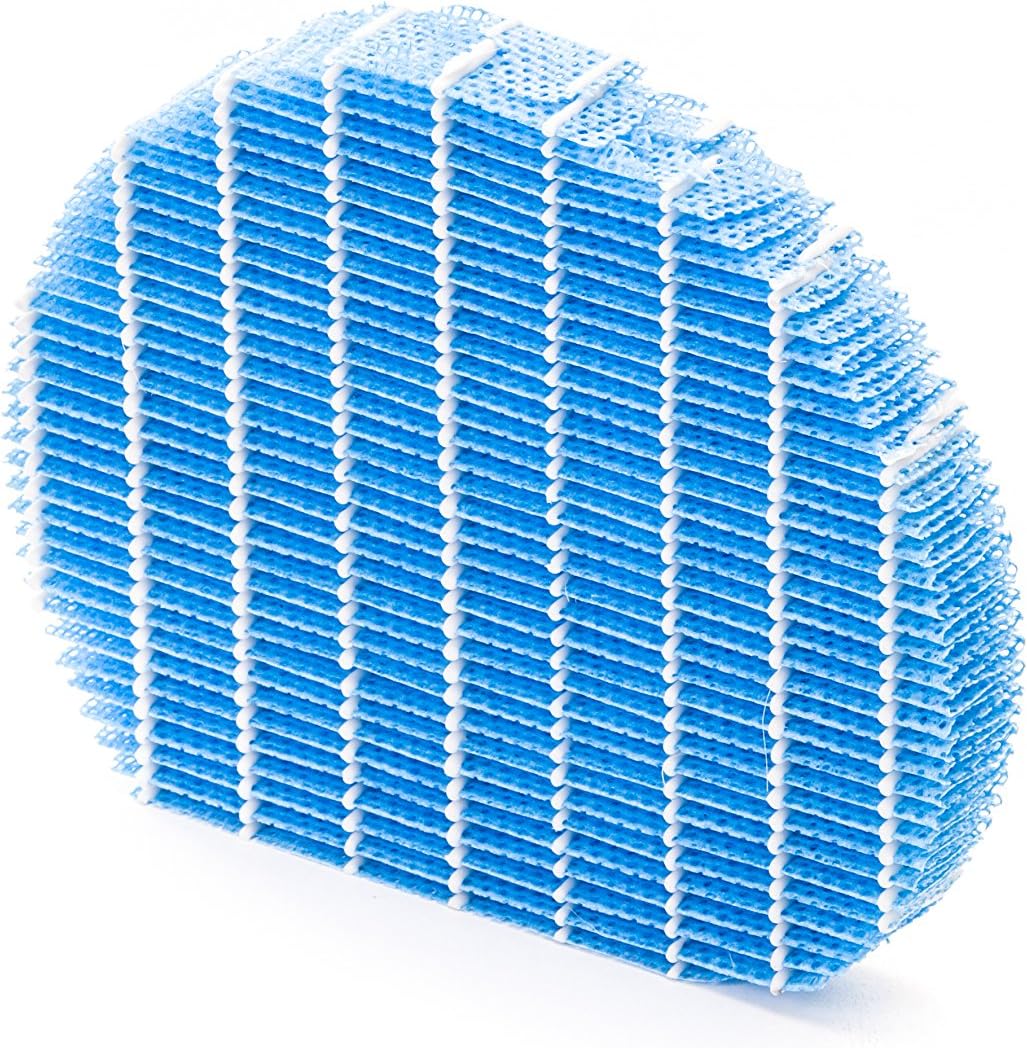
Рисунок 5.1: Example of a humidifying filter component, which requires regular cleaning.
- Предварительный фильтр: Clean regularly (e.g., monthly) by vacuuming or washing with water. Allow to dry completely before reinstallation.
- HEPA-фильтр: This filter captures fine dust and allergens. It cannot be washed and must be replaced. The replacement interval can vary, but typically ranges from 2 to 5 years depending on usage and air quality. Monitor the filter's condition; if it appears significantly discolored (e.g., black instead of white), replace it immediately.
- Deodorizing Filter (Activated Carbon): This filter removes odors. It can often be washed periodically (e.g., every few months) to refresh its effectiveness. Allow to dry completely. Replace when odors persist after cleaning.
- Humidifying Filter: If using the humidification function, clean the humidifying filter and its tray at least every 4 weeks to prevent mold and bacteria growth. Use a mild detergent and rinse thoroughly.
5.2 Очистка резервуара для воды
For units with humidification, clean the water tank regularly (e.g., weekly) to prevent mineral buildup and bacterial growth. Use a soft brush and mild detergent, then rinse thoroughly with clean water.
5.3 Внешняя очистка
Протрите внешнюю поверхность устройства мягкой тряпкой.amp Ткань. Не используйте абразивные чистящие средства или растворители.
6. Поиск Неисправностей
If you encounter issues with your Sharp KC-A50EU-W, refer to the following common problems and solutions.
| Проблема | Возможная причина | Решение |
|---|---|---|
| Аппарат не включается. | Шнур питания подключен неправильно; в розетке нет питания. | Убедитесь, что шнур питания надежно вставлен в розетку. Проверьте розетку с помощью другого устройства. |
| Низкая эффективность очистки воздуха. | Filters are dirty or clogged; filters incorrectly installed. | Clean or replace filters as per maintenance instructions. Ensure filters are installed correctly. |
| Humidification not working or low output. | Water tank is empty; humidifying filter is dirty or clogged. | Refill the water tank. Clean the humidifying filter and tray. |
| Необычный шум из блока. | Obstruction in fan; unit not on a level surface. | Check for any foreign objects near the fan. Place the unit on a stable, level surface. |
| Persistent odors. | Deodorizing filter is saturated or needs cleaning/replacement. | Clean or replace the deodorizing filter. |
Если проблема сохраняется после применения этих решений, обратитесь в службу поддержки клиентов.
7. Технические характеристики
- Номер модели: KC-A50EU-W
- Производитель: Острый
- Цвет: Белый
- Размеры продукта (Д x Ш x В): 24 х 69 х 2.5 см
- Вес товара: 9.2 кг (9200 граммов)
- Источник питания: 220В
- Тип фильтра: НЕРА-фильтр
- Рекомендуемая площадь: 24 квадратных метра
- Уровень шума: 49 децибел
- Материал: Пластик
- Страна происхождения: Япония
8. Гарантия и поддержка
Для получения информации о гарантии и технической поддержке, пожалуйста, обратитесь к гарантийному талону, прилагаемому к вашему изделию, или посетите официальный сайт Sharp. webСайт для вашего региона. Сохраните чек в качестве подтверждения покупки.