
1. Введение
The JVC HAFR6B Gumy Plus Headphones are designed to provide clear audio with a comfortable in-ear fit. These wired headphones feature a built-in microphone for hands-free communication and sound isolation capabilities to enhance your listening experience. They are lightweight and compatible with various devices through a standard 3.5mm audio jack.
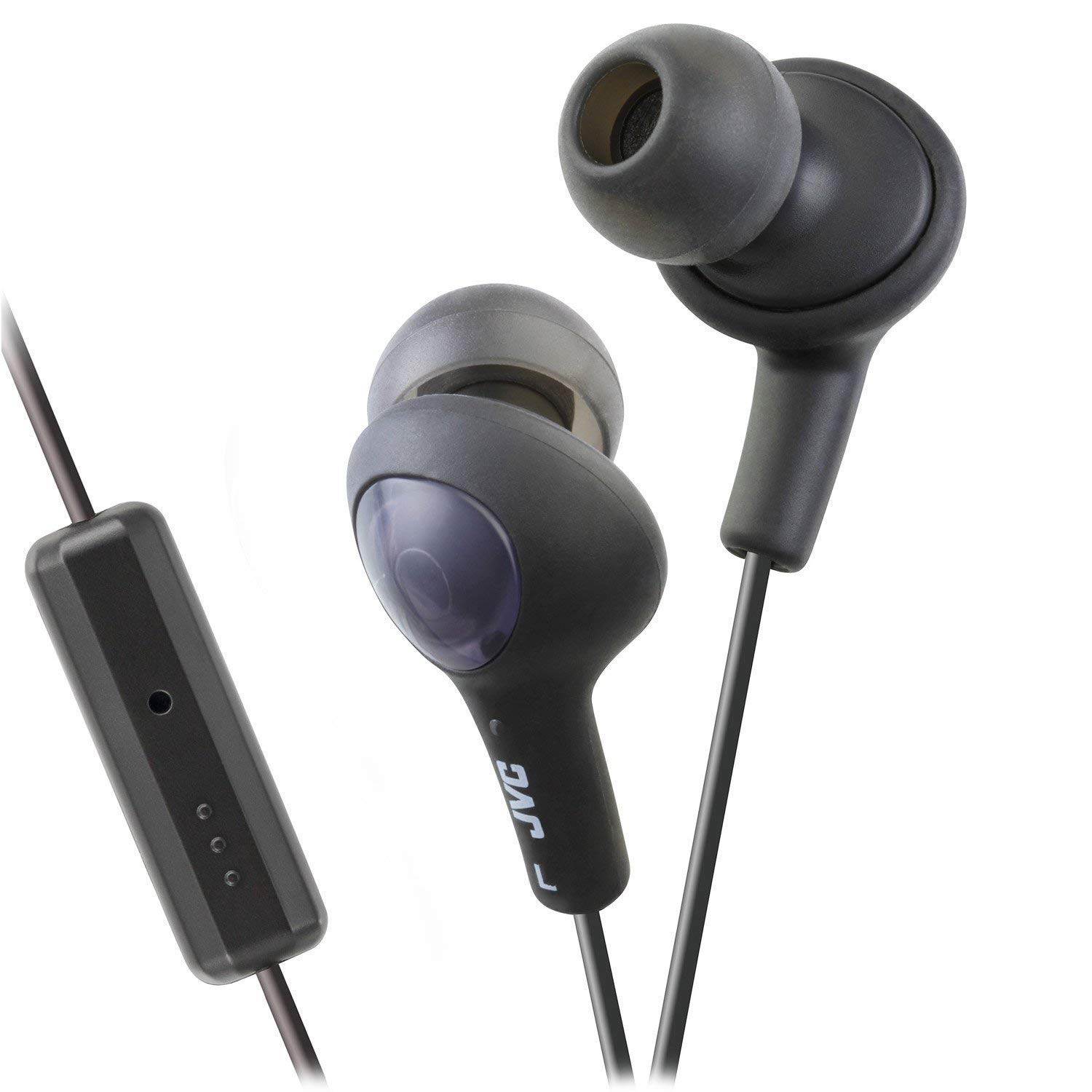
A pair of JVC HAFR6B Gumy Plus in-ear headphones in black, featuring a comfortable earbud design and an inline remote control.
An official product video demonstrating the features and design of the JVC Gumy Plus Headphones, including their hands-free calling, sound isolation, and comfortable fit.
2. Настройка
To begin using your JVC HAFR6B Gumy Plus Headphones, follow these simple steps:
- Распакуйте наушники: Carefully remove the headphones from their packaging. Ensure all components are present.
- Identify Left and Right Earbuds: The earbuds are marked with 'L' for left and 'R' for right. Insert them into the corresponding ears.
- Подключитесь к вашему устройству: Plug the 3.5mm audio jack into the headphone port of your smartphone, tablet, computer, or other compatible audio device.
- Отрегулируйте комфорт: The Gumy earbuds are designed for a comfortable and secure fit. Adjust their position in your ear until you achieve optimal comfort and sound isolation.

The retail packaging for JVC Gumy Plus Headphones, displaying the product inside a clear plastic blister pack with branding and key features highlighted.
3. Инструкция по эксплуатации
The JVC HAFR6B Gumy Plus Headphones offer straightforward operation for audio playback and hands-free communication.
3.1 Воспроизведение аудио
- Начать воспроизведение: Once connected to your device, begin playing audio from your preferred application.
- Регулятор громкости: Use the volume controls on your connected device to adjust the audio level. The inline remote may also offer volume adjustment depending on your device's compatibility.
3.2 Hands-Free Calling and Controls
The inline remote control allows for convenient management of calls and music playback without needing to access your device directly.

Крупный план view of the black inline remote control on the JVC Gumy Plus Headphones cable, showing the microphone and control buttons for managing calls and audio playback.
- Ответить/завершить вызов: Press the central button on the inline remote once to answer an incoming call or end an active call.
- Воспроизведение/Пауза музыки: Press the central button once to play or pause music playback.
- Пропустить трек: Для перехода к следующему треку дважды быстро нажмите центральную кнопку.
- Предыдущий трек: Press the central button three times quickly to go back to the previous track.
- Микрофон: The built-in microphone allows for clear voice transmission during calls. Ensure the microphone is not obstructed.
- iOS Phone Control: These headphones support specific iOS phone control functionalities via the inline remote. Refer to your iOS device's manual for detailed compatibility and functions.
4. Техническое обслуживание
Proper care and maintenance will extend the lifespan of your JVC HAFR6B Gumy Plus Headphones.
- Чистка наушников: Gently wipe the silicone ear tips with a soft, dry cloth. For deeper cleaning, remove the ear tips and wash them with mild soap and water, then ensure they are completely dry before reattaching.
- Cleaning the Cable and Remote: Используйте мягкую, слегка damp cloth to wipe the cable and inline remote. Avoid using harsh chemicals or abrasive materials.
- Хранилище: When not in use, store your headphones in a clean, dry place, away from direct sunlight and extreme temperatures. Avoid tangling the cable to prevent damage.
- Избегайте попадания влаги: While the headphones may offer some water resistance, avoid prolonged exposure to water or high humidity.
5. Поиск Неисправностей
If you encounter issues with your JVC HAFR6B Gumy Plus Headphones, refer to the table below for common problems and solutions.
| Проблема | Возможная причина | Решение |
|---|---|---|
| Нет звука или низкая громкость | Incorrect connection, device volume too low, damaged cable/jack | Ensure 3.5mm jack is fully inserted. Increase device volume. Test with another device. Inspect cable for damage. |
| Низкое качество звука (приглушенный, искаженный). | Dirty ear tips, improper fit, damaged audio source | Clean ear tips. Adjust earbud position for a secure fit. Test with another audio source. |
| Микрофон не работает | Microphone obstructed, device settings, incompatible device | Ensure microphone is clear. Check microphone settings on your device. Confirm device supports inline microphone. |
| Кнопки пульта не реагируют | Incompatible device, software glitch | Ensure your device supports the remote functions. Restart your device. |
6. Технические характеристики
Detailed technical specifications for the JVC HAFR6B Gumy Plus Headphones:
| Особенность | Деталь |
|---|---|
| Бренд | JVC |
| Номер модели | HAFR6B |
| Цвет | Olive Black |
| Расположение ушей | В ухо |
| Форм-фактор | Бинауральный |
| Сопротивление | 16 Ом |
| Чувствительность | 103 дБ |
| Разъем для наушников | 3.5 мм Jack |
| Технология связи | Проводной |
| Вес товара | 0.01 унции |
| Материал | Пластик |
| Тип управления | Volume Control (via inline remote) |
| Контроль шума | Звукоизоляция |
| Дополнительные возможности | Built-in Microphone, iOS Phone Control |
7. Гарантия и поддержка
For warranty information and technical support regarding your JVC HAFR6B Gumy Plus Headphones, please contact the manufacturer directly.
You can find more information and contact details by visiting the official JVC store: