
1. Введение
This manual provides essential information for the safe and efficient operation of your Sharp AQUOS LC-52E77U LCD HDTV. Please read these instructions thoroughly before using the television and retain them for future reference.
The Sharp AQUOS LC-52E77U features a 52-inch Full HD 1080p display with 120Hz Fine Motion Enhanced technology for smooth motion. It incorporates a 10-Bit AVS Superlucent LCD Panel and Spectral Contrast Engine XD to deliver deep black levels and vibrant, accurate colors. This model includes built-in ATSC/QAM/NTSC tuners and a variety of connectivity options to integrate with your home entertainment system.
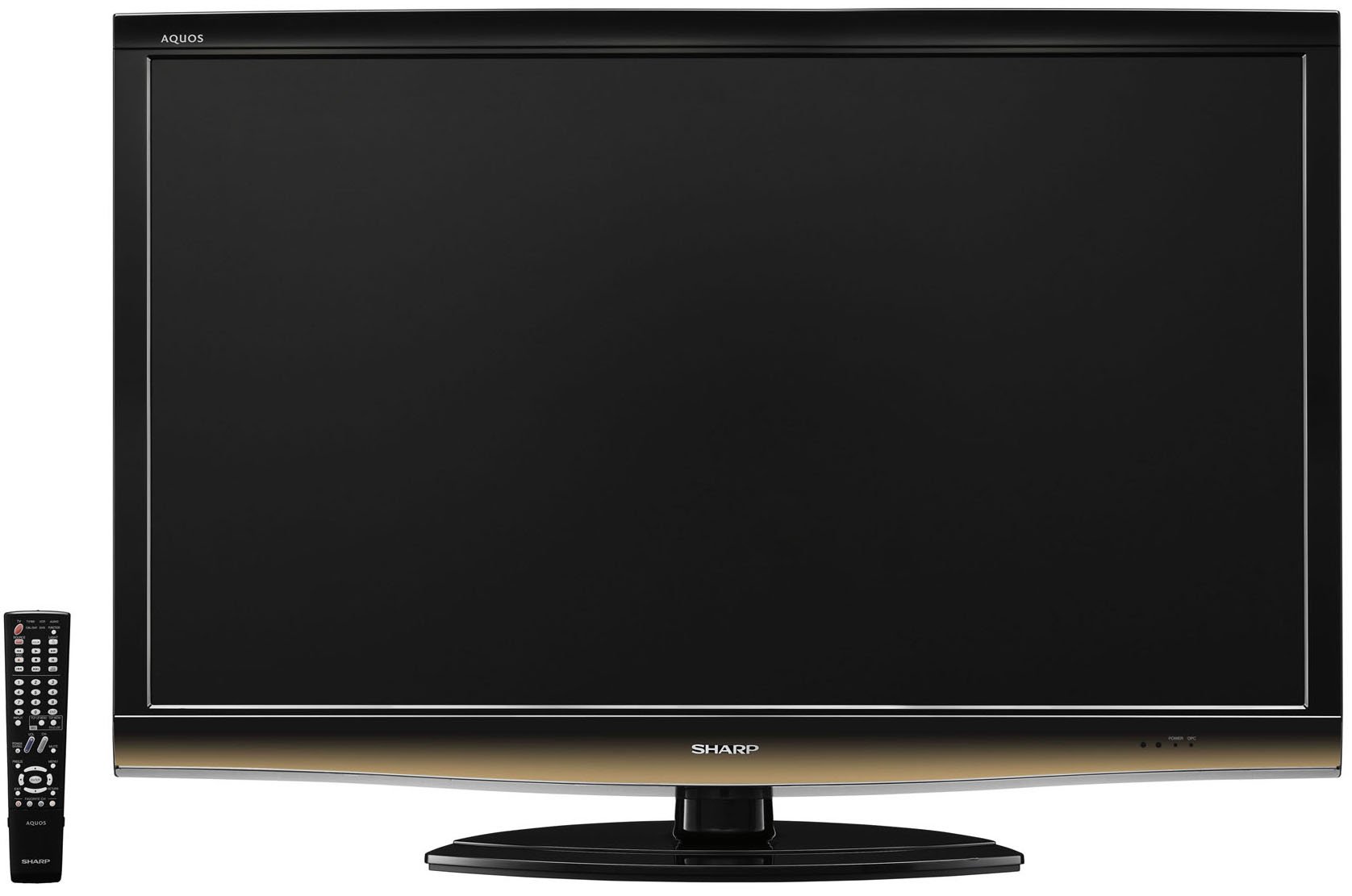
Передний view of the Sharp LC-52E77U AQUOS LCD HDTV, showcasing its slim bezel and screen.
2. Информация по технике безопасности
При использовании этого телевизора всегда соблюдайте основные меры предосторожности, чтобы снизить риск возгорания, поражения электрическим током и травм.
- Не закрывайте вентиляционные отверстия. Обеспечьте достаточно места вокруг телевизора для свободной циркуляции воздуха.
- Не ставьте телевизор на неустойчивую тележку, подставку, штатив, кронштейн или стол.
- Не допускайте, чтобы на шнур питания наступали или защемляли его, особенно в местах расположения вилок, розеток и в местах выхода из устройства.
- Отключайте устройство от сети во время грозы или если оно не используется в течение длительного времени.
- По всем вопросам обслуживания обращайтесь к квалифицированному обслуживающему персоналу. Обслуживание необходимо, если устройство было каким-либо образом повреждено, например, поврежден шнур питания или вилка, пролита жидкость или в устройство попали предметы, устройство подверглось воздействию дождя или влаги, не работает нормально или его уронили.
3. Содержимое упаковки
Проверьте наличие всех предметов в упаковке:
- Sharp AQUOS LC-52E77U LCD HDTV
- Пульт дистанционного управления с батарейками
- Detachable Table Stand
- Шнур питания
- Руководство пользователя (этот документ)
- Гарантийный талон (если применимо)
4. Настройка
4.1 Физическая установка
Your television can be installed on its included table stand or mounted on a wall using a compatible VESA wall mount (sold separately).
Установка настольной подставки:
- Carefully place the television screen-down on a soft, flat surface to prevent damage.
- Attach the stand base to the television using the provided screws. Ensure all screws are tightened securely.
- The table stand features swivel capability for adjusting the viewугол наклона.
Настенный монтаж:
If wall-mounting, remove the table stand. Consult the instructions provided with your wall mount bracket for proper installation. Ensure the wall mount is rated for the weight and size of this television (approximately 59.5 pounds).
4.2 Подключение устройств
The LC-52E77U offers various input terminals for connecting external devices.
- HDMI-входы (x5): Connect Blu-ray players, game consoles, cable/satellite boxes, and other HDMI-compatible devices. These inputs are compatible with 1080p signals.
- Компонентные видеовходы (2 шт.): Connect devices using component video cables (YPbPr) for high-definition signals up to 1080p.
- Вход ПК: Connect a computer to use the television as a monitor.
- Вход RS-232C: For advanced control systems.
- Вход антенны/кабеля: Connect an antenna or cable TV feed for accessing built-in tuners.
Ensure all cables are securely connected to the correct ports on both the television and your external devices.
4.3 Первоначальное включение питания
- Plug the power cord into the television and then into a wall outlet.
- Press the Power button on the television or the remote control.
- Follow the on-screen prompts for initial setup, including language selection, channel scanning (for antenna/cable), and time zone settings.
5. Инструкция по эксплуатации
5.1 Основные элементы управления
- Власть: Включает или выключает телевизор.
- Громкость (+/-): Регулирует уровень звука.
- Канал (вверх/вниз): Changes the television channel when using the built-in tuners.
- Ввод/Источник: Cycles through available input sources (HDMI 1, Component 1, PC, etc.).
- Меню: Предоставляет доступ к экранному меню (OSD) для настройки параметров.
5.2 Настройки изображения
Access the Picture menu to customize your viewпревосходный опыт. Ключевые особенности:
- Режим изображения: Select from preset modes (e.g., Standard, Movie, Game) or customize your own.
- Контраст: Adjusts the difference between light and dark areas of the picture. The Spectral Contrast Engine XD enhances deep black levels.
- Яркость: Управляет общей яркостью экрана.
- Цвет/Насыщенность: Регулирует интенсивность цветов.
- Оттенок: Adjusts the green-to-red balance (primarily for NTSC signals).
- Резкость: Enhances or softens the edges of objects in the picture.
- 120Hz Fine Motion Enhanced: This feature processes fast-moving images to reduce motion blur, providing a smoother viewing experience. It can be adjusted or disabled in the picture settings.
- OPC (Optical Picture Control): This feature senses ambient room light and automatically adjusts the screen brightness. While designed for power saving and backlight longevity, some users may prefer to disable it for consistent brightness.
For optimal picture quality, consider calibrating your television using a calibration disc or professional service.
5.3 Настройки звука
The LC-52E77U features built-in speakers. Access the Audio menu to adjust settings such as:
- Режим звука: Select from preset audio modes (e.g., Standard, Music, Movie).
- Бас/ВЧ: Adjust low and high-frequency audio levels.
- Баланс: Adjust the volume balance between left and right speakers.
- Объемный звук: Включение или отключение эффектов виртуального объемного звука.
For enhanced audio, connect the television to an external audio system (e.g., soundbar, AV receiver) via the available audio output ports.
5.4 Выбор входа
To switch between connected devices, press the 'Input' or 'Source' button on your remote control. A list of available inputs will appear on the screen. Navigate using the arrow keys and press 'Enter' or 'OK' to select the desired input.
5.5 Работа тюнера
The television includes built-in ATSC (digital terrestrial), QAM (digital cable), and NTSC (analog terrestrial) tuners. After connecting an antenna or cable feed and performing a channel scan during initial setup, you can use the Channel Up/Down buttons to browse available channels.
6. Техническое обслуживание
6.1 Очистка экрана
Чтобы очистить экран, аккуратно протрите его мягкой тканью без ворса. Для удаления стойких загрязнений слегка потрите.ampСмочите ткань водой или специальным средством для чистки экранов. Никогда не распыляйте чистящее средство непосредственно на экран.
6.2 Очистка корпуса
Wipe the television cabinet with a soft, dry cloth. Do not use abrasive cleaners, waxes, or solvents as they may damage the finish.
6.3 Общий уход
- Избегайте воздействия прямых солнечных лучей на телевизор или экстремальных температур.
- Do not place heavy objects on top of the television.
- Keep the television away from sources of strong magnetic fields.
7. Поиск Неисправностей
If you experience issues with your television, refer to the following common troubleshooting steps before contacting customer support.
| Проблема | Возможная причина/решение |
|---|---|
| Нет электричества | Ensure the power cord is securely plugged into the TV and a working electrical outlet. Check if the outlet has power. |
| Нет изображения, но есть звук | Убедитесь, что выбран правильный источник входного сигнала. Проверьте подключение кабелей к внешним устройствам. |
| Нет звука, но есть изображение | Check the volume level and ensure the TV is not muted. If using external speakers, check their connections and power. |
| Пульт дистанционного управления не работает | Замените батарейки в пульте дистанционного управления. Убедитесь, что между пультом дистанционного управления и ИК-датчиком телевизора нет препятствий. |
| Изображение искажено или нечеткое. | Check cable connections for looseness or damage. Adjust picture settings (e.g., sharpness, picture mode). If using an antenna, check its position and signal strength. |
8. Технические характеристики
- Модель: LC-52E77U
- Размер экрана: 52 дюйма (по диагонали)
- Технология отображения: LCD (10-Bit AVS Superlucent LCD Panel)
- Разрешение: 1920 x 1080 (Full HD 1080p)
- Частота обновления: 120 Hz (with Fine Motion Enhanced)
- Время ответа: 4мс
- ViewУглы входа: 176°Г x 176°В
- Контраст: Spectral Contrast Engine XD
- Тюнеры: Built-in ATSC / QAM / NTSC
- Связь:
- HDMI Inputs: 5 (compatible with 1080p signals)
- Component Video Inputs: 2 (HD 1080p compatible)
- PC Input: 1
- Вход RS-232C: 1
- Тип динамика: Built-In, bottom-mounted
- Вес товара: Approximately 59.5 Pounds (without stand)
- Размеры изделия (Ш х В х Г): Примерно 49.38 x 33.94 x 12.78 дюймов (с подставкой)
- Энергоэффективность: Energy Star совместимый
9. Гарантия и поддержка
This product typically comes with a 15-month warranty from the date of purchase. For specific warranty terms and conditions, please refer to the warranty card included with your product or visit the official Sharp webсайт.
As part of the AQUOS Advantage Program, Sharp provides customer support for its AQUOS televisions. If you require technical assistance, service, or have questions regarding your LC-52E77U, please contact Sharp customer support through their official channels.
Для получения дополнительной информации и поддержки вы можете посетить [ссылка]. Магазин Sharp на Amazon или официальный Шарп webсайт.