
1. Introduction to the HP 48SX
This document serves as Volume II of the comprehensive user manual for the HP 48SX Scientific Expandable Calculator. It is designed to guide users through the advanced functionalities, programming capabilities, and intricate operations of this powerful scientific instrument. Familiarity with basic calculator operations, as covered in Volume I, is recommended for optimal use of this manual.
The HP 48SX is renowned for its Reverse Polish Notation (RPN) entry system, extensive graphing capabilities, and expandability via memory cards. This volume delves deeper into these features, enabling users to unlock the full potential of their calculator for complex scientific, engineering, and mathematical tasks.
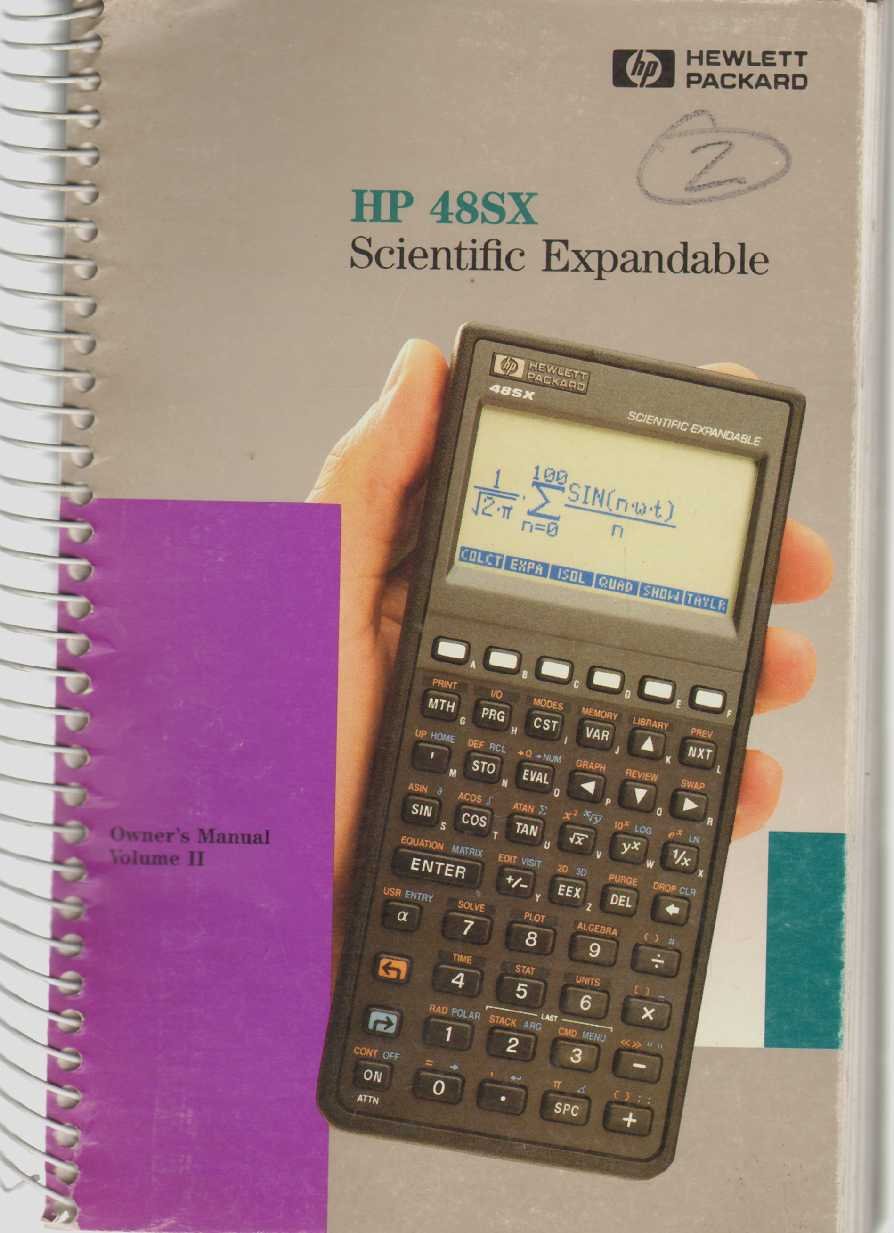
Figure 1: The HP 48SX Scientific Expandable Calculator. This image displays the calculator's physical layout, including its keypad, display, and expansion slots.
2. Настройка и первоначальная конфигурация
2.1 Установка аккумулятора
The HP 48SX operates on three AAA batteries. Proper installation is crucial for functionality.
- Найдите крышку батарейного отсека на задней панели калькулятора.
- Сдвиньте крышку в направлении, указанном стрелкой.
- Insert three fresh AAA batteries, ensuring correct polarity (+/-) as marked inside the compartment.
- Установите на место крышку батарейного отсека и убедитесь, что она надежно защелкнулась.
2.2 Первоначальное включение и настройка дисплея
После установки батареи нажмите ON key to power on the calculator. The display contrast can be adjusted for optimal viewинж.
- To increase contrast: Press and hold the ON клавишу, затем нажмите кнопку + ключ.
- To decrease contrast: Press and hold the ON клавишу, затем нажмите кнопку - ключ.
2.3 Установка карты памяти (необязательно)
The HP 48SX features two expansion slots for memory cards, allowing for increased storage and specialized applications.
- Убедитесь, что калькулятор выключен.
- Locate the expansion slots on the top edge of the calculator.
- Carefully insert the memory card into an available slot, ensuring the correct orientation. Do not force the card.
- Press firmly until the card is seated securely.
- Power on the calculator. The system should detect the new memory card.
3. Operating the HP 48SX: Advanced Functions
This section covers advanced operations, building upon the basic functions detailed in Volume I.
3.1 Understanding the RPN Stack
The HP 48SX utilizes Reverse Polish Notation (RPN), where operands are entered before the operator. The stack is a fundamental concept in RPN, holding intermediate results.
- Ввод чисел: Type the number, then press ВХОДИТЬ. This pushes the number onto the stack.
- Выполнение операций: Enter the operands, then press the desired operator key (e.g., +, -, *, /). The operation is performed on the top two stack levels, and the result replaces them.
- Stack Manipulation: Ключевые слова, такие как УРОНИТЬ, МЕНЯТЬ, РУЛОН, и ДУП are used to manage stack contents.
3.2 Advanced Mathematical Functions
Access advanced functions via the СДВИГ keys (left-shift LS and right-shift RS) and menus.
- Тригонометрические функции: ГРЕХ, КОС, ТАН and their inverses are directly accessible or via shifted keys. Ensure the correct angle mode (degrees, radians, grads) is selected using the РЕЖИМЫ меню.
- Логарифмические функции: LN (natural logarithm) and БРЕВНО (base 10 logarithm) are available.
- Комплексные числа: The HP 48SX supports complex number arithmetic. Enter complex numbers as (real, imaginary).
- Матричные операции: Create and manipulate matrices using the МАТРИЦА menu. Operations include addition, subtraction, multiplication, inversion, and determinants.
3.3 Построение графиков функций
The calculator can plot various types of graphs.
- Нажимать СЮЖЕТ to access the plotting menu.
- Select the desired plot type (e.g., ФУНКЦИЯ, ПАРАМЕТРИЧЕСКИЙ, ПОЛЯРНЫЙ, КОНИЧЕСКИЙ).
- Enter the function(s) to be plotted.
- Отрегулируйте viewing window (X-RANGE, Y-RANGE) as needed.
- Нажимать РИСОВАТЬ для отображения графика.
3.4 Programming with RPL
The HP 48SX uses RPL (Reverse Polish Lisp) for programming. Programs are stored as objects.
- To create a new program, enter << (left-shift АЛЬФА [) followed by the program commands, and then >> (right-shift АЛЬФА ]).
- Store the program by typing its name (e.g., 'MYPROG') and pressing СТО.
- To execute a program, type its name and press ОЦЕНКА, or press the corresponding softkey if assigned.
- Common programming constructs include IF...THEN...ELSE...END, FOR...NEXT, и DO...UNTIL...END.
4. Техническое обслуживание и уход
4.1 Cleaning the Calculator
To ensure longevity and proper function, keep your HP 48SX clean.
- Используйте мягкую, безворсовую ткань, слегкаampпромыть водой или мягким неабразивным чистящим средством.
- Avoid harsh chemicals, solvents, or abrasive materials, as these can damage the display or casing.
- Не распыляйте чистящие средства непосредственно на калькулятор.
4.2. Замена батареи
Replace batteries promptly when the low battery indicator appears on the display to prevent data loss.
- Следуйте инструкциям по установке аккумулятора, описанным в разделе 2.1.
- It is recommended to replace all three AAA batteries simultaneously.
- Утилизируйте старые батареи в соответствии с местными правилами.
4.3 Хранение
When not in use for extended periods, store the calculator in a cool, dry place, away from direct sunlight and extreme temperatures. Consider removing batteries if storing for several months to prevent leakage.
5. Устранение распространенных неполадок
This section addresses common problems and their solutions.
5.1 Калькулятор не включается
- Проверьте батареи: Убедитесь, что батарейки установлены правильно и не разряжены. При необходимости замените.
- Контакты батареи: Verify that battery contacts are clean and free of corrosion.
- Жесткий сброс: If the calculator is unresponsive, perform a hard reset by removing all batteries for a few minutes, then reinserting them. Note that this may clear user data.
5.2 Проблемы с отображением
- Настройте контрастность: Используйте ВКЛ + и ON - key combinations to adjust display contrast (refer to Section 2.2).
- Слабый дисплей: Это часто указывает на низкий заряд батареи. Замените батареи.
- Garbled Display: A hard reset (see 5.1) may resolve temporary display glitches.
5.3 Неверные результаты вычислений
- Угловой режим: For trigonometric functions, ensure the calculator is in the correct angle mode (degrees, radians, or grads). Check the РЕЖИМЫ меню.
- RPN Stack: Verify the order of operations and contents of the RPN stack. Incorrect stack manipulation is a common source of errors.
- Единицы: Confirm that units are consistent for physical calculations.
- Program Errors: If using a program, review the program code for logical or syntax errors.
6. Технические характеристики
The following specifications pertain to the HP 48SX Scientific Expandable Calculator.
| Особенность | Деталь |
|---|---|
| Модель | HP 48SX |
| Тип | Scientific Expandable Graphing Calculator |
| Система входа | Обратная польская нотация (RPN) |
| Отображать | LCD, 8 lines x 22 characters (approx. 131 x 64 pixels) |
| Память | 32 KB RAM (expandable via memory cards) |
| Слоты расширения | 2 (for RAM or ROM cards) |
| Источник питания | 3 батарейки типа ААА |
| Связность | Serial port (for data transfer to computers or other HP calculators) |
| Размеры (приблизительные) | 180 x 80 x 25 мм (7.1 x 3.1 x 1.0 дюйма) |
| Вес (приблизительный) | 200 г (7.1 унции) |
Примечание. Технические характеристики могут быть изменены без предварительного уведомления.


